Bank Accounts
Bank & cash accounts holds every account the business keeps money in — bank accounts, cash drawers, e-wallets. Every payment in or out of the business names one of these accounts, so this page is the single answer to "how much money do we actually have?"
What it records
- Cash
- Bank deposits
- Withdrawals
- Transfers between accounts
What it helps you do
- Track available cash and bank balances.
- Record deposits and withdrawals.
- Monitor fund movements.
- Keep financial records accurate.
The screen
Accounting → Bank Accounts
At the top, Total Cash Position consolidates every account into one figure, with money In and Out for the selected period alongside it.
Below that, one card per account showing the account name, its current balance, the movement up or down, the opening balance and a Reconciled badge.
On the right, Recent transactions lists the latest movements — party name, amount in green (in) or red (out), the account and the date.
The header carries three actions:
| Action | What it does |
|---|---|
| Import statement | Uploads a bank statement for reconciliation |
| Sync now | Refreshes connected account data |
| + Add account | Creates a new bank or cash account |
Add an account
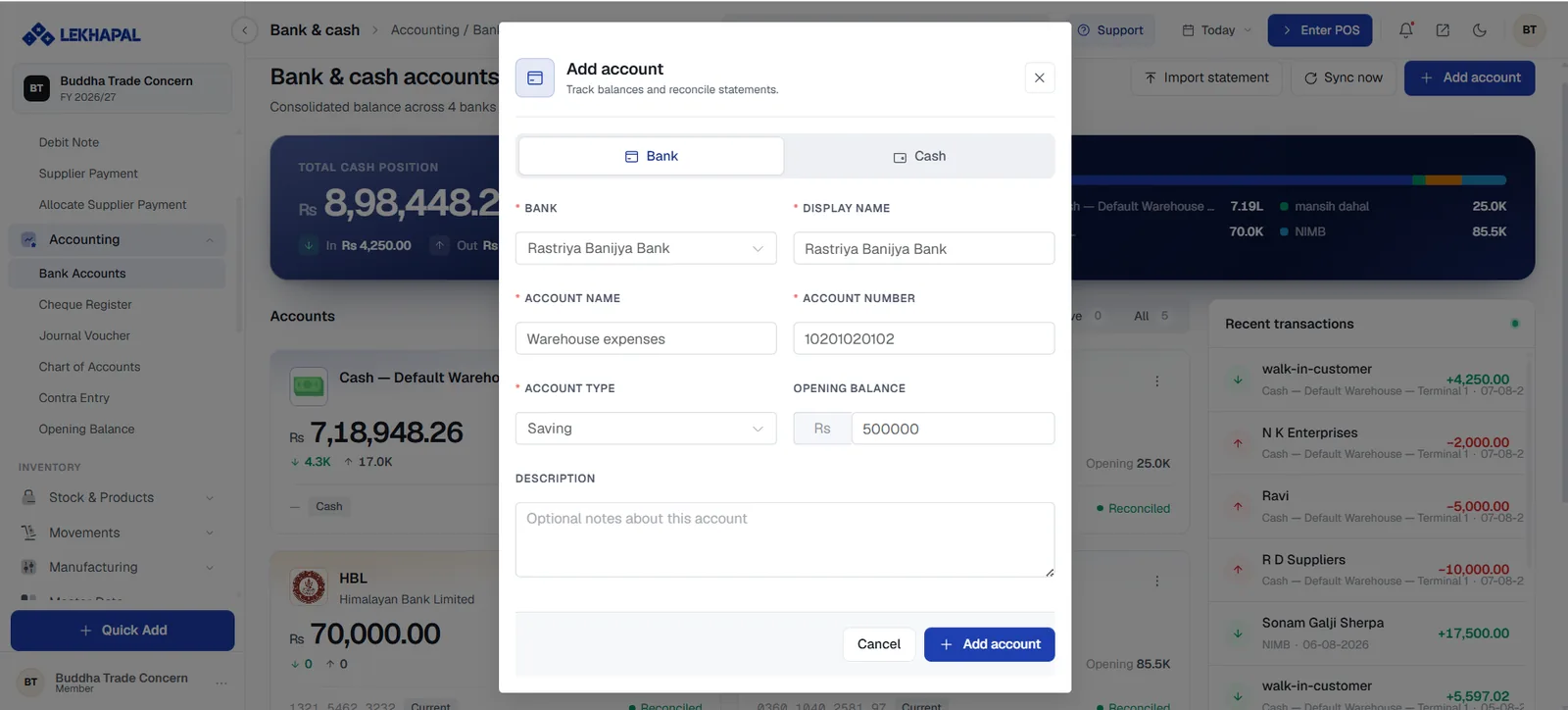
Click + Add account.
Choose Bank or Cash at the top of the dialog.
For a bank account, fill in:
Field Notes Bank Pick the bank from the list Display Name What the account is called throughout Lekhapal Account Name The name on the account Account Number The account number Account Type Saving, current and so on Opening Balance The balance on the day you start using Lekhapal Description Optional notes Click Add account.
Name accounts so a cashier can pick the right one
The Display Name is what appears in every payment dropdown. Cash — Default Warehouse — Terminal 1 is more useful at 6pm on a busy Saturday than Cash 1.
Where these accounts are used
| Screen | Field |
|---|---|
| Customer Payment | Received Account |
| Supplier Payment | Withdraw Account |
| POS payment | The payment method tile |
| Contra Entry | From Account and To Account |
Example
A business receives Rs. 20,000 from a customer, recorded into its Nabil Bank account. Later it pays Rs. 5,000 of expenses from the same account. The bank balance now reads Rs. 15,000, and both movements appear under Recent transactions.