Tax Reports
Seven reports covering VAT, TDS and Annex 5. Together they are what you file from.
| Report | In one line |
|---|---|
| Sales Register | VAT sales register (Annex) |
| Sales Return Register | VAT sales return register |
| Purchase Register | VAT purchase register (Annex) |
| Purchase Return Register | VAT purchase return register |
| VAT Summary Report | Month-wise VAT summary |
| TDS Report | TDS payable and receivable |
| Annex 5 Materialized View | Annex 5 import/export view |
Sales Register
The VAT sales register — the annex containing sales-related tax information.
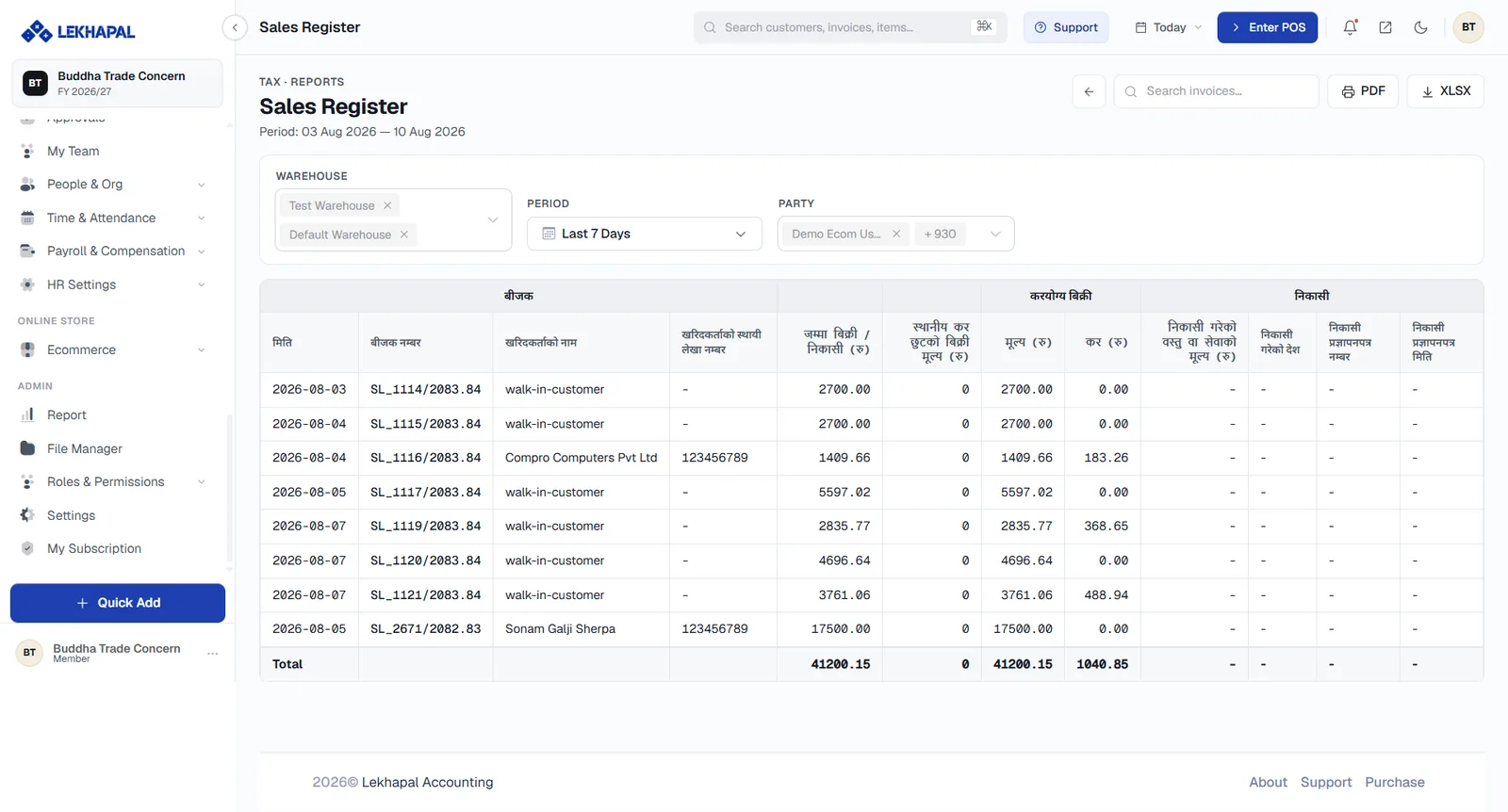
Use it to review sales transactions for VAT reporting.
Sales Return Register
Sales returns and their VAT information — the VAT effect of your credit notes.
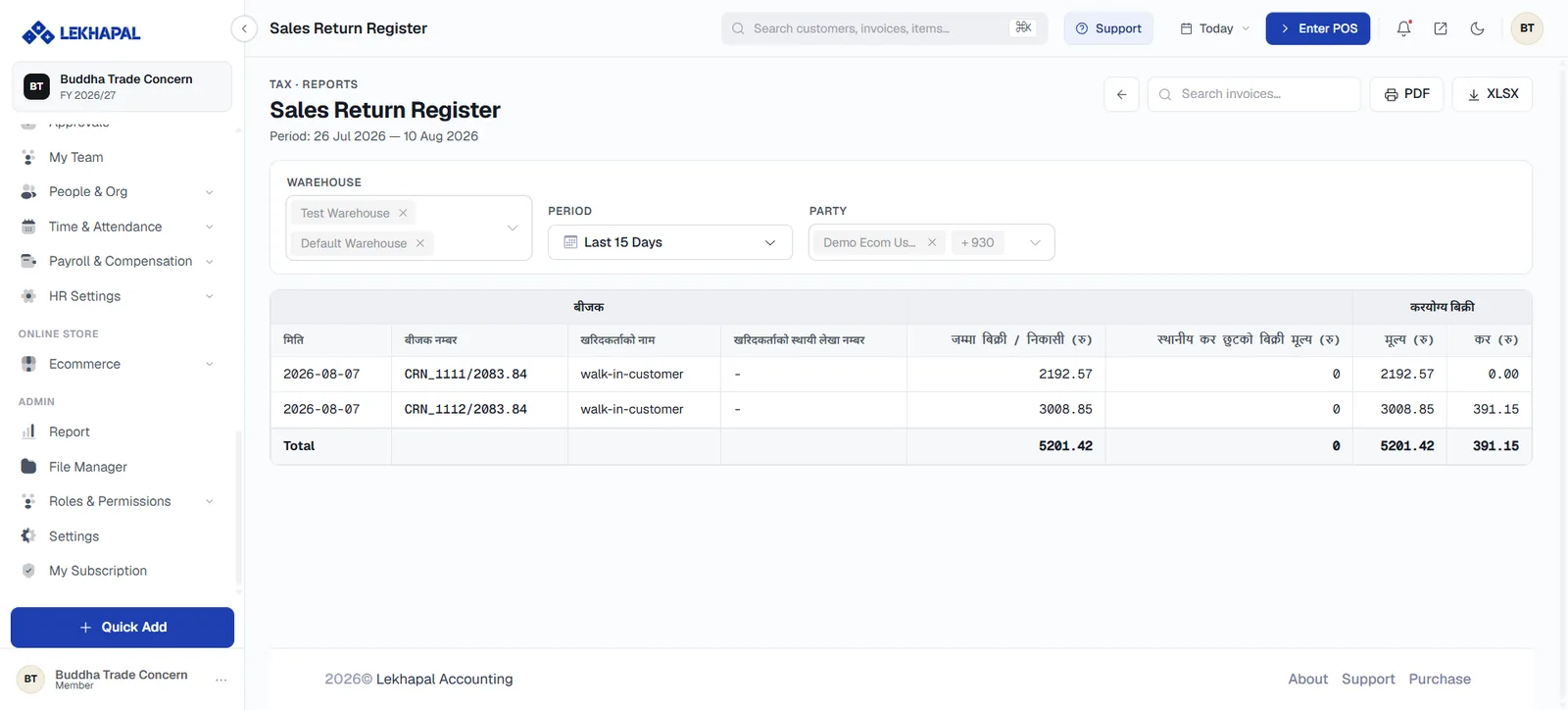
Example. A customer returns goods you previously sold. The return, and its VAT, are reviewed here.
Purchase Register
Purchase transactions with their VAT information — the input side of your VAT position.
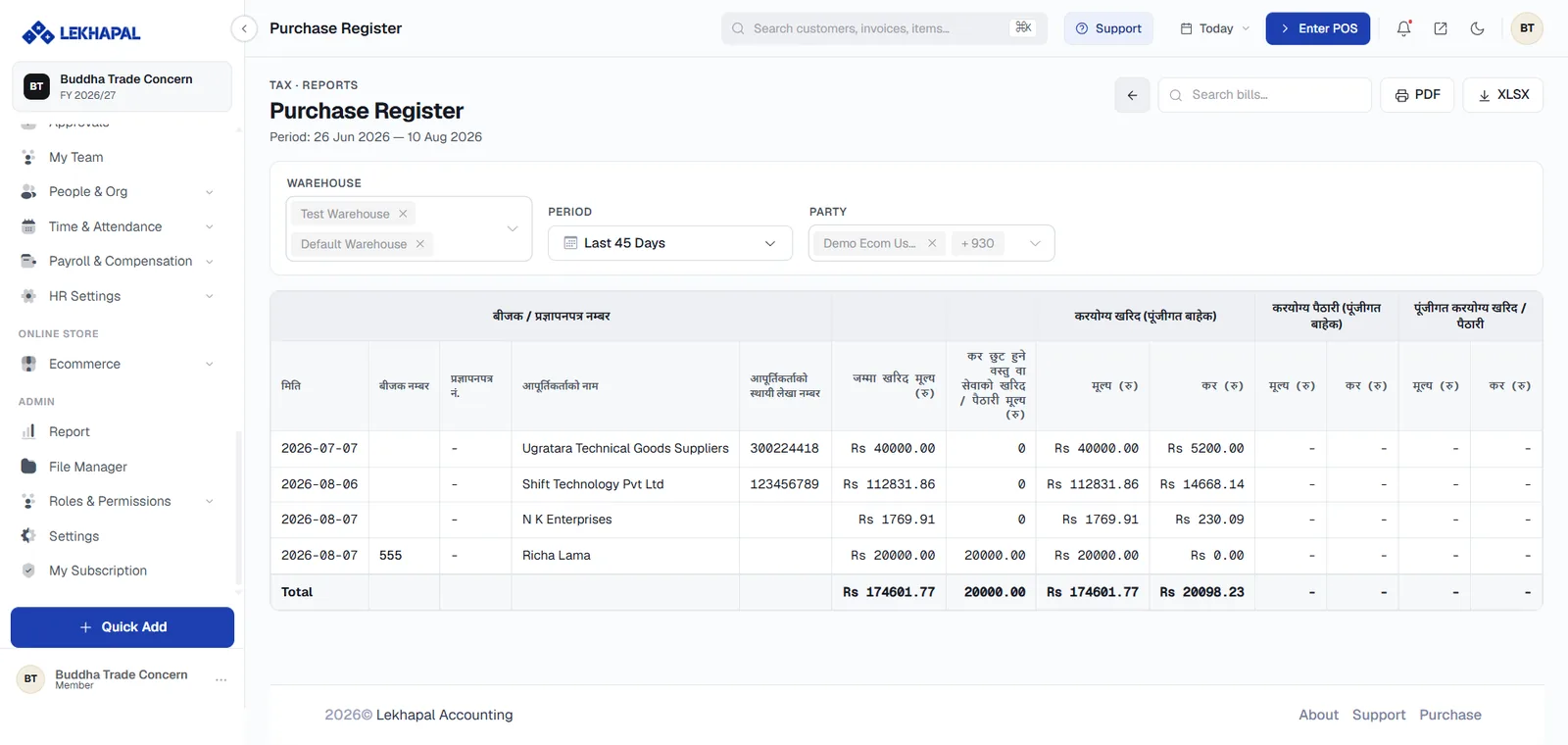
Use it to review purchases for VAT reporting.
Purchase Return Register
Purchase returns and their VAT — the VAT effect of your debit notes.
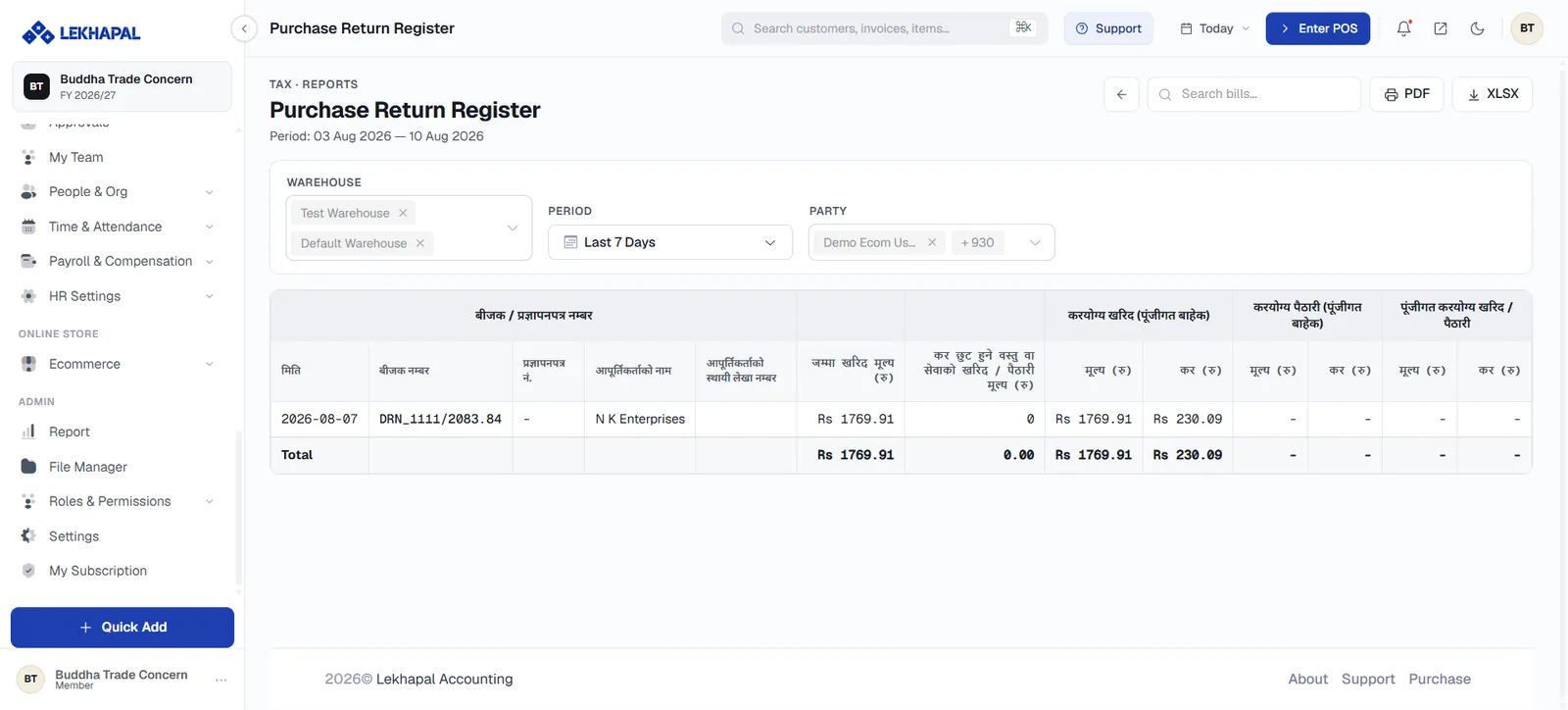
Example. A business returns defective goods to a supplier. The return appears here.
VAT Summary Report
A month-by-month summary of VAT.
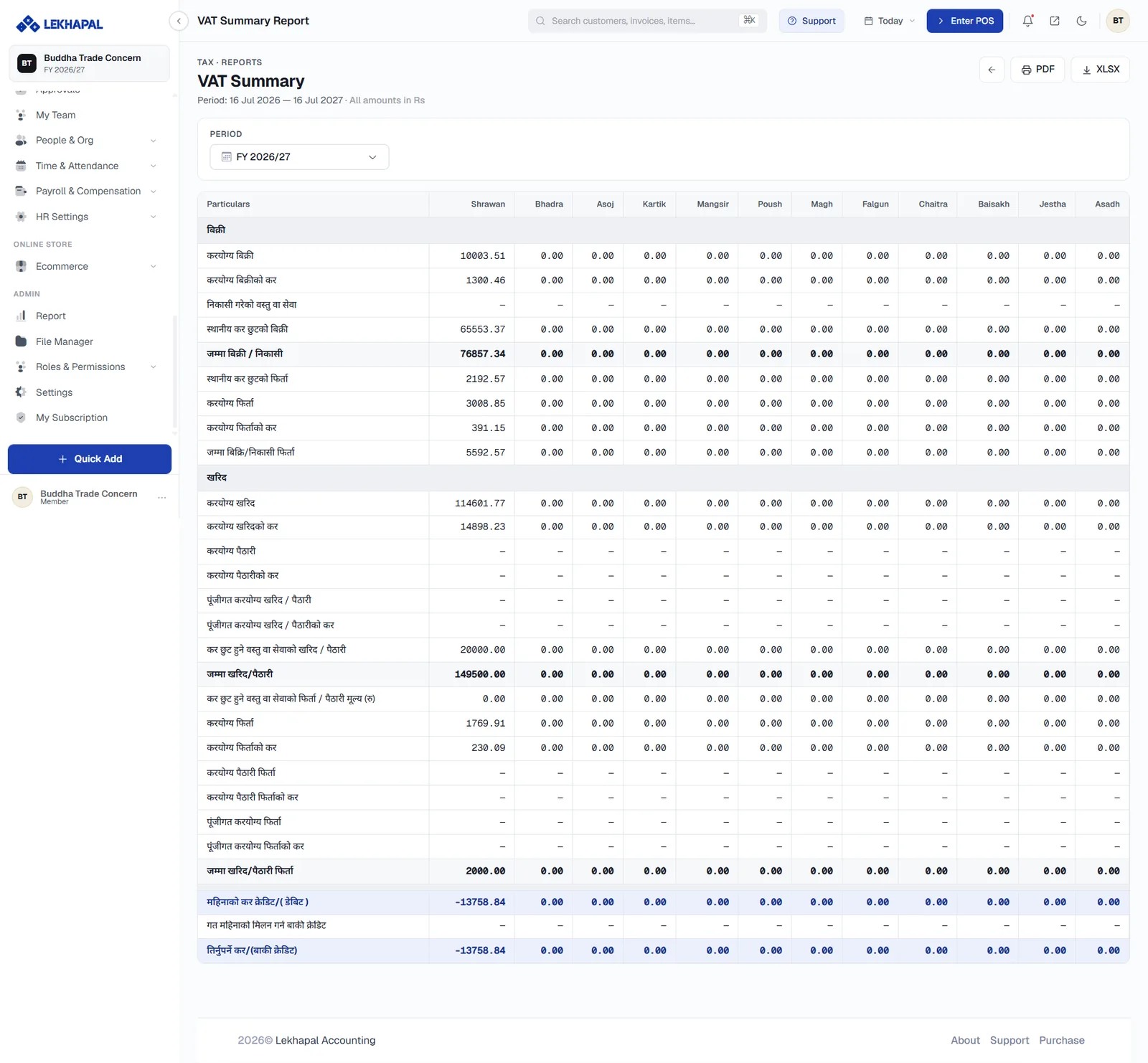
Rather than examining individual transactions, this gives you the monthly figures — output VAT, input VAT and the net position — which is what you need when preparing a return.
Summary first, register second
Run the VAT Summary to see whether a month looks right. If it does not, open the relevant register to find out why.
TDS Report
Tax Deducted at Source: the TDS amounts payable and receivable across your recorded transactions.
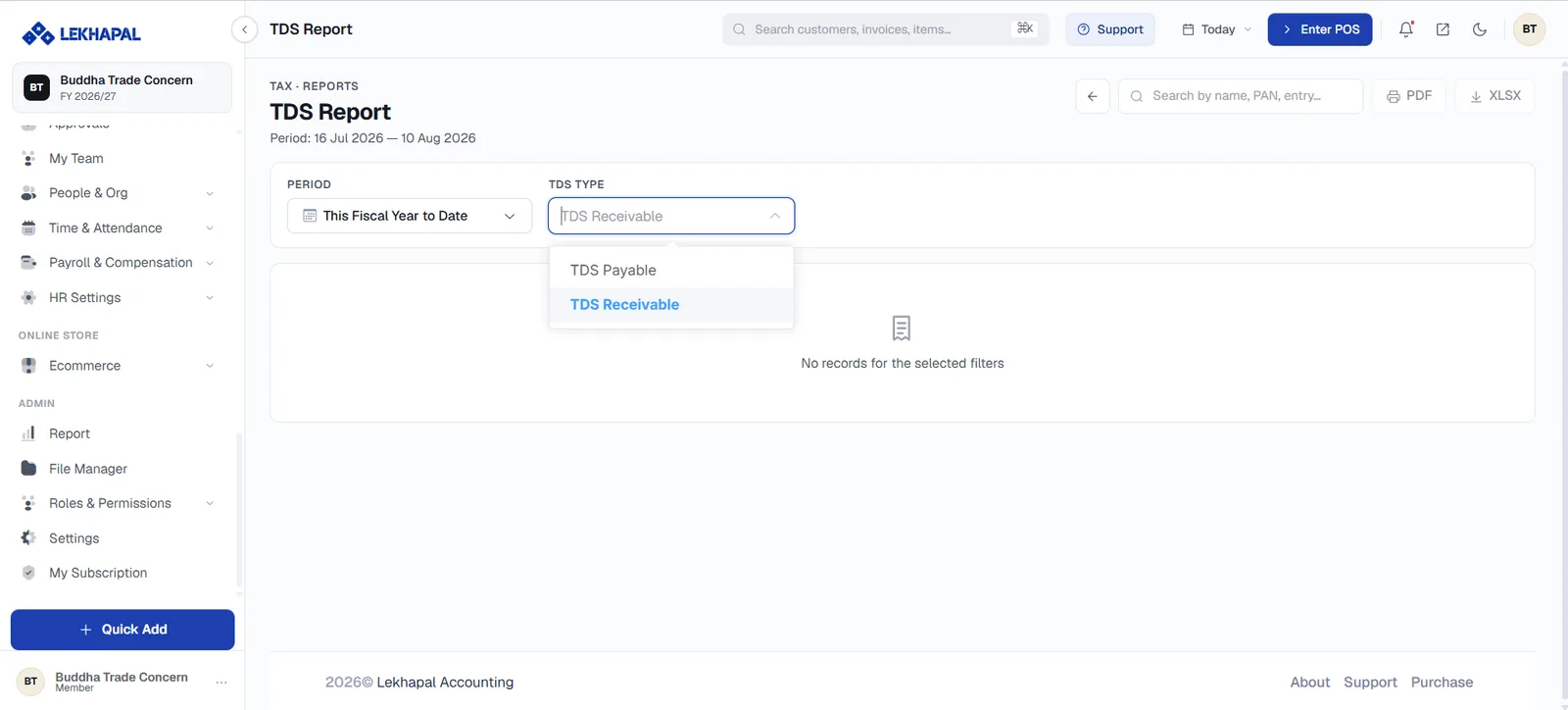
TDS is captured wherever the TDS Applicable toggle is used — on customer payments, supplier payments and expenses — and it all lands here.
Annex 5 Materialized View
A materialised view of Annex 5 import and export information.
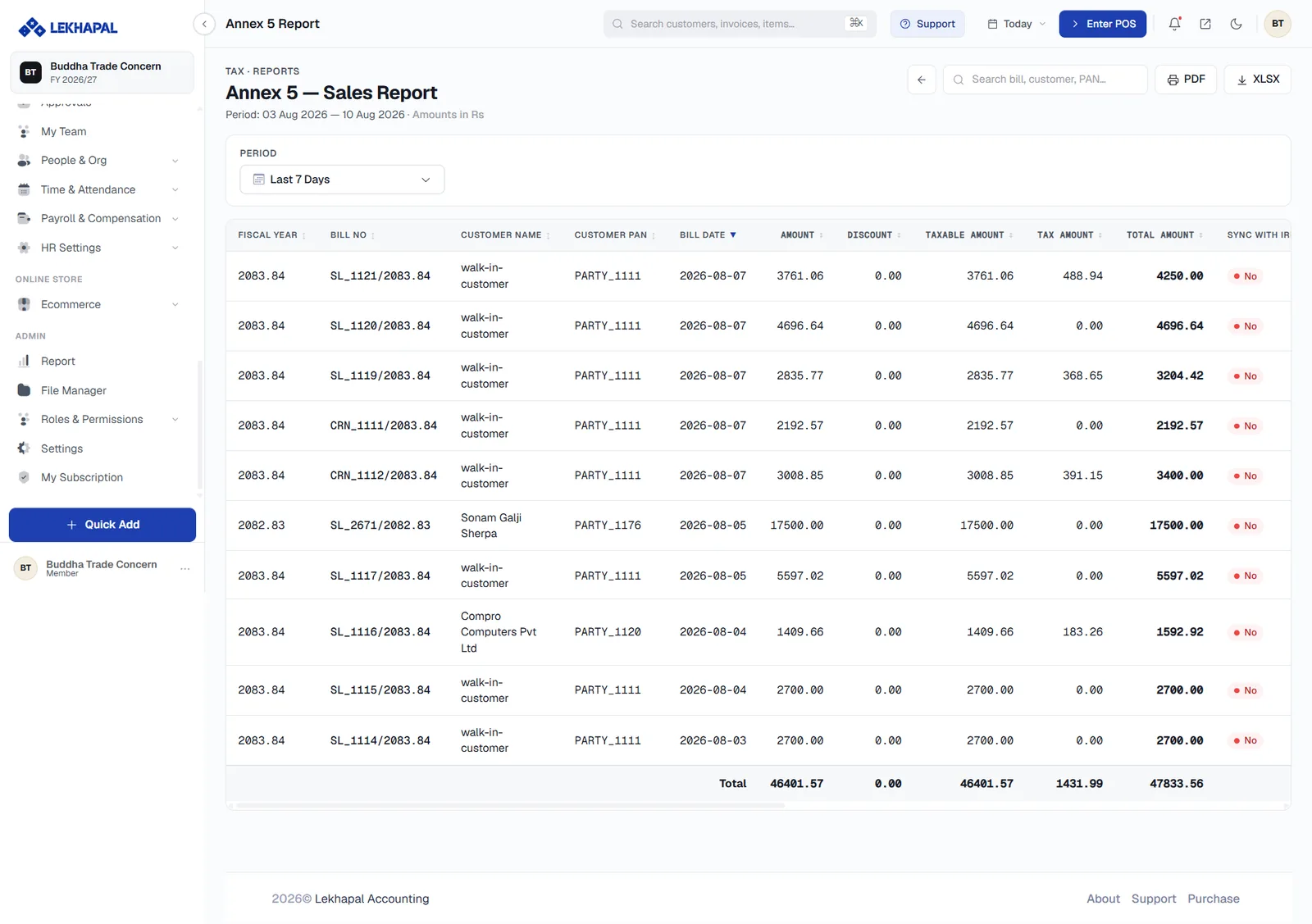
An organised view of Annex 5 data for review, import/export or reporting requirements.