Opening Balance
Opening balances are the position of the business on the day you start using Lekhapal. They are the starting point of your accounting: without them, every report shows only what has happened since you began entering data, not what the business is actually worth.
What to enter
Accounting → Opening Balance
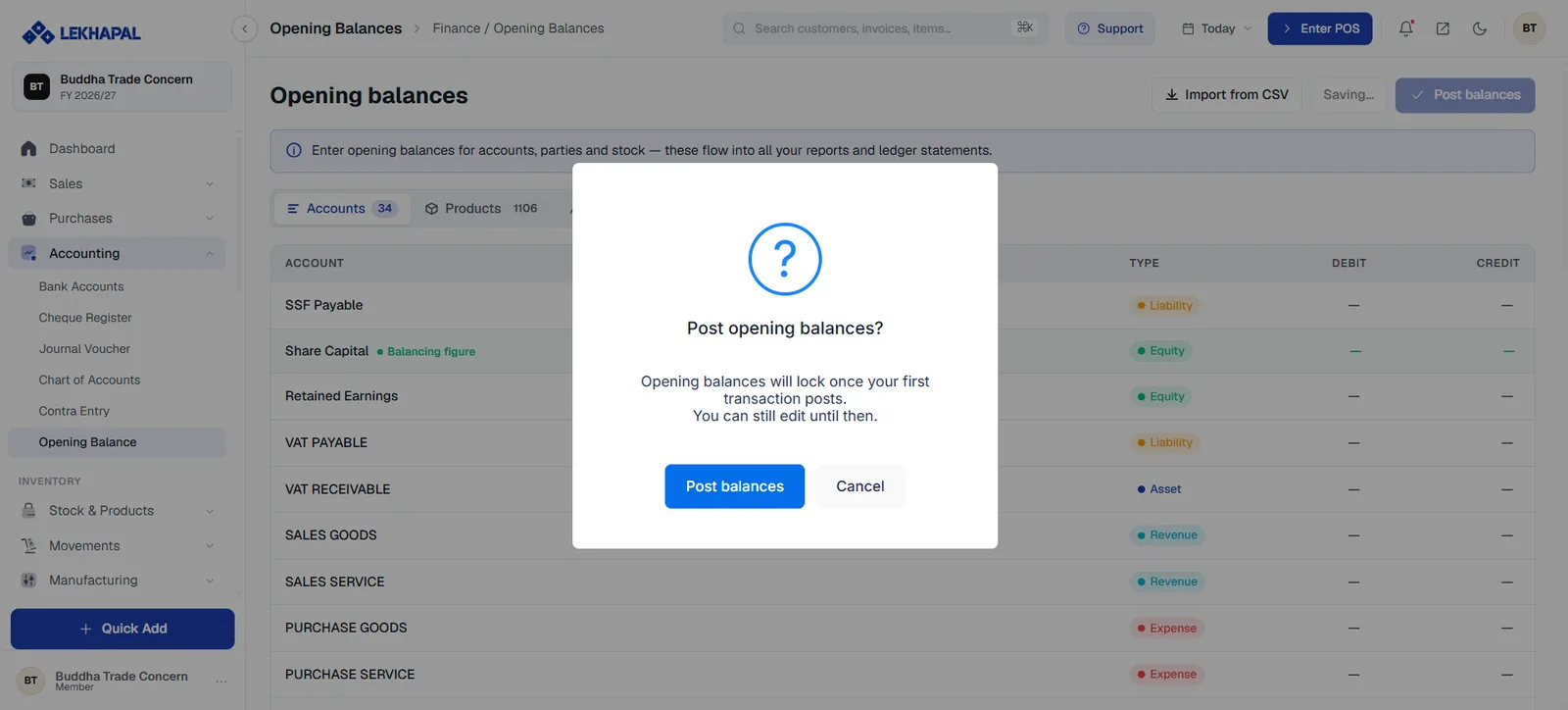
The screen is organised into tabs, each with a count:
| Tab | What goes in |
|---|---|
| Accounts | Ledger balances — cash, bank, capital, VAT payable, retained earnings and so on |
| Products | Opening stock quantity and value for each product |
| Parties | What each customer already owes you, and what you already owe each supplier |
Each account row shows its Type — Asset, Liability, Equity, Revenue or Expense — and a DEBIT and CREDIT column. One account is marked Balancing figure (typically Share Capital), which absorbs the difference so the entry balances.
Import from CSV loads balances in bulk, which is the practical route if you are migrating from another system.
Post the balances
When everything is entered, click Post balances. A confirmation appears:
Post opening balances? Opening balances will lock once your first transaction posts. You can still edit until then.
Get this right before you trade
Opening balances stay editable only until the first transaction is posted. After that they lock, and correcting them means a journal voucher. Enter them carefully, check them against your previous books, and only then start recording sales.
Checking your work
After posting, run the Trial Balance. Total debits should equal total credits, and the Chart of Accounts header should show Assets = Liabilities + Equity without an Out of balance flag.
Example
A business starts using Lekhapal with Rs. 50,000 in cash. That figure is entered as the opening balance of the cash account, with the balancing entry falling to share capital. From then on, every receipt and payment moves the balance from that starting point.