Lekhapal User Manual
Get Started
  • Selling

    • Point of Sale
    • Sales
    • Loyalty
    • Online Store
  • Buying & Books

    • Purchase
    • Accounting
  • Operations

    • Inventory
    • CRM
    • Human Resources
Reports
Administration
  • Sign in
  • Create an account
  • Website
  • English
  • नेपाली
Get Started
  • Selling

    • Point of Sale
    • Sales
    • Loyalty
    • Online Store
  • Buying & Books

    • Purchase
    • Accounting
  • Operations

    • Inventory
    • CRM
    • Human Resources
Reports
Administration
  • Sign in
  • Create an account
  • Website
  • English
  • नेपाली
  • Getting Started

    • Overview
    • Accounting Basics
    • Create an Account
    • Signing In
    • Dashboard
    • Quick Add
  • Point of Sale
  • Sales

    • Overview
    • Quotation
    • Sales Order
    • Sales Invoice
    • Credit Note
    • Customer Payment
    • Allocate Customer Payment
  • Purchase

    • Overview
    • Purchase Order
    • Purchases
    • Expenses
    • Debit Note
    • Supplier Payment
    • Allocate Supplier Payment
  • Accounting

    • Overview
    • Bank Accounts
    • Cheque Register
    • Journal Voucher
    • Chart of Accounts
    • Contra Entry
    • Opening Balance
  • Inventory

    • Overview
    • Products
    • Movements
    • Manufacturing
    • Master Data
  • CRM
  • Loyalty
  • Human Resources

    • Overview
    • Self-Service
    • People & Organisation
    • Time & Attendance
    • Payroll & Compensation
    • HR Settings
  • Online Store
  • Reports

    • Overview
    • POS Reports
    • Sales Reports
    • Purchase Reports
    • Receivable & Payable
    • Party Reports
    • Tax Reports
    • Inventory Reports
    • Accounting Reports
    • Asset Reports
    • System Reports
  • Administration

    • Overview
    • Roles & Permissions
    • Users
    • Settings
    • File Manager
    • My Subscription

Purchase Order

A purchase order (PO) is the document you send a supplier to order goods or services. It is a formal request: it states what you want, in what quantity, at what price. Nothing has been received and nothing is owed yet.
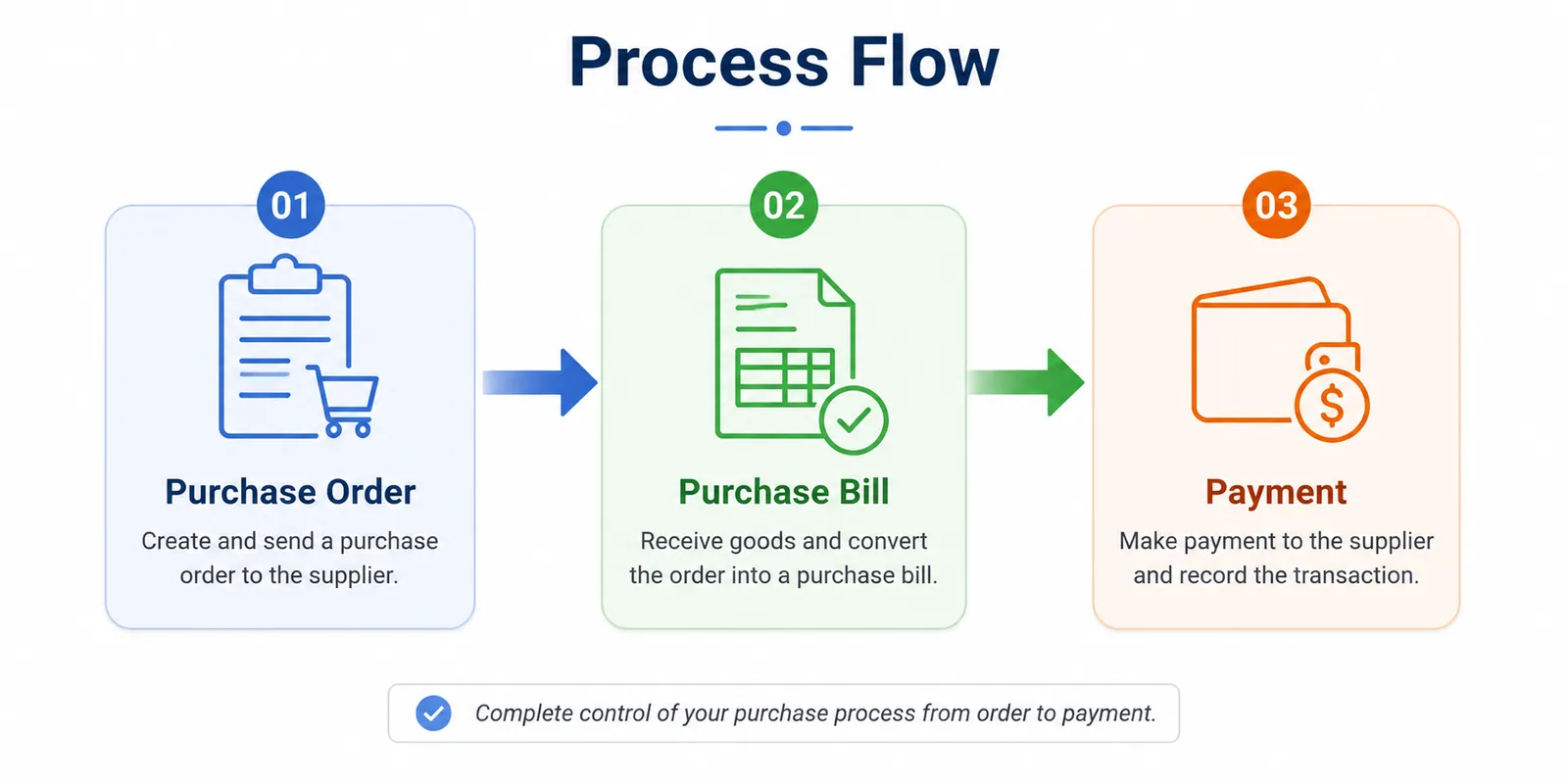
The purchase cycle, from order to payment.

What it helps you do

  • Communicate order details clearly to suppliers.
  • Track which purchases are pending and which are confirmed.
  • Keep proper purchase records before the goods arrive.
  • Convert the order into a purchase bill once the goods are received.

Create a purchase order

Purchases → Purchase Order → + Add Purchase Order
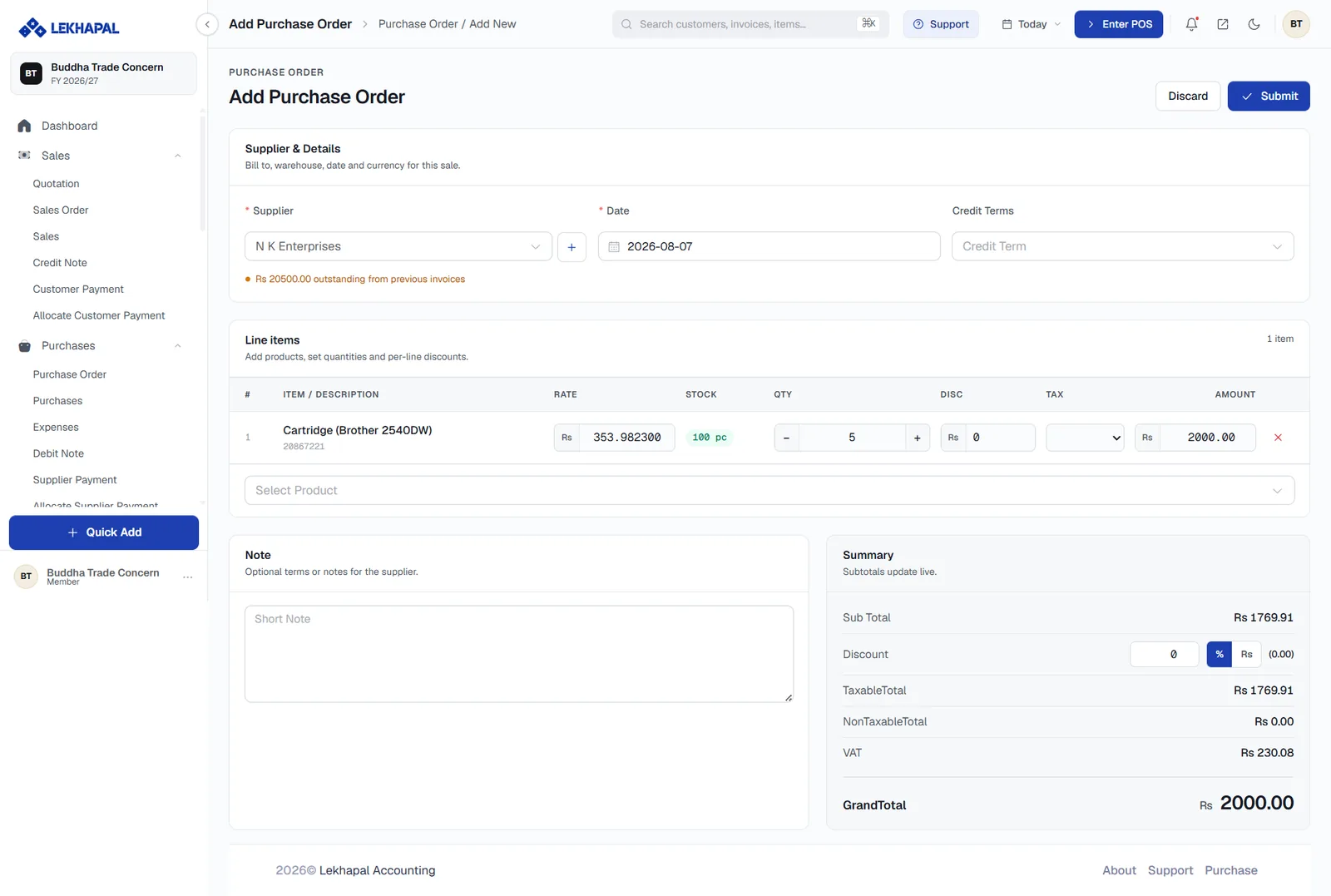
The Add Purchase Order form.

  1. Supplier & Details — choose the Supplier, set the Date and, if agreed, the Credit Terms. Use + beside the supplier box to add a new supplier without leaving the form.
  2. Line items — pick each product and set the RATE, QTY, any DISC and the TAX. The STOCK column shows what you already hold, which is exactly what you want to see while deciding how much to order.
  3. Note — anything the supplier should know.
  4. Summary — Sub Total, Discount, TaxableTotal, NonTaxableTotal, VAT and GrandTotal, updating as you type.
  5. Click Submit.

Outstanding balance warning

If the supplier already has unpaid bills, a note appears under the supplier box — for example Rs 20500.00 outstanding from previous invoices. Worth a glance before committing to a new order.

Convert to a purchase bill

When the supplier delivers, convert the PO into a purchase. Only then does stock increase and a payable appear. Until then the PO is a commitment, not a liability.

Example

A shop needs to restock:

  • 50 units of Product A
  • 30 units of Product B

You raise a purchase order and send it to the supplier. When the delivery arrives, the PO is converted into a purchase bill, stock goes up by the quantities received, and the amount becomes payable.

Next

→ Purchases

Prev
Overview
Next
Purchases