People & Organisation
Eight screens covering the employee lifecycle, from hire to exit.
HR Center
People & Org → HR Center
The HR overview: headcount, pending approvals, payroll status and workforce analytics.
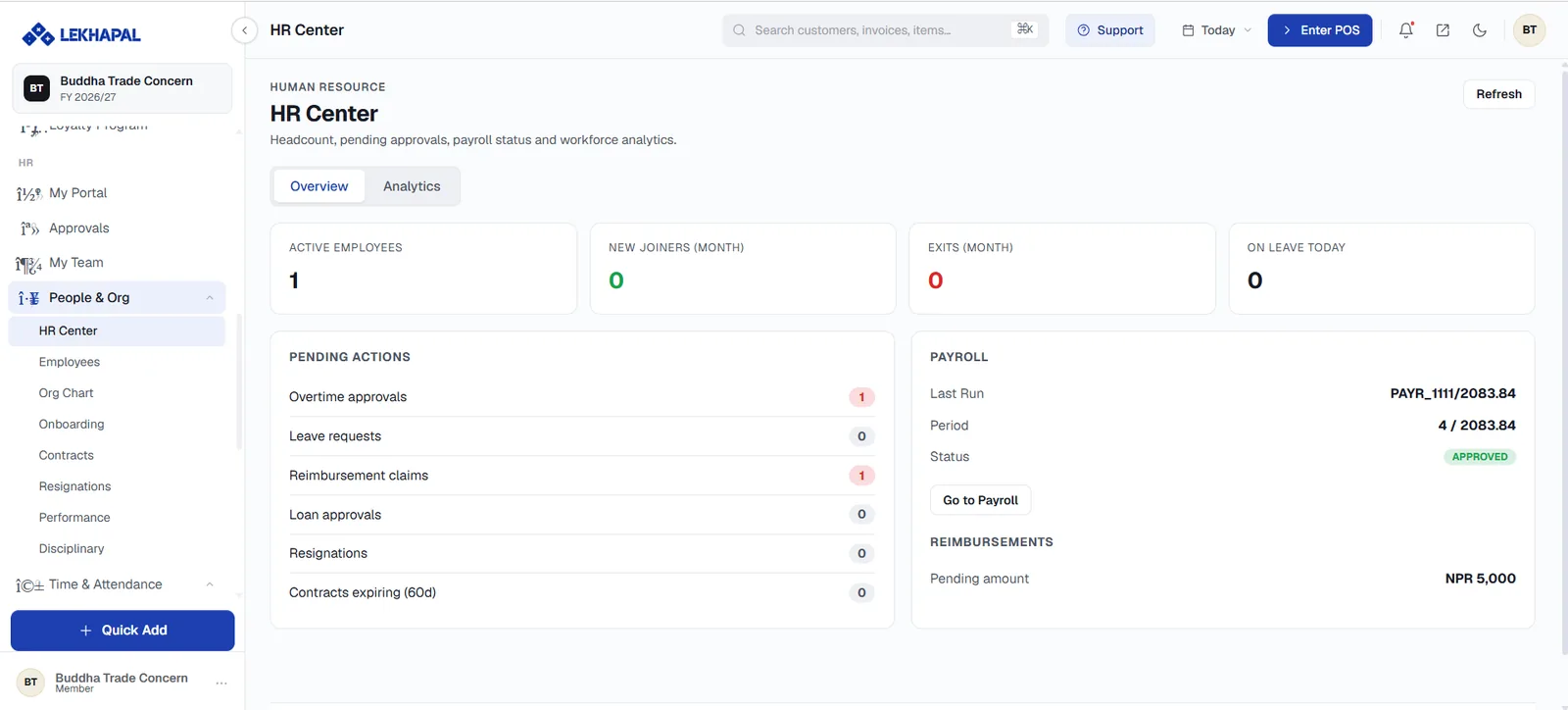
Two tabs, Overview and Analytics. The overview gives you:
Headcount
Active Employees, New Joiners (month), Exits (month) and On Leave Today.
Pending actions
A worklist with a count against each item — overtime approvals, leave requests, reimbursement claims, loan approvals, resignations, and contracts expiring within 60 days. This is the fastest way to see what needs attention.
Payroll and reimbursements
The Last Run reference, its Period and Status, with Go to Payroll; and the pending reimbursement amount.
Employees
People & Org → Employees
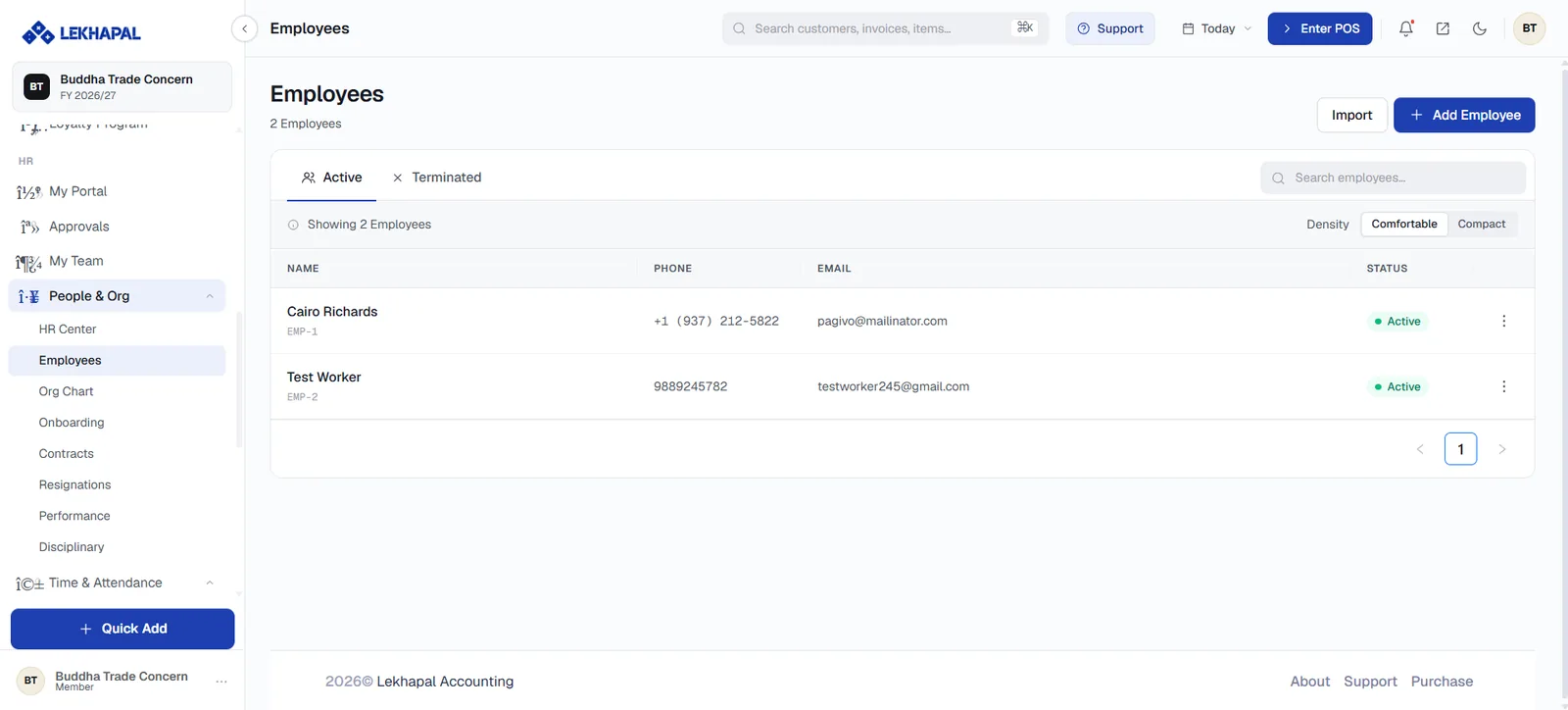
Two tabs — Active and Terminated — with each row showing the employee's name, code (for example EMP-1), phone, email and status. Import loads employees in bulk; + Add Employee creates one.
Add an employee
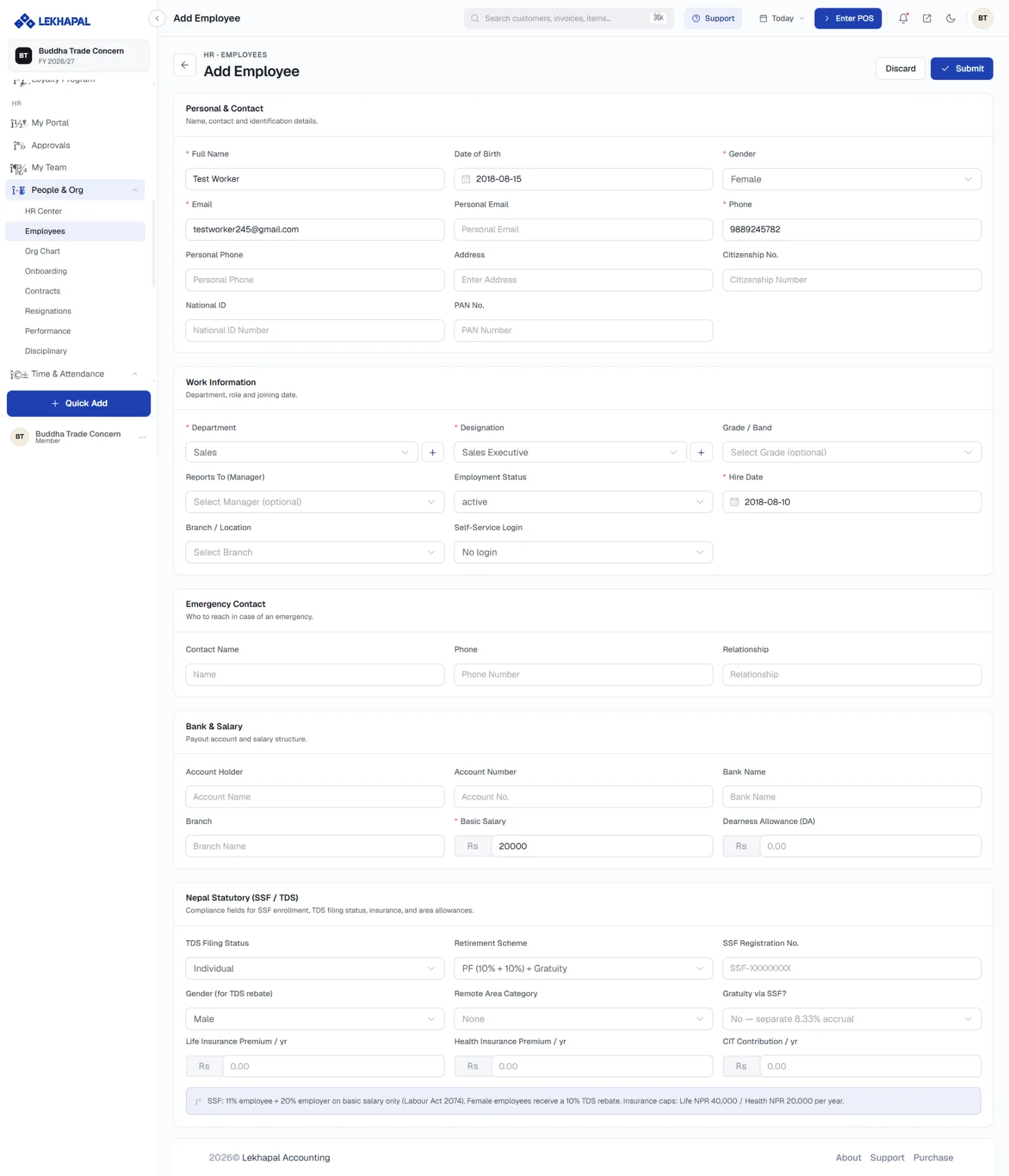
The form is in five blocks.
Personal & Contact — full name, date of birth, gender, work and personal email, work and personal phone, address, citizenship number, national ID and PAN.
Work Information
| Field | Notes |
|---|---|
| Department | From HR Settings. + adds one inline |
| Designation | The job title |
| Grade / Band | Optional, from Job Grades |
| Reports To (Manager) | Drives the org chart and approval routing |
| Employment Status | Active, and so on |
| Hire Date | Drives onboarding checklists and service length |
| Branch / Location | Where they work |
| Self-Service Login | Whether they get a My Portal login |
Emergency Contact — name, phone and relationship.
Bank & Salary — account holder, account number, bank name, branch, Basic Salary and Dearness Allowance (DA).
Nepal Statutory (SSF / TDS)
| Field | Notes |
|---|---|
| TDS Filing Status | Individual or couple |
| Retirement Scheme | For example PF (10% + 10%) + Gratuity |
| SSF Registration No. | The employee's SSF number |
| Gender (for TDS rebate) | Female employees receive a 10% TDS rebate |
| Remote Area Category | Remote-area allowance band |
| Gratuity via SSF? | Or a separate 8.33% accrual |
| Life / Health Insurance Premium per year | Capped at NPR 40,000 and NPR 20,000 |
| CIT Contribution per year | Citizen Investment Trust contribution |
Click Submit.
Set Reports To from the start
The manager field drives the org chart and the approval routing for leave, overtime and corrections. An employee with no manager appears as a root in the org chart and their requests have nowhere to go.
Org Chart
People & Org → Org Chart
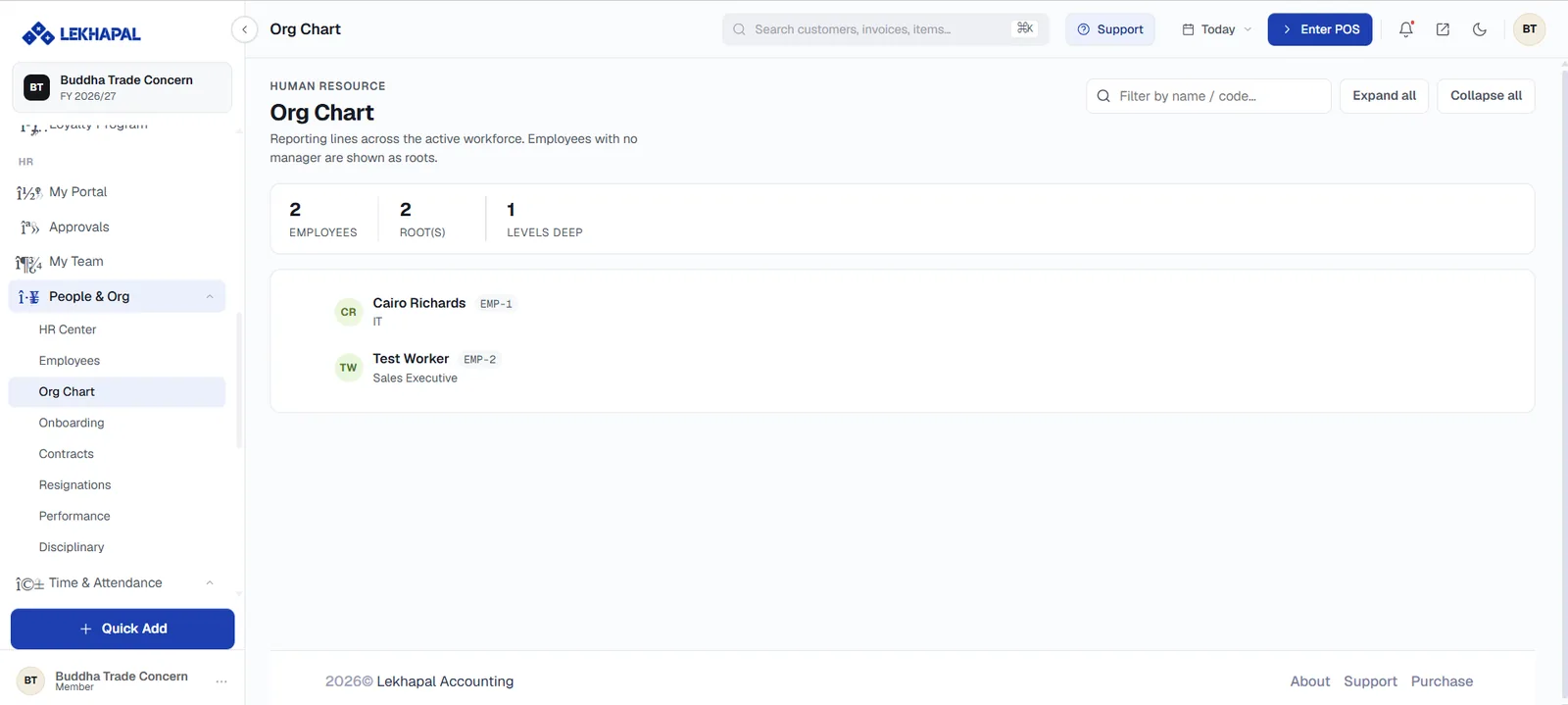
A visual view of reporting lines across the active workforce. Employees with no manager assigned are shown as roots.
Three counters head the page: Employees, Root(s) and Levels Deep. Filter by name / code narrows the tree; Expand all and Collapse all control the view.
Example. Managing Director → Department Manager → Team Leader → Employees.
Onboarding
People & Org → Onboarding
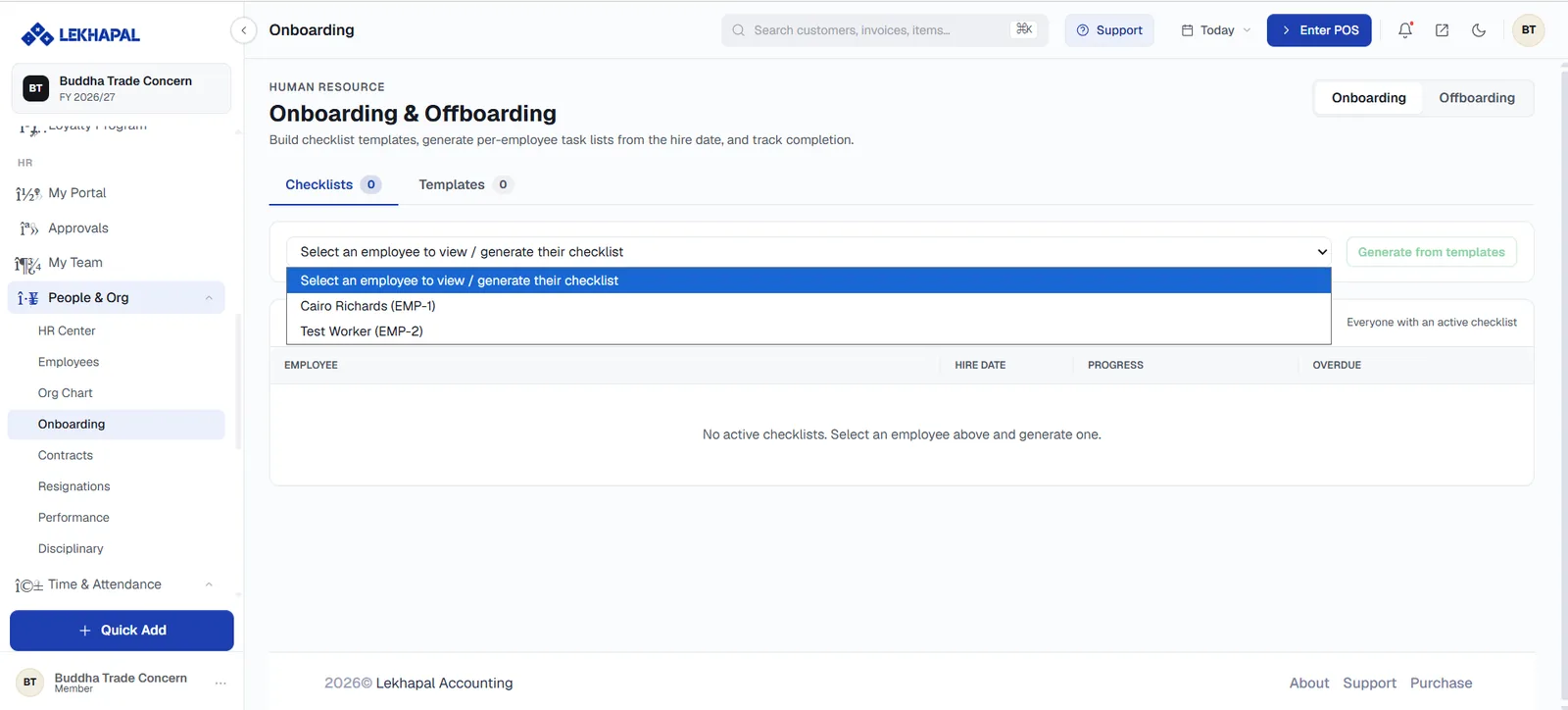
Build checklist templates, generate per-employee task lists from the hire date, and track completion. The toggle in the top-right switches between Onboarding and Offboarding.
Two tabs:
- Checklists — active checklists, showing the employee, hire date, Progress and anything Overdue.
- Templates — the reusable task lists you build once.
To start one, select an employee from the dropdown and click Generate from templates.
Contracts
People & Org → Contracts
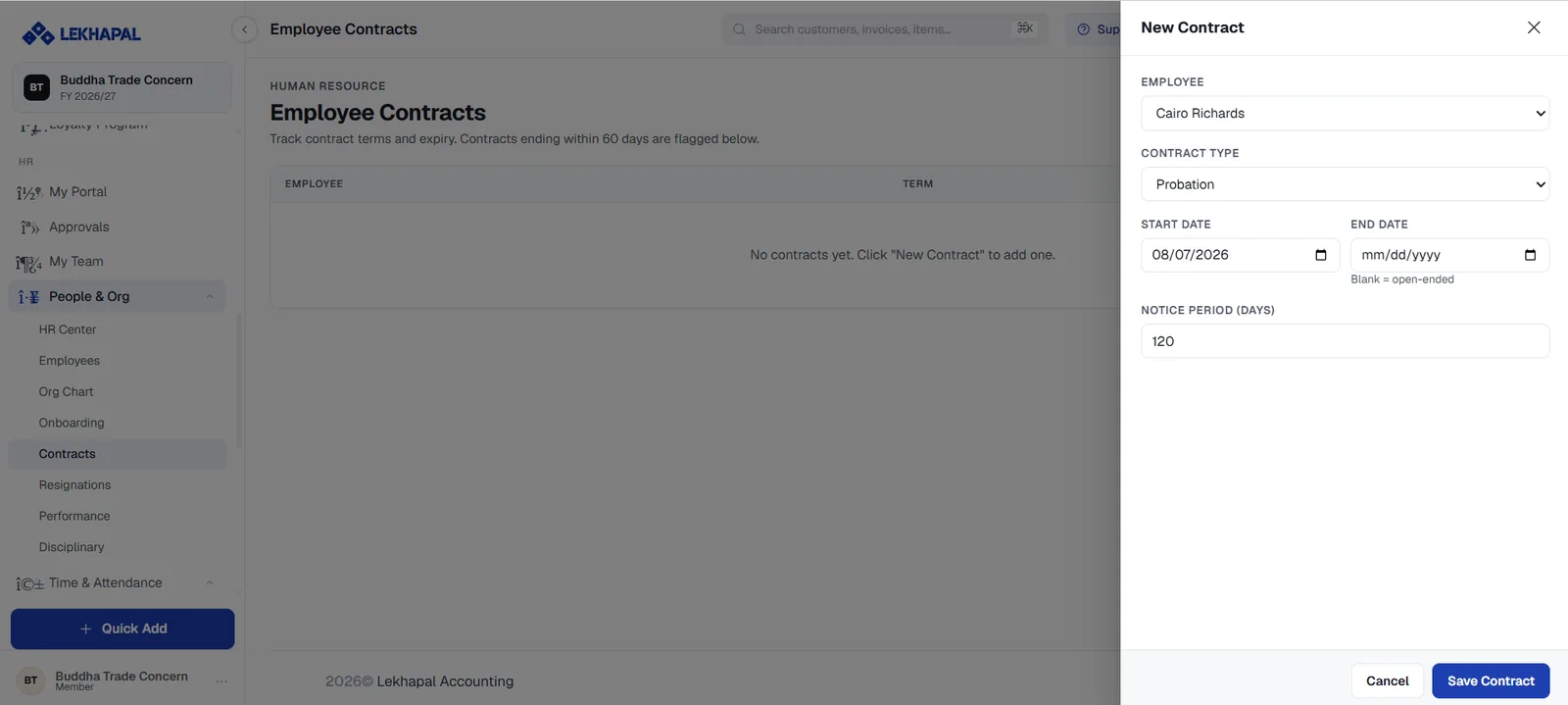
Track contract terms and expiry. Contracts ending within 60 days are flagged here and counted in the HR Center pending actions.
To add one, click New Contract and fill in:
| Field | Notes |
|---|---|
| Employee | Who the contract is for |
| Contract Type | For example Probation, permanent, fixed-term |
| Start Date | When it begins |
| End Date | Leave blank for open-ended |
| Notice Period (days) | Required notice on either side |
Click Save Contract.
Resignations
People & Org → Resignations
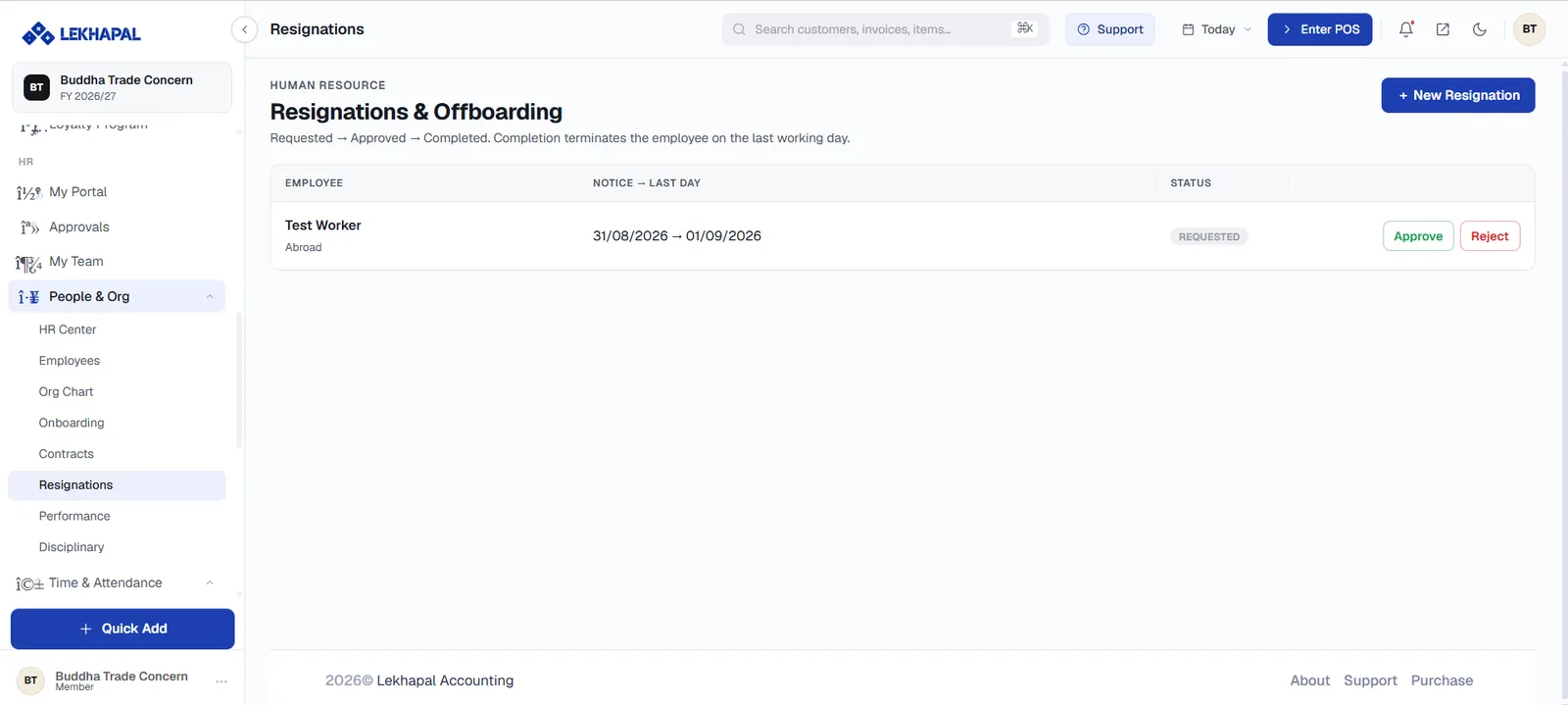
A structured exit process: Requested → Approved → Completed. Completion terminates the employee on their last working day, moving them to the Terminated tab on the employee list.
Each row shows the employee, the reason, the notice date and last day, and the status, with Approve and Reject actions.
+ New Resignation records one on an employee's behalf.
Performance
People & Org → Performance
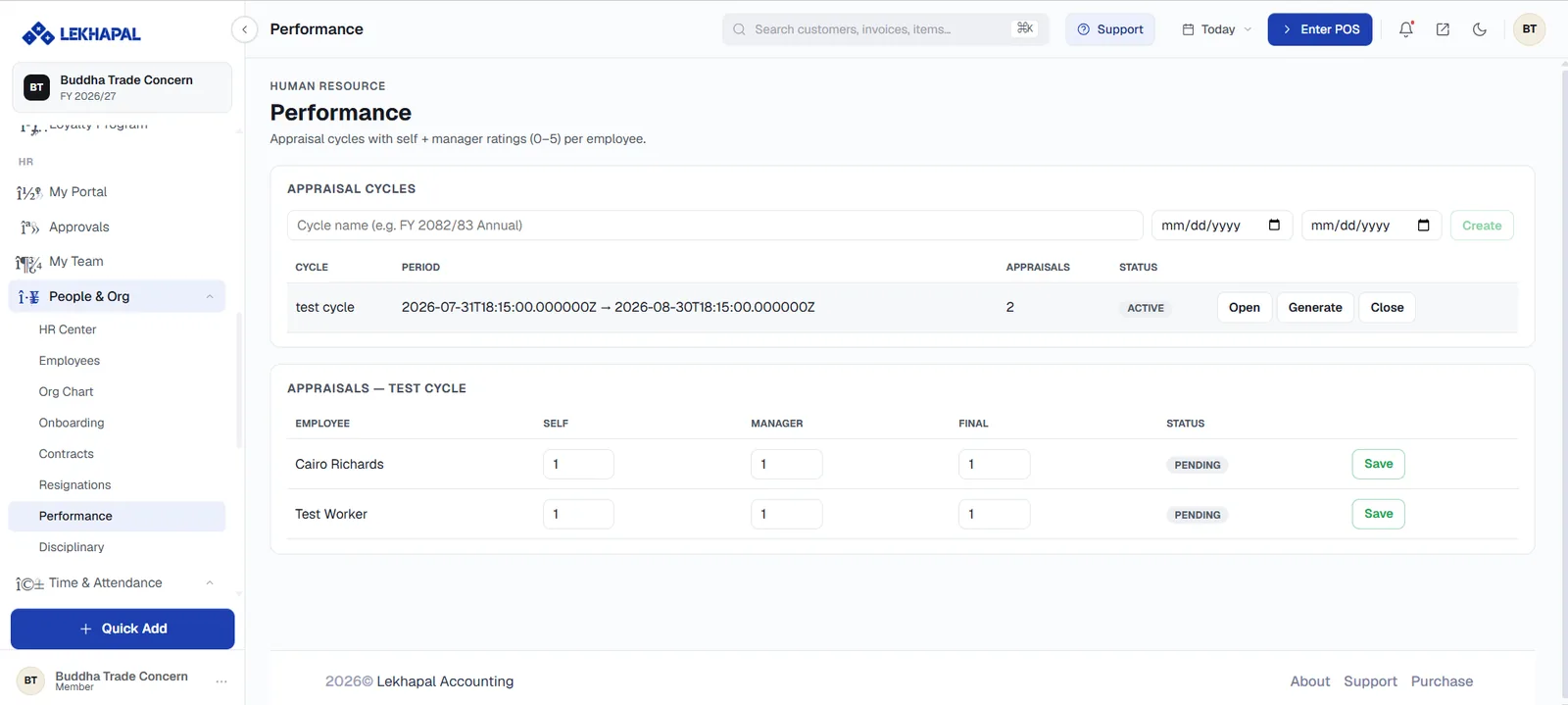
Appraisal cycles with self and manager ratings from 0 to 5 per employee.
Create a cycle
Enter a Cycle name (for example FY 2082/83 Annual), set the start and end dates, and click Create. Each cycle shows its period, the number of appraisals and its status, with Open, Generate and Close actions — Generate creates an appraisal for every eligible employee.
Record appraisals
The Appraisals table lists each employee with a Self, Manager and Final rating, and a status. Enter the ratings and click Save on the row.
Disciplinary
People & Org → Disciplinary
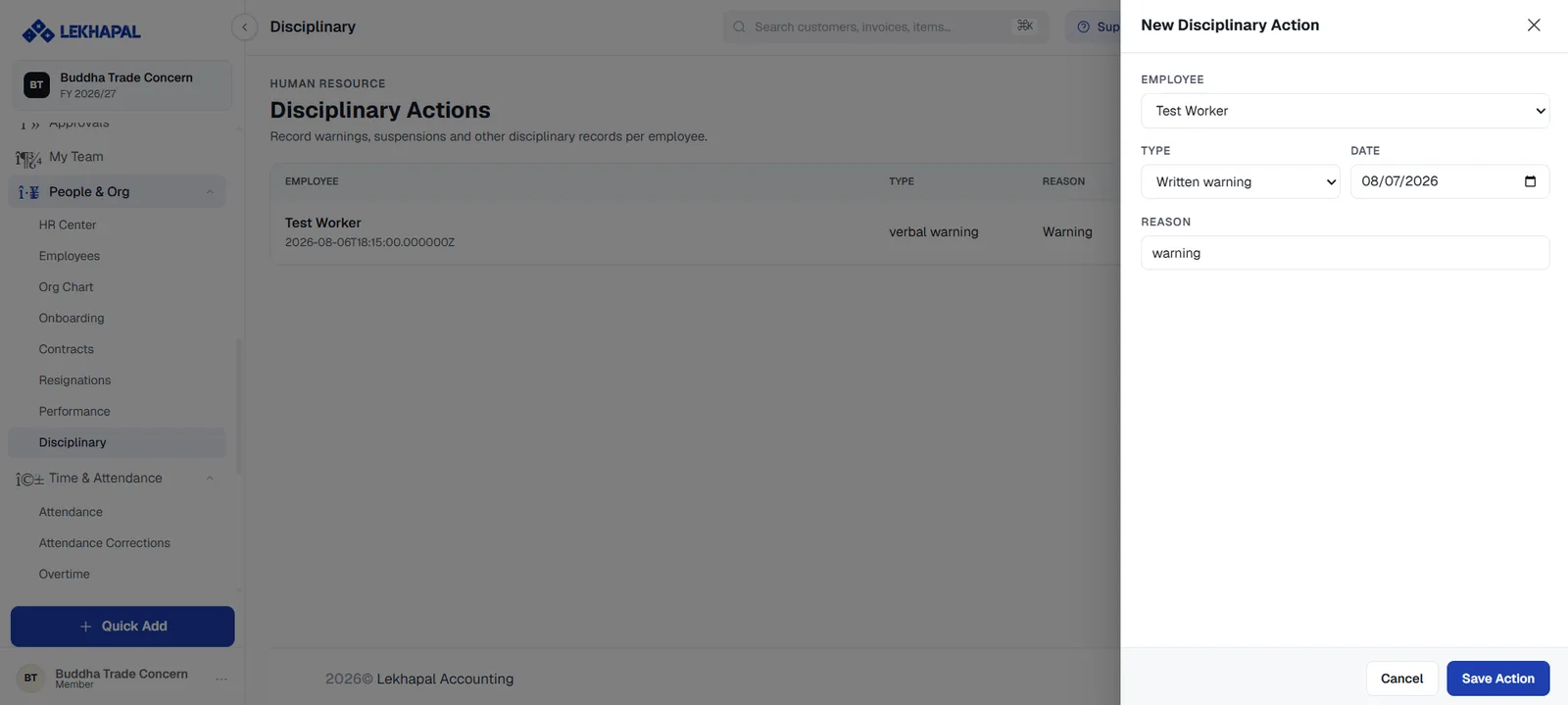
A formal record of warnings, suspensions and other disciplinary actions per employee.
To record one, click New Disciplinary Action and set the Employee, the Type (verbal warning, written warning, suspension), the Date and the Reason. Click Save Action.