Sales Invoice
A sale is the final transaction: goods or services are sold, an invoice is generated, and the business officially records the revenue. It is the document that turns activity into money owed.
What it helps you do
- Generate final bills (invoices).
- Record completed sales transactions.
- Calculate taxes such as VAT.
- Track revenue.
- Link sales to customer payments.
Create a sale
Sales → Sales → + Add Sale
The form matches the quotation form. If the sale comes from a quotation or a sales order, convert that document instead of starting from scratch — everything carries across and the link is preserved.
Approve the sale
A newly created sale is pending. It is visible and editable, but it has not yet reached your books.
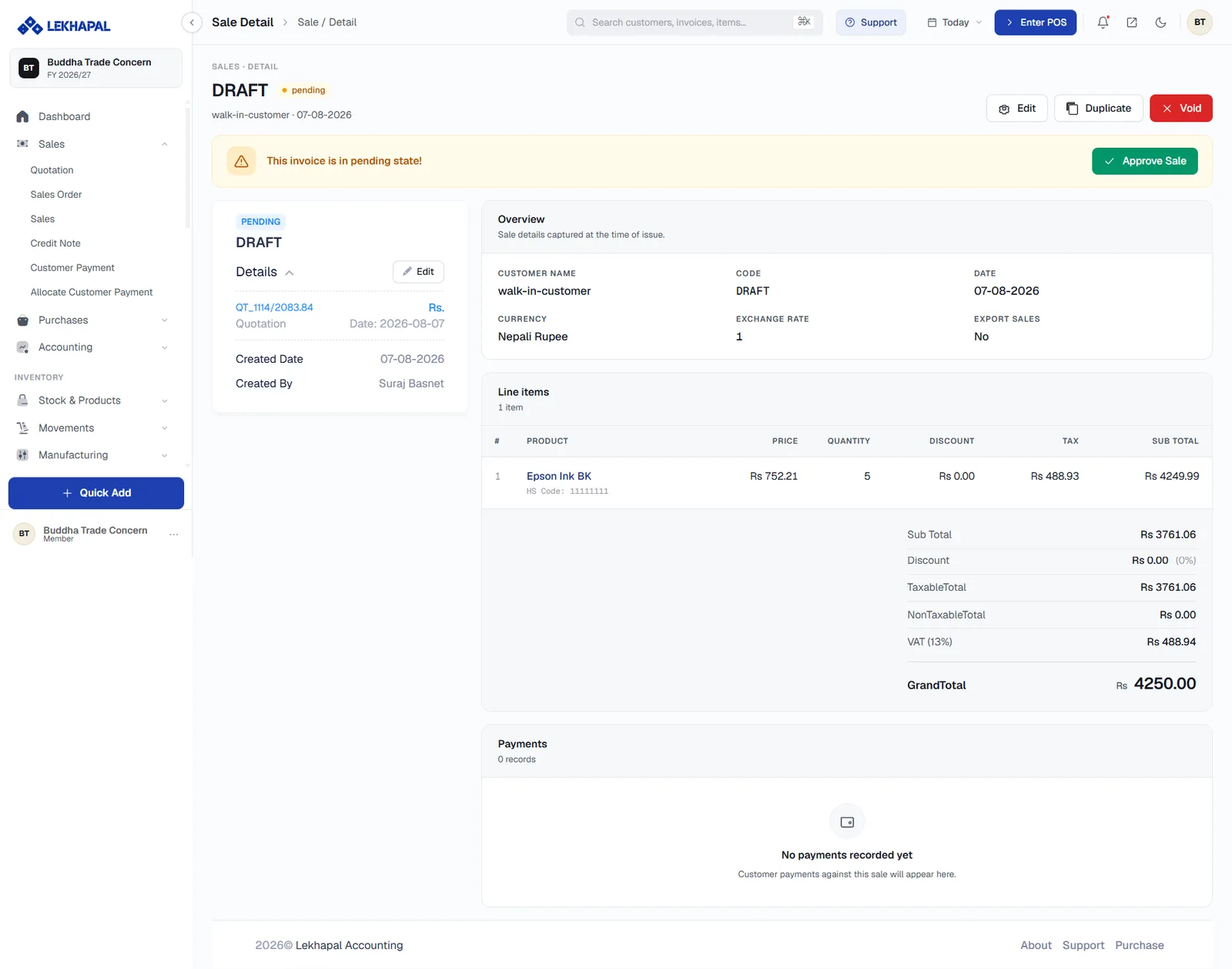
The yellow banner says This invoice is in pending state! Click Approve Sale to finalise it. Until you do, you can still Edit, Duplicate or Void the document.
The left-hand Details panel shows the audit trail — the source quotation, the created date and who created it.
The approved invoice
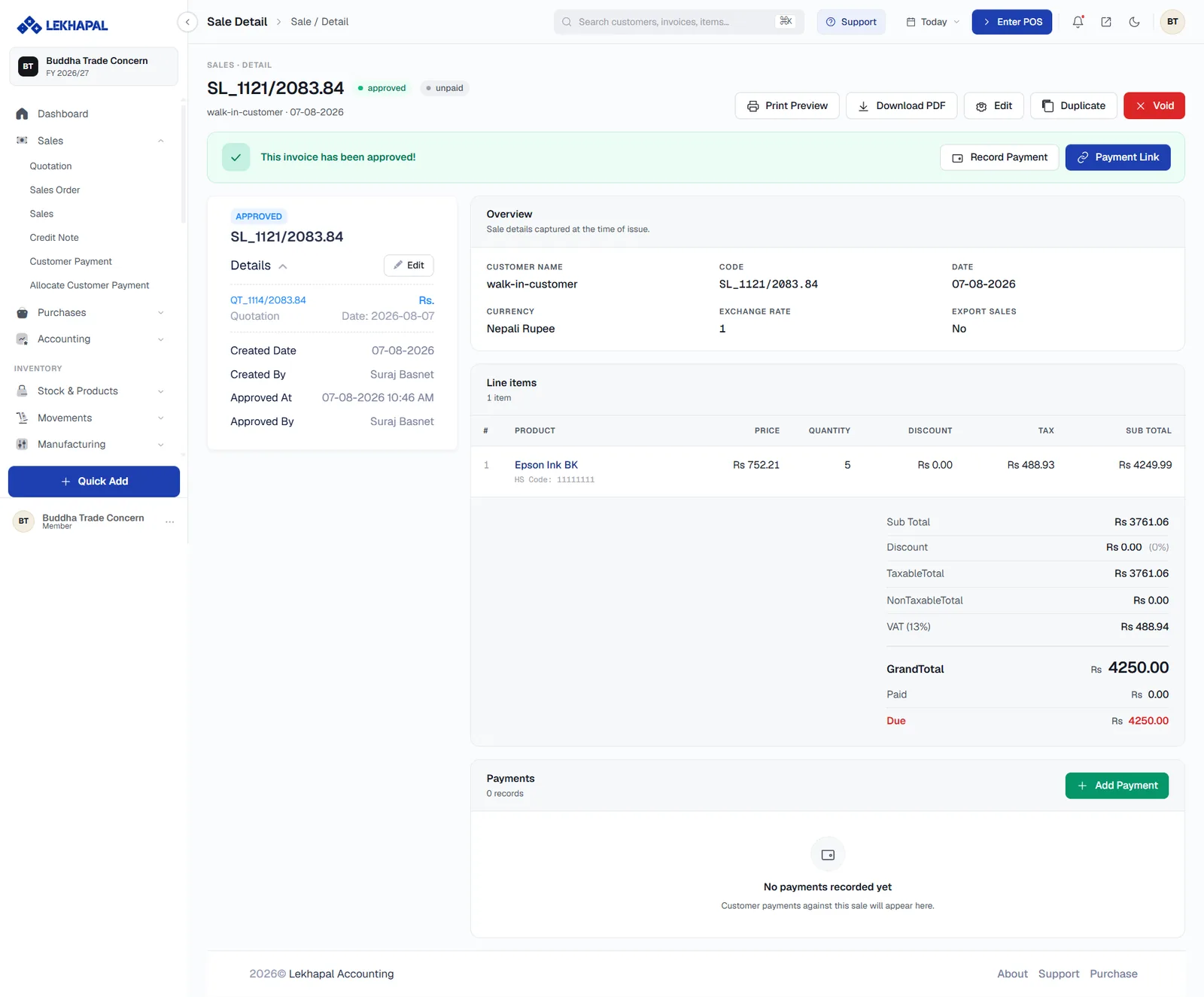
Once approved, the header shows two badges: approved and its payment state (unpaid, part-paid or paid). The detail page now gives you:
| Section | Contents |
|---|---|
| Overview | Customer name, invoice code, date, currency, exchange rate and whether it is an export sale |
| Line items | Product, HS code, price, quantity, discount, tax and sub total |
| Totals | Sub Total, Discount, TaxableTotal, NonTaxableTotal, VAT, GrandTotal, then Paid and Due |
| Payments | Every payment recorded against this invoice |
And these actions:
| Action | What it does |
|---|---|
| Print Preview | Opens the printable tax invoice |
| Download PDF | Saves the invoice as a PDF |
| Record Payment / Add Payment | Opens Record Customer Payment pre-filled for this invoice |
| Payment Link | Generates a link the customer can pay through |
| Edit · Duplicate | Amend, or use this invoice as the basis for a new one |
| Void | Cancels the invoice |
The Approved At and Approved By fields in the Details panel record who signed it off and when.
The printed invoice
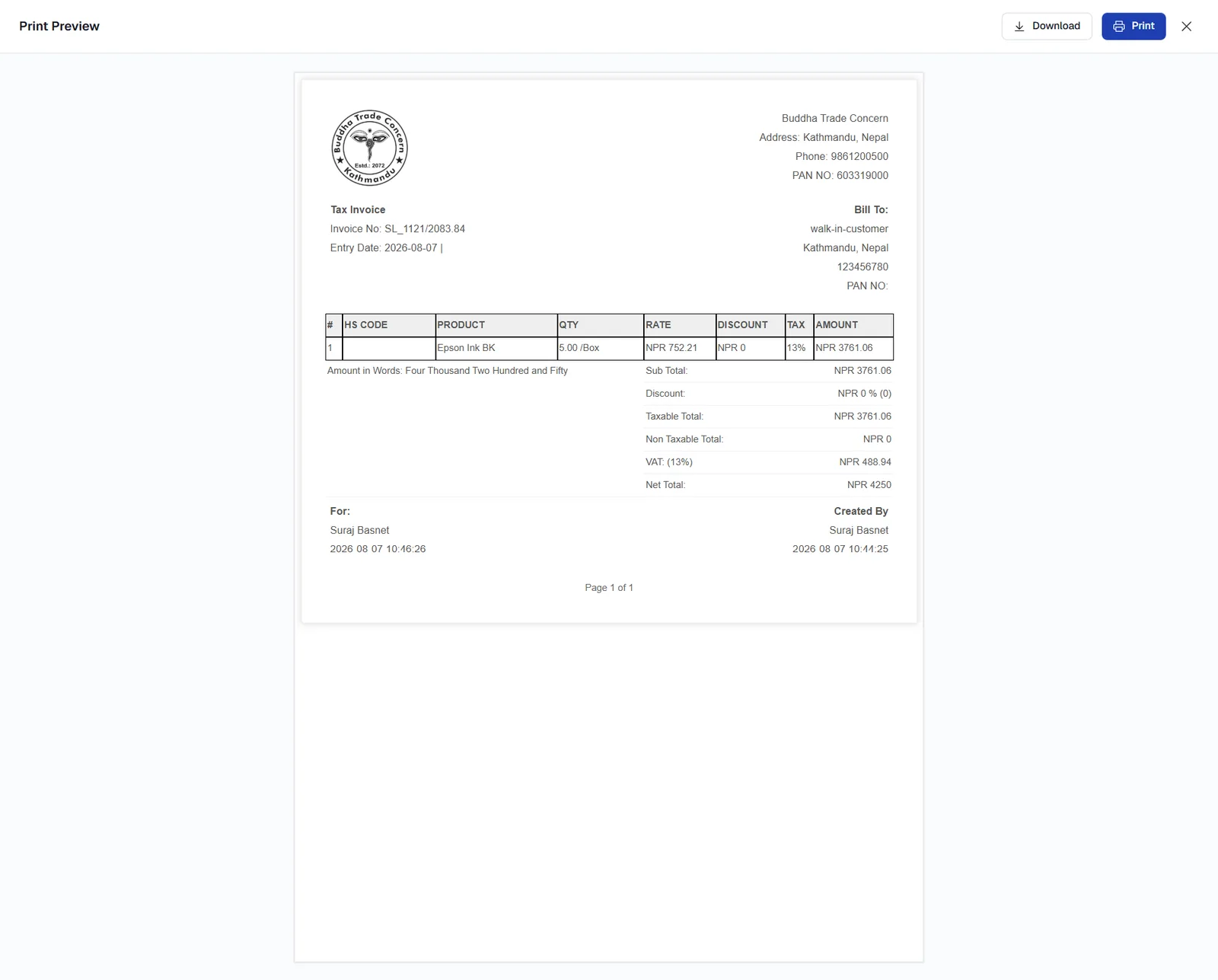
The printed Tax Invoice carries your business details and logo, the invoice number and entry date, the Bill To block with the customer's PAN, the item table with HS code, quantity, rate, discount, tax and amount, and the totals including the amount in words. Download and Print sit at the top of the preview.
Keep your invoice header right
The business name, address, phone and PAN on the printed invoice come from Settings. Get them right once, before you issue your first invoice.
What approving a sale does to your books
| Effect | Where you see it |
|---|---|
| Revenue is recognised | Income Statement |
| A receivable is created | Invoice Report |
| Stock is reduced | Inventory Ledger |
| VAT is recorded | Sales Register |
Example
A customer confirms a sales order worth Rs. 25,000.
- You generate a sales invoice covering the items, quantities, prices, tax and total.
- You approve it. The Rs. 25,000 becomes part of revenue and shows as Due.
- When the customer pays, you record a customer payment against the invoice and the Due falls to zero.