Allocate Customer Payment
Recording a payment tells Lekhapal that money arrived. Allocating it tells Lekhapal which invoices that money pays off. Without allocation, a customer's total balance is right but you cannot tell which bills are settled — and the Aging Report cannot tell you how overdue anything is.
What it helps you do
- Match payments to the correct invoices.
- Clear outstanding dues accurately.
- Avoid confusion in customer balances.
- Track which invoices are paid and which are still pending.
The allocation list
Sales → Allocate Customer Payment
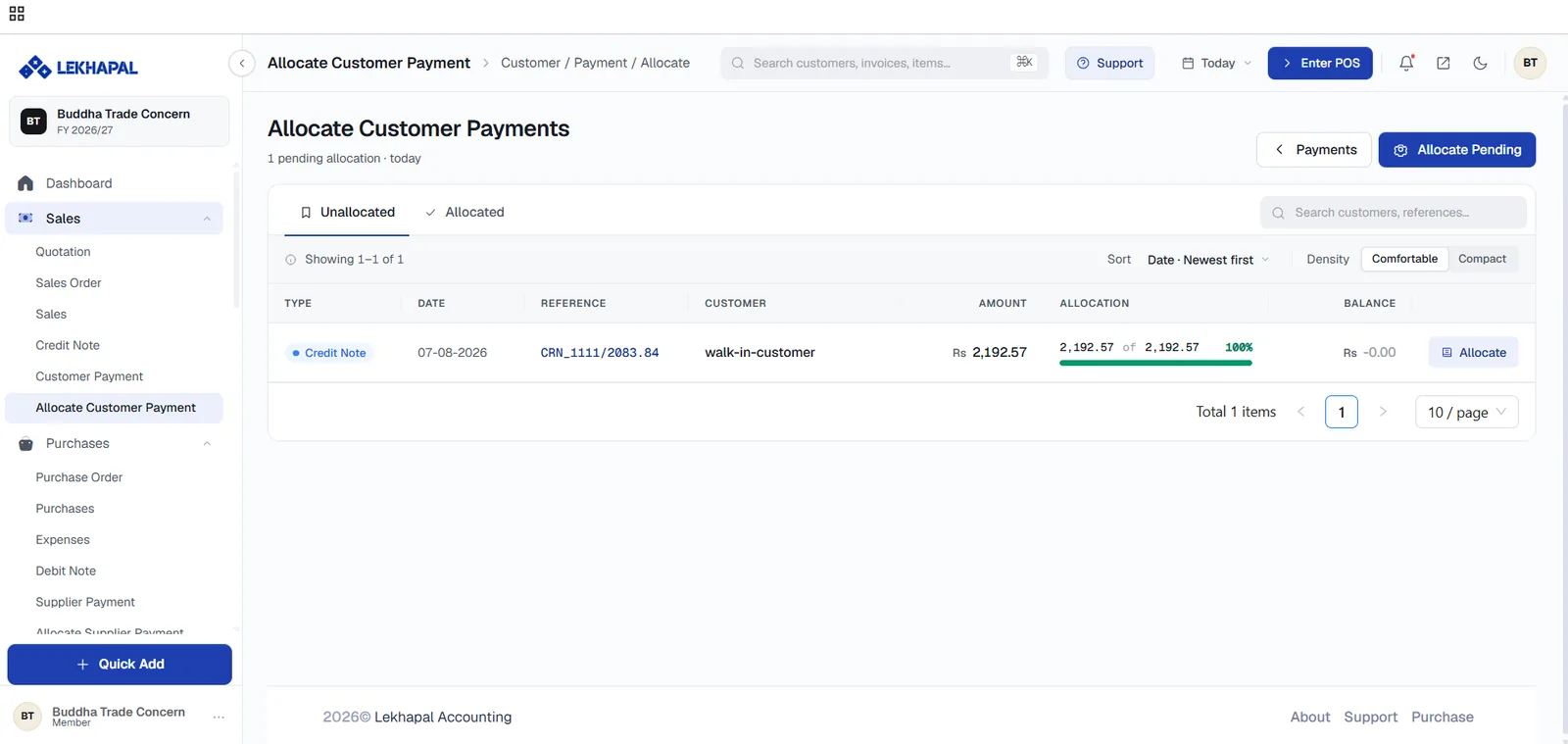
Two tabs:
| Tab | Contents |
|---|---|
| Unallocated | Payments and credit notes with money still unapplied |
| Allocated | Records fully matched to invoices |
Each row shows the Type — a payment or a credit note — the date, reference, customer, amount, an allocation progress bar with the percentage applied, and the remaining Balance. Click Allocate on a row to open it.
Allocate a payment
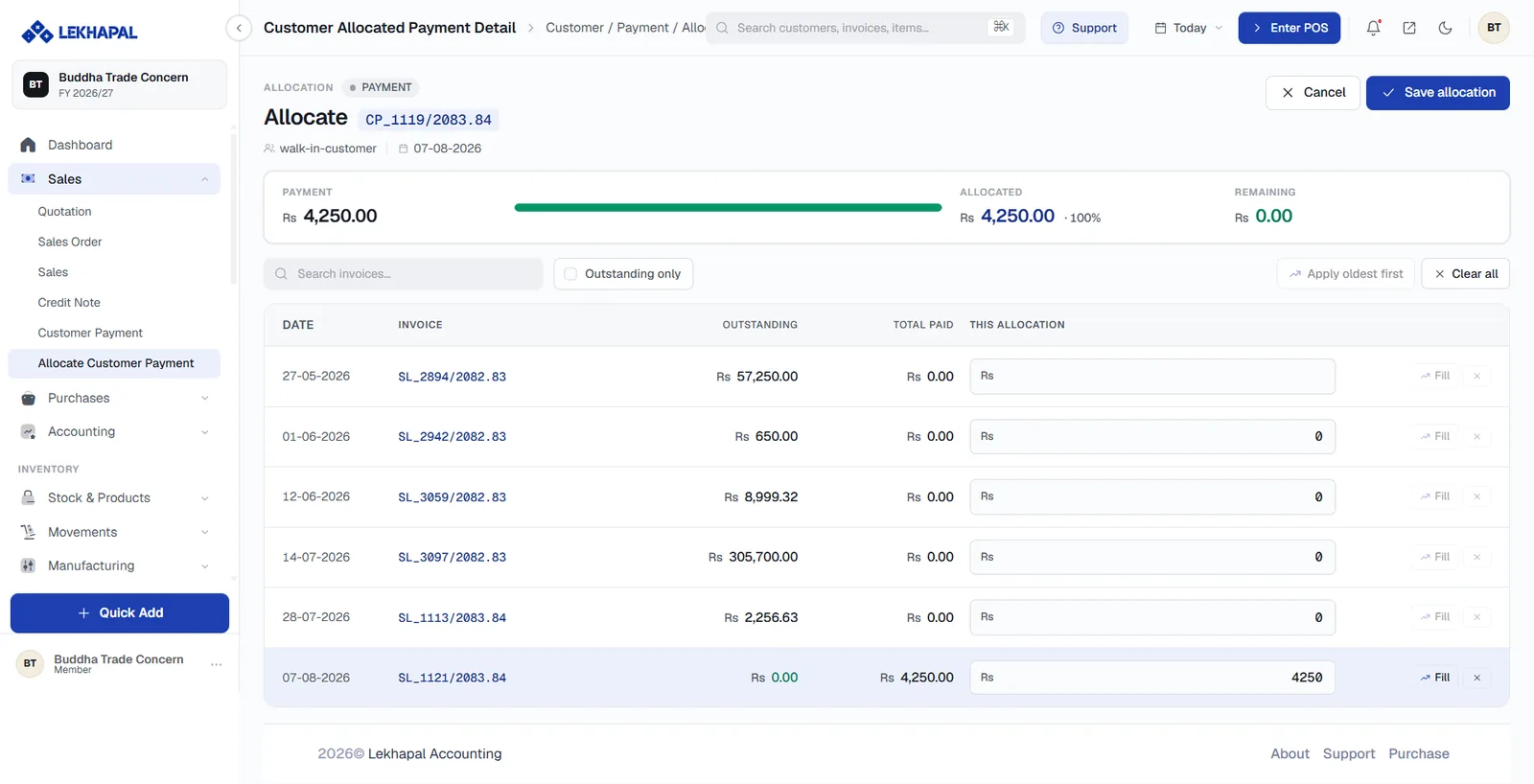
The top bar tracks three figures as you work: the total Payment, the amount Allocated so far with a progress bar, and what is still Remaining.
Below it, every invoice for that customer is listed with its Outstanding amount, Total Paid and a This Allocation box.
- Type an amount into This Allocation on each invoice you want to settle, or click Fill on a row to apply as much as that invoice needs.
- Use Outstanding only to hide invoices that are already settled.
- Use Search invoices… to jump to a specific reference.
- Apply oldest first spreads the payment across invoices starting with the oldest — the usual convention.
- Clear all resets your entries.
- Click Save allocation when Remaining reaches 0.00, or leave part unallocated as a credit on account.
Allocate several payments at once
Allocate Pending matches everything outstanding in one operation.
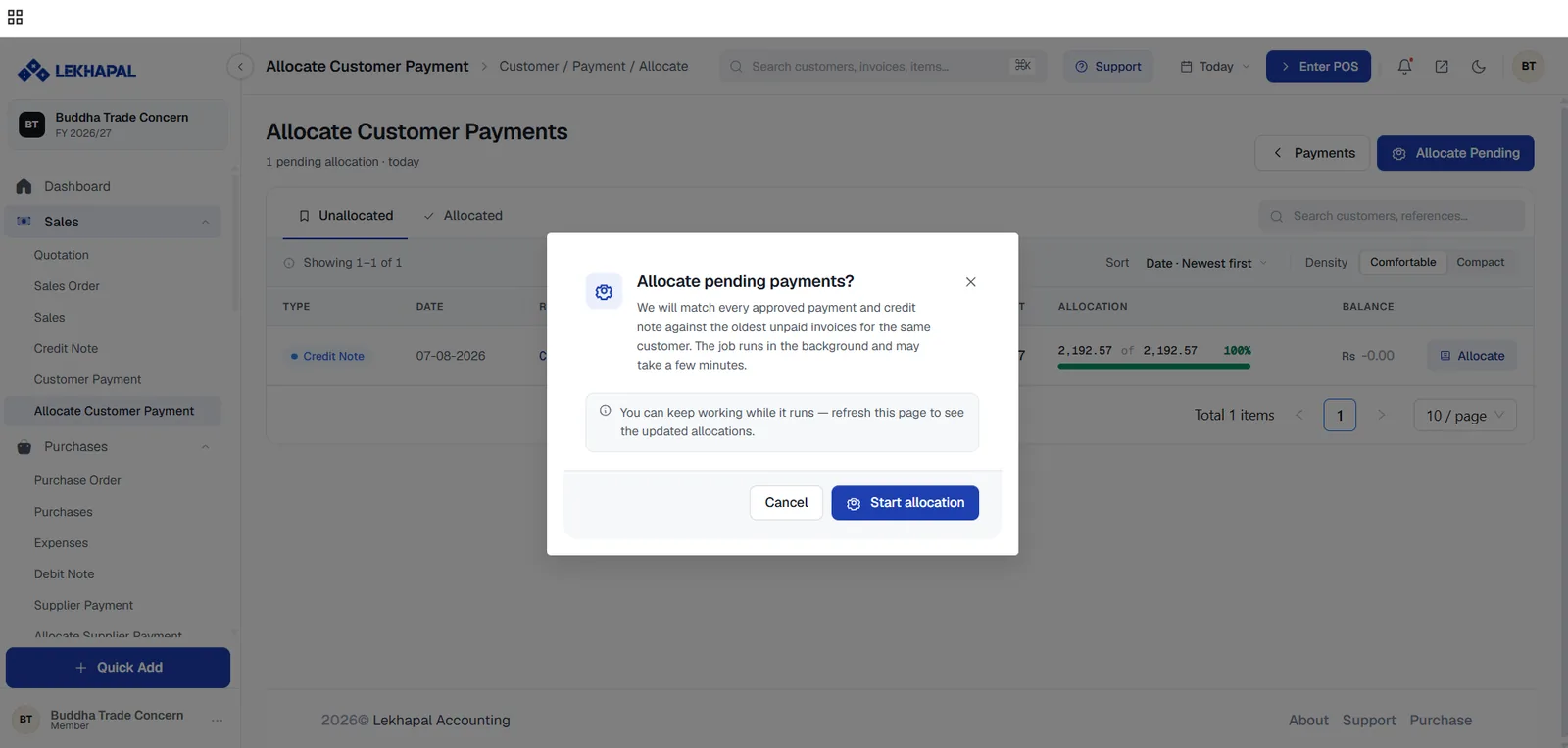
Lekhapal matches every approved payment and credit note against the oldest unpaid invoices for the same customer. The job runs in the background and can take a few minutes; you can keep working and refresh the page to see the result.
When to use bulk allocation
It is the fastest way to clean up a backlog. For a payment that must be applied to a specific invoice — a customer paying one bill and disputing another — do it by hand instead, so "oldest first" does not put the money in the wrong place.
Example
A customer has two open invoices:
| Invoice | Amount |
|---|---|
| Invoice 1 | Rs. 5,000 |
| Invoice 2 | Rs. 3,000 |
They pay Rs. 5,000. You can either allocate the whole Rs. 5,000 to Invoice 1 and leave Invoice 2 outstanding, or split it — say Rs. 3,000 to Invoice 2 and Rs. 2,000 to Invoice 1. The customer's total balance is Rs. 3,000 either way, but the aging profile is different, and so is what you would chase.
Next
→ Purchase