Settings
Settings configures the system to match your business: who you are, how you are taxed, how documents print, and what the system pre-fills.
Admin → Settings
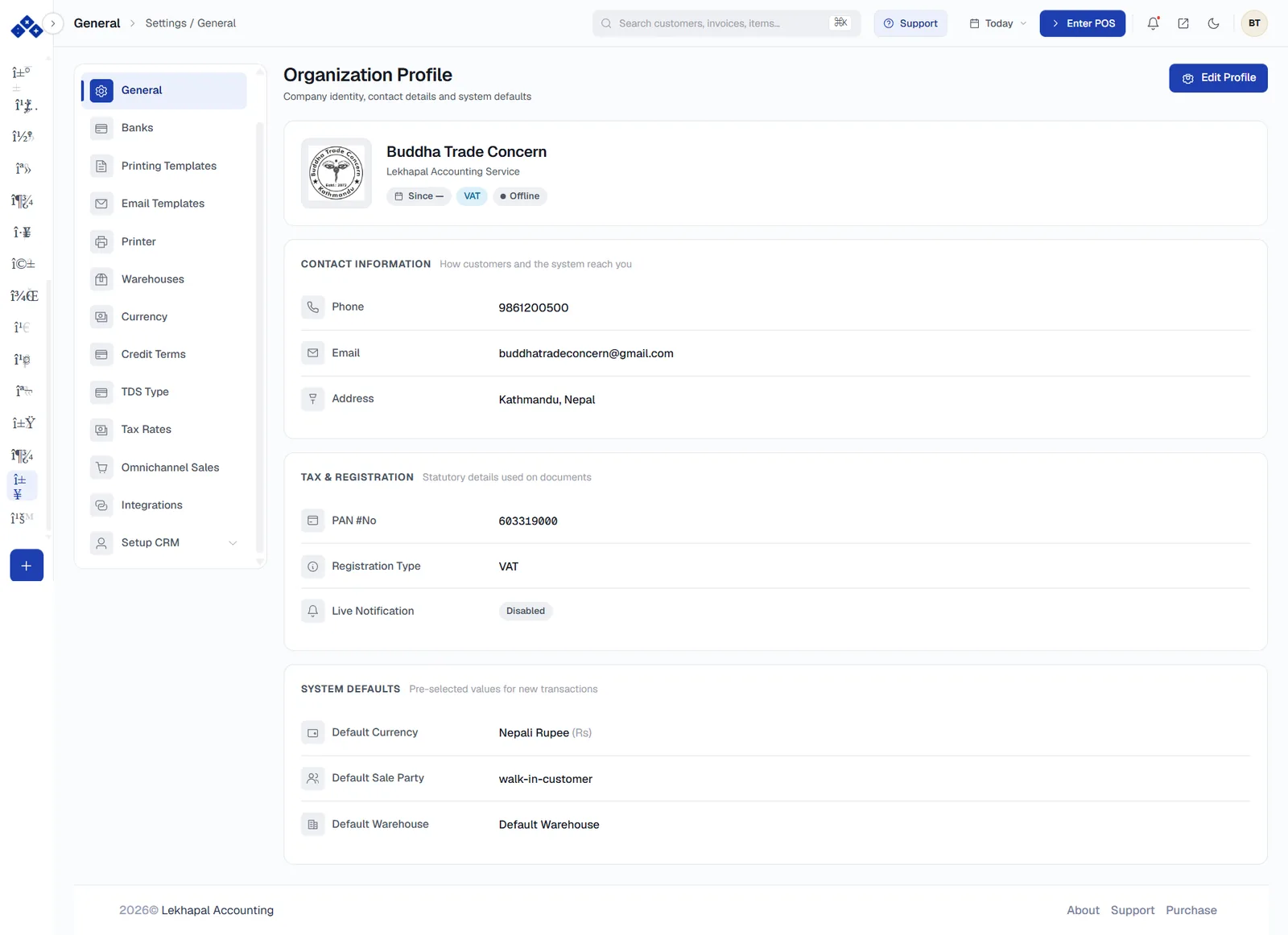
Settings is a two-pane screen: the sections down the left, the selected section's content on the right.
General — Organization Profile
The identity of the business. Edit Profile in the top-right opens it for changes.
Contact information
Phone, email and address — how customers and the system reach you. These print on your invoices.
Tax & Registration
| Field | Notes |
|---|---|
| PAN #No | Your PAN, printed on every tax invoice |
| Registration Type | VAT or otherwise |
| Live Notification | Enabled or disabled |
System defaults
Pre-selected values for new transactions:
| Default | Effect |
|---|---|
| Default Currency | For example Nepali Rupee (Rs) |
| Default Sale Party | Usually walk-in-customer — what the POS books to unless you choose someone |
| Default Warehouse | Which location new transactions draw stock from |
Get the profile right before your first invoice
The business name, address, phone and PAN here appear on every printed invoice. Correcting them later does not reprint what you have already issued.
The other sections
| Section | What it configures |
|---|---|
| Banks | The bank list used by Bank Accounts and the Cheque Register |
| Printing Templates | The layout of printed invoices, bills and vouchers |
| Email Templates | The wording of system emails |
| Printer | Printer setup, including thermal receipt printers for the POS |
| Warehouses | Locations that hold stock — used by transfers and per-user access |
| Currency | Currencies and exchange rates |
| Credit Terms | Payment terms offered to customers and agreed with suppliers |
| TDS Type | TDS categories and rates |
| Tax Rates | VAT and other tax rates available on documents |
| Omnichannel Sales | POS, online store and QR menu channel settings |
| Integrations | Third-party connections |
| Setup CRM | Pipelines and stages — see CRM |
What Settings affects
| Change | Shows up in |
|---|---|
| Organization profile | Printed invoices |
| Tax rates | The TAX column on every sales and purchase line |
| Warehouses | Transfers, stock reports, user access |
| Credit terms | The Credit Terms field on sales and purchase documents |
| Printing templates | Every document you print |