Journal Voucher
A journal voucher (JV) records manual accounting entries that sales, purchases and payments do not capture automatically. It is the tool for adjustments and internal financial entries.
What it helps you do
- Record non-cash and adjustment transactions.
- Correct accounting errors.
- Transfer amounts between accounts.
- Record entries such as depreciation, accruals and provisions.
Create a journal voucher
Accounting → Journal Voucher → + New
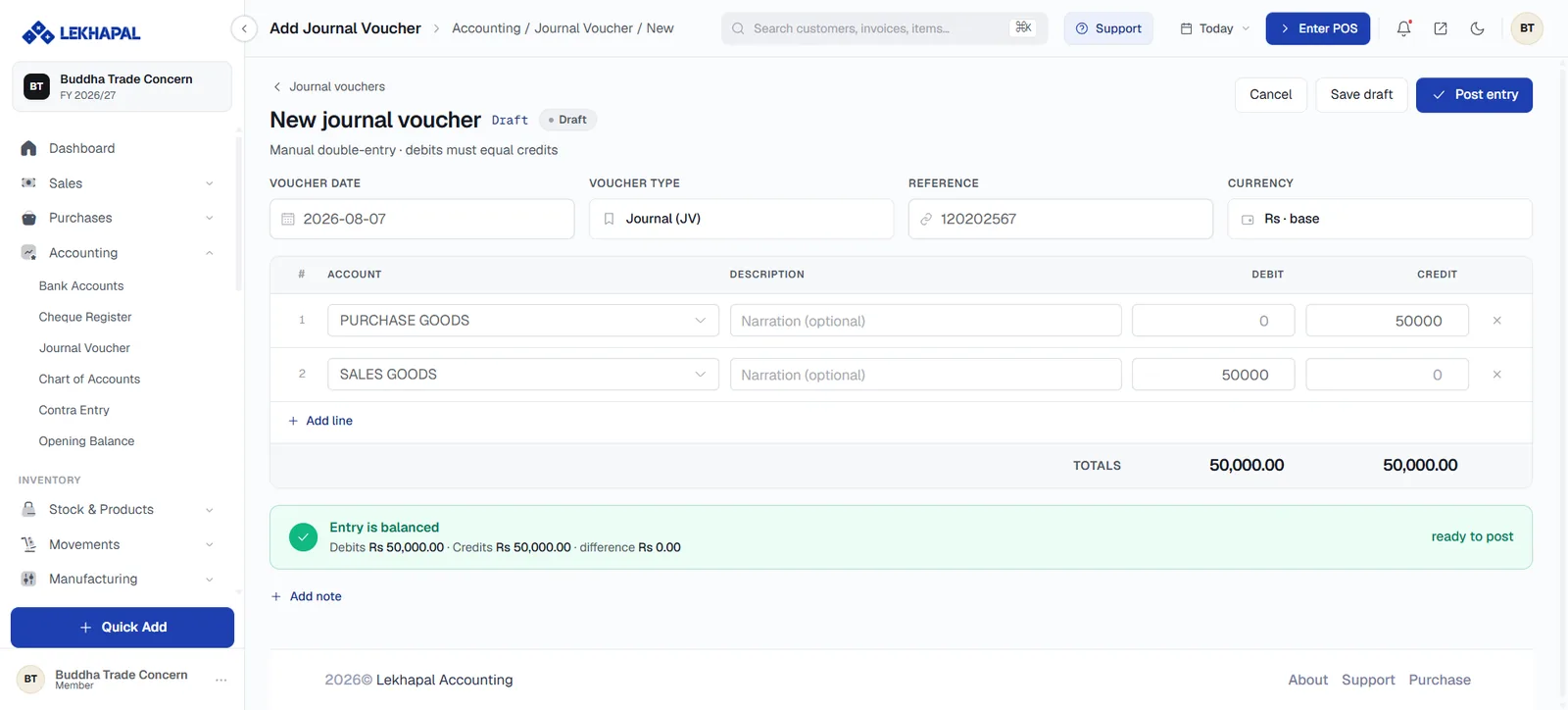
Header
| Field | Notes |
|---|---|
| Voucher Date | The date the entry belongs to |
| Voucher Type | Journal (JV) or another configured type |
| Reference | Your own reference for the entry |
| Currency | Base currency by default |
Lines
Each line takes an Account from your chart of accounts, an optional Description (narration), and a value in either the DEBIT or the CREDIT column. Use + Add line for more lines, and the ✕ at the end of a row to remove one.
Balancing
The TOTALS row adds up both columns as you type, and the banner below tells you where you stand:
Entry is balanced — Debits Rs 50,000.00 · Credits Rs 50,000.00 · difference Rs 0.00 — ready to post
Debits must equal credits before the entry can be posted. Until they do, the banner shows the difference.
Saving
| Button | What it does |
|---|---|
| Save draft | Keeps the voucher as a draft; nothing hits the books |
| Post entry | Posts the entry to the ledger |
| Cancel | Abandons it |
+ Add note attaches an explanation to the voucher — worth doing, because the reason for an adjustment is rarely obvious a year later.
Not for sales or purchases
A journal voucher moves money between accounts. It does not touch stock, party balances or VAT. Recording a sale this way leaves your inventory and your customer ledger wrong. Use Sales and Purchase instead.
Example
The business needs to record monthly rent of Rs. 10,000 that has been incurred but not yet paid:
| Account | Debit | Credit |
|---|---|---|
| Rent Expense | 10,000 | |
| Payable / Liability Account | 10,000 |
The expense is recognised in the period it belongs to, and the liability is recorded until it is settled.