Manufacturing
If you make what you sell, three screens work together:
| Screen | Answers |
|---|---|
| Bill of Materials | What does it take to make one? |
| Production Order | Make this many |
| Production Journal | This is what was actually consumed and produced |
The BOM is the recipe, the order is the plan, and the journal is the record. Only the journal moves stock.
Bill of Materials
A bill of materials (BOM) defines the recipe that turns raw materials into a finished product.
Manufacturing → Bill of Materials → + New
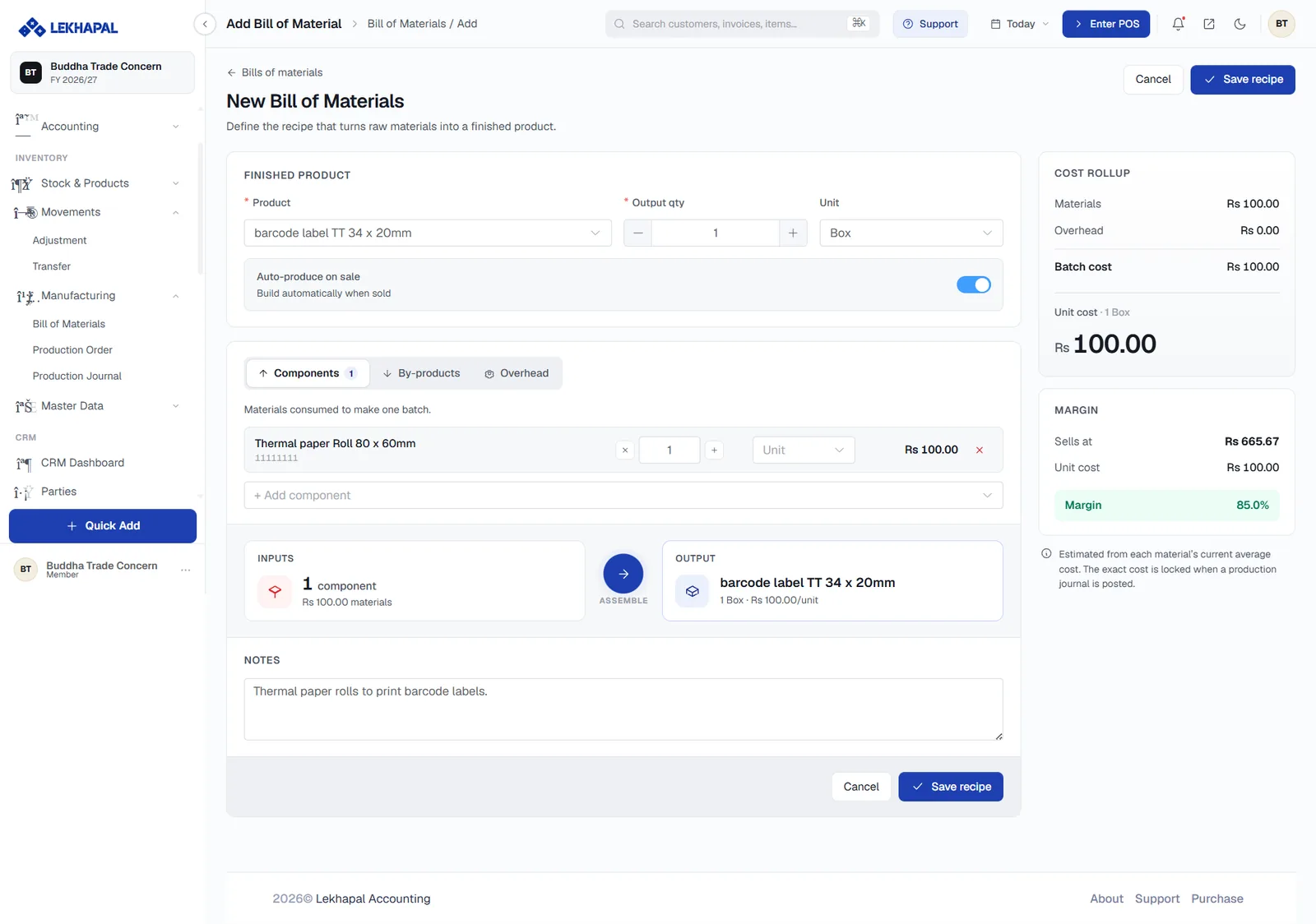
Finished product
| Field | Notes |
|---|---|
| Product | What the recipe produces |
| Output qty | How many the recipe yields per batch |
| Unit | The unit of the output |
| Auto-produce on sale | Builds the item automatically when it is sold |
Components
Three tabs:
- Components — the materials consumed to make one batch, each with a quantity, a unit and a cost.
- By-products — anything else the process produces.
- Overhead — indirect costs to roll into the batch.
Use + Add component to add a line.
The INPUTS → ASSEMBLE → OUTPUT strip below summarises the recipe in one line: how many components go in, at what material cost, and what comes out.
Cost rollup
The right-hand panel calculates the economics as you build the recipe:
| Figure | Meaning |
|---|---|
| Materials | Total component cost |
| Overhead | Indirect cost |
| Batch cost | Materials plus overhead |
| Unit cost | Batch cost divided by output quantity |
| Margin | Selling price against unit cost, as a percentage |
Costs are estimated from each material's current average cost. The exact cost is locked when a production journal is posted.
Add Notes and click Save recipe.
Example. To make a cake you need flour, sugar and eggs. The BOM lists those three components against one cake.
Production Order
A production order is the instruction to produce a batch: pick the product, pull its recipe, reserve the materials.
Manufacturing → Production Order → + New
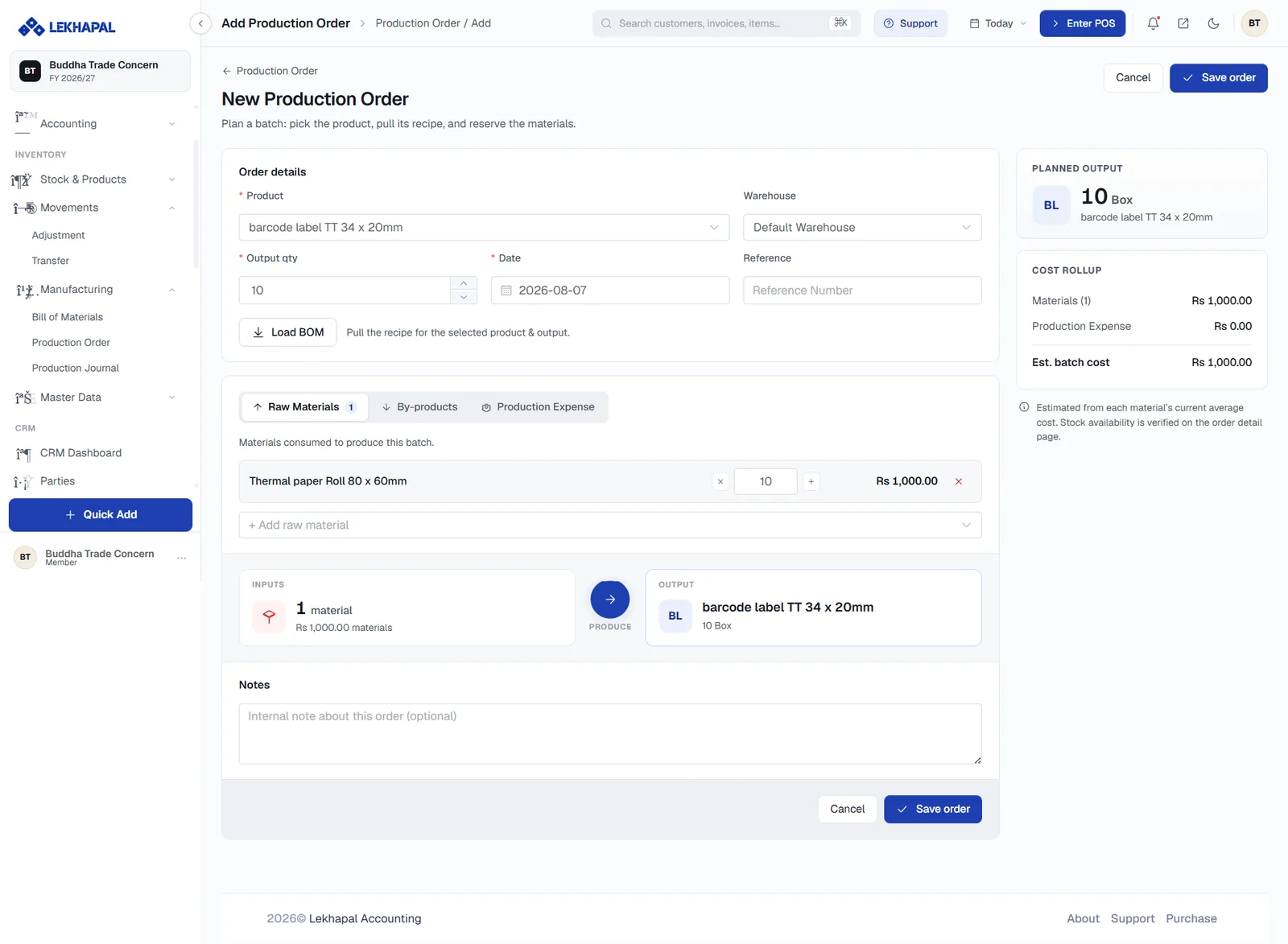
- In Order details, choose the Product, the Warehouse, the Output qty, the Date and an optional Reference.
- Click Load BOM to pull the recipe for the selected product and output quantity. The raw materials are filled in and scaled to the batch size.
- Review the Raw Materials tab, and the By-products and Production Expense tabs if they apply. Adjust quantities or use + Add raw material.
- Check Planned output and the Cost rollup on the right — Materials, Production Expense and estimated batch cost.
- Add Notes and click Save order.
Stock availability is verified on the order detail page.
Example. An order to make 100 cakes pulls the cake BOM, scales the flour, sugar and eggs to 100 units, and reserves them.
Production Journal
A production journal records what was actually consumed and produced. Approving it is what moves the stock.
Manufacturing → Production Journal → + New
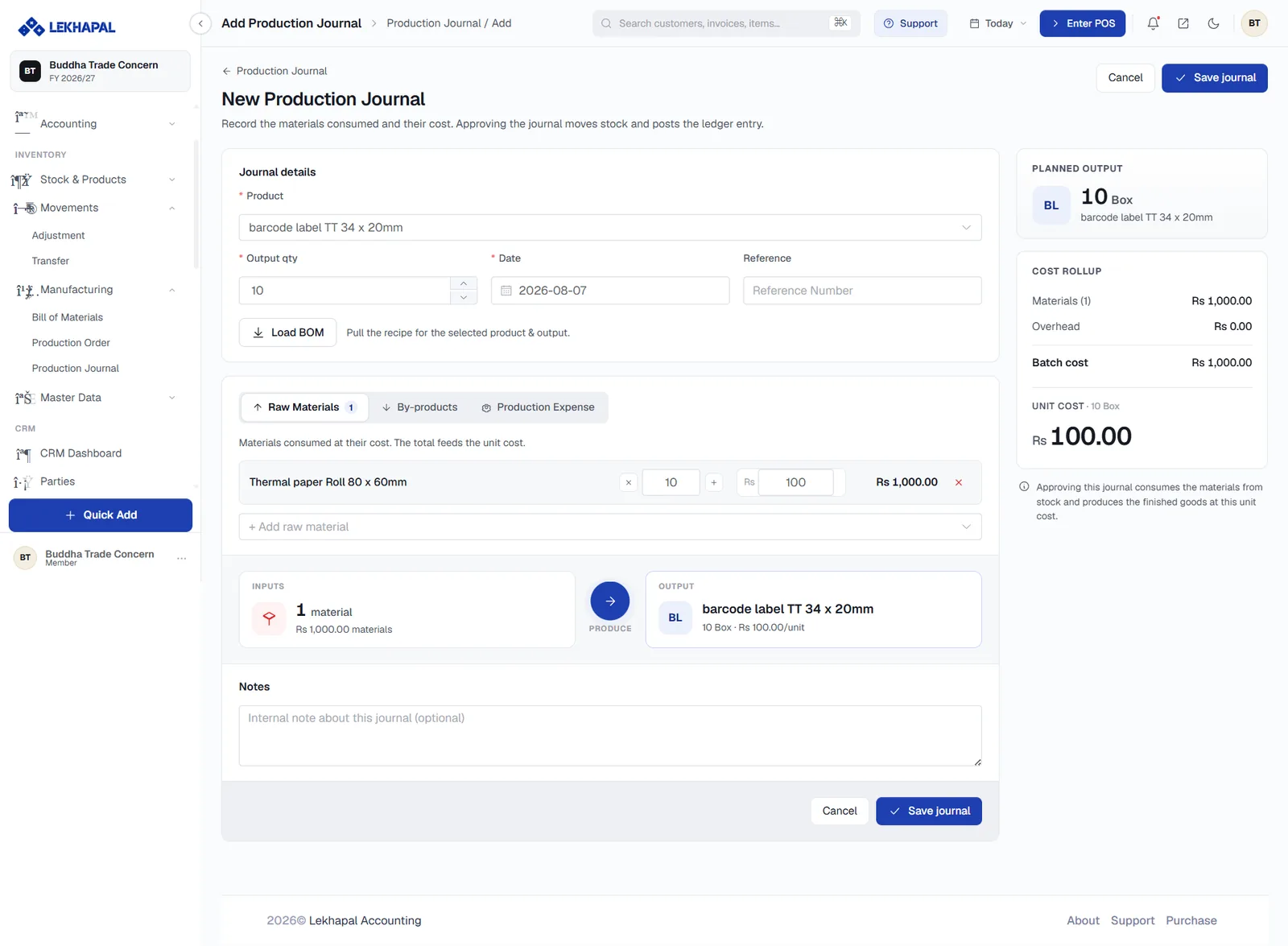
The form mirrors the production order — product, output quantity, date, reference, Load BOM, and the raw materials tabs — but each material line also carries its cost, and those costs feed the unit cost of the finished goods.
The right-hand panel shows Planned output, the Cost rollup and the resulting Unit cost, with the note:
Approving this journal consumes the materials from stock and produces the finished goods at this unit cost.
Click Save journal, then approve it.
What approving does
| Effect | Result |
|---|---|
| Raw materials | Consumed from stock |
| Finished goods | Added to stock at the calculated unit cost |
| Ledger | The manufacturing entry is posted |
Record what actually happened
The journal is where you enter real consumption, not planned consumption. If a batch used more material than the recipe said, put the real figure in — that is how your product costing stays honest.