Lekhapal User Manual
Get Started
  • Selling

    • Point of Sale
    • Sales
    • Loyalty
    • Online Store
  • Buying & Books

    • Purchase
    • Accounting
  • Operations

    • Inventory
    • CRM
    • Human Resources
Reports
Administration
  • Sign in
  • Create an account
  • Website
  • English
  • नेपाली
Get Started
  • Selling

    • Point of Sale
    • Sales
    • Loyalty
    • Online Store
  • Buying & Books

    • Purchase
    • Accounting
  • Operations

    • Inventory
    • CRM
    • Human Resources
Reports
Administration
  • Sign in
  • Create an account
  • Website
  • English
  • नेपाली
  • Getting Started

    • Overview
    • Accounting Basics
    • Create an Account
    • Signing In
    • Dashboard
    • Quick Add
  • Point of Sale
  • Sales

    • Overview
    • Quotation
    • Sales Order
    • Sales Invoice
    • Credit Note
    • Customer Payment
    • Allocate Customer Payment
  • Purchase

    • Overview
    • Purchase Order
    • Purchases
    • Expenses
    • Debit Note
    • Supplier Payment
    • Allocate Supplier Payment
  • Accounting

    • Overview
    • Bank Accounts
    • Cheque Register
    • Journal Voucher
    • Chart of Accounts
    • Contra Entry
    • Opening Balance
  • Inventory

    • Overview
    • Products
    • Movements
    • Manufacturing
    • Master Data
  • CRM
  • Loyalty
  • Human Resources

    • Overview
    • Self-Service
    • People & Organisation
    • Time & Attendance
    • Payroll & Compensation
    • HR Settings
  • Online Store
  • Reports

    • Overview
    • POS Reports
    • Sales Reports
    • Purchase Reports
    • Receivable & Payable
    • Party Reports
    • Tax Reports
    • Inventory Reports
    • Accounting Reports
    • Asset Reports
    • System Reports
  • Administration

    • Overview
    • Roles & Permissions
    • Users
    • Settings
    • File Manager
    • My Subscription

Receivable & Payable

Three reports monitoring money that has not yet moved: what customers still owe you, and what you still owe suppliers.

ReportIn one line
Invoice ReportOutstanding and paid invoices
Purchase Bill ReportOutstanding and paid bills
Aging ReportOutstanding by age bucket (AR / AP)

Invoice Report

Shows the payment status of your sales invoices.
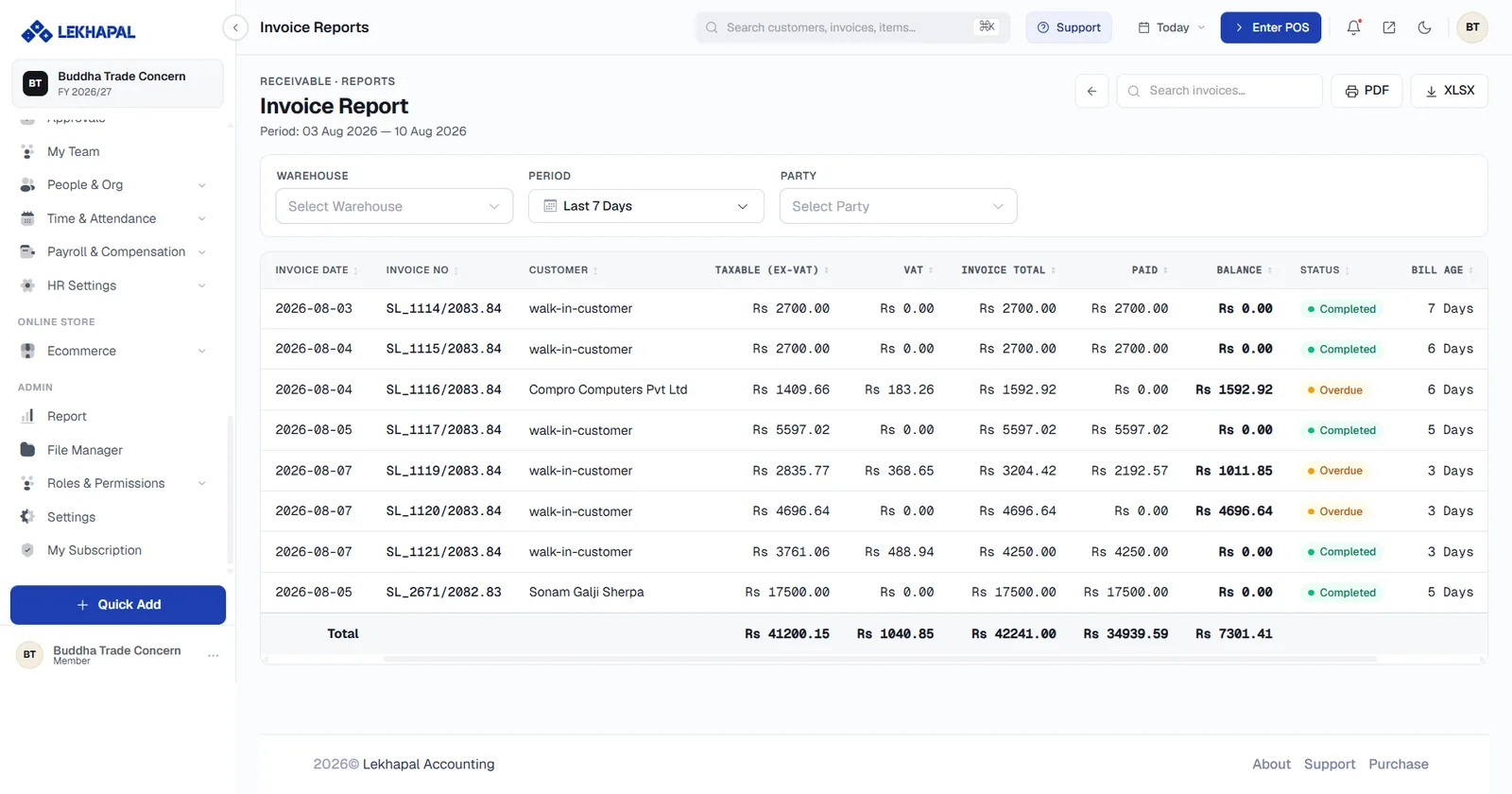
The Invoice Report.

It identifies

  • paid invoices,
  • outstanding invoices.

Example. A customer has an invoice for Rs. 50,000 but has paid only Rs. 30,000. The remaining Rs. 20,000 shows as outstanding here.

Purchase Bill Report

The same, for the supplier side: the payment status of purchase bills.
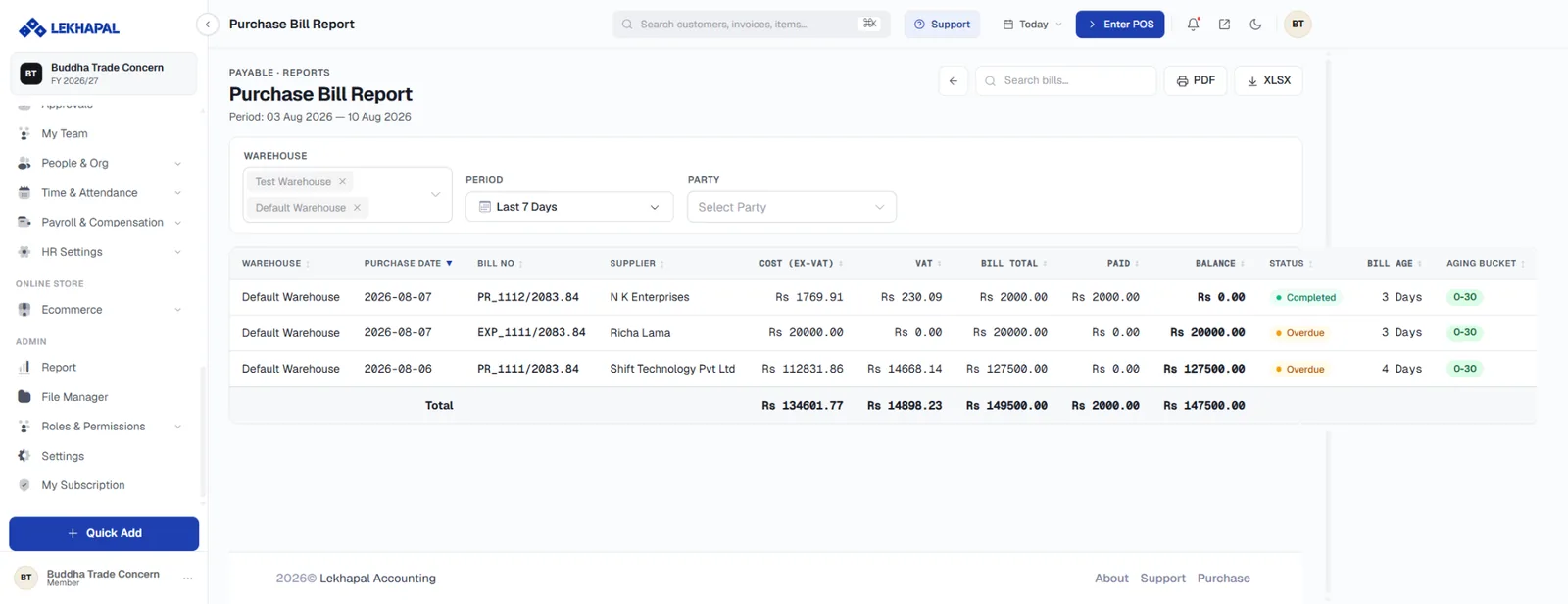
The Purchase Bill Report.

Example. A business receives a purchase bill of Rs. 100,000 and has paid Rs. 60,000. The remaining Rs. 40,000 is payable.

Aging Report

Organises outstanding receivables and payables by how long they have been unpaid.
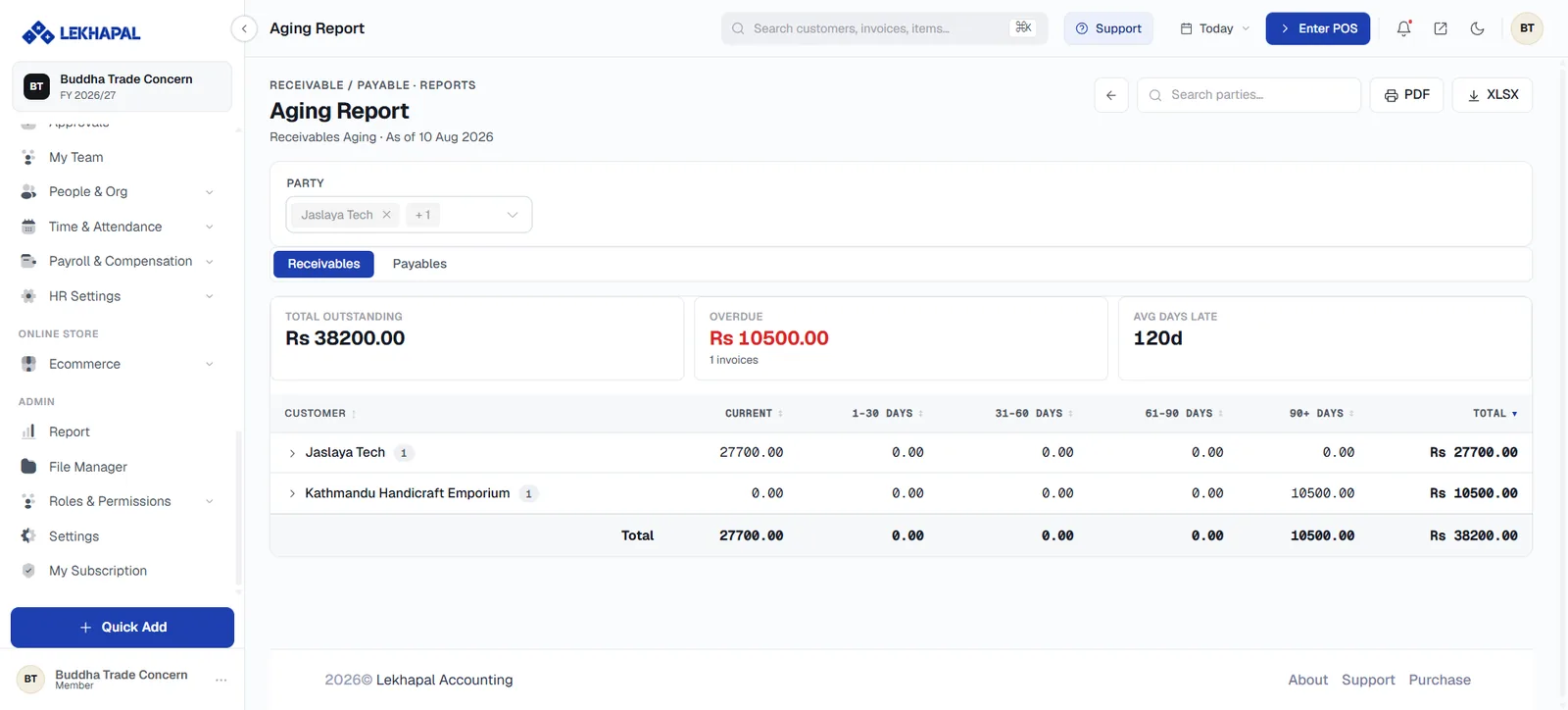
The Aging Report.

What it tells you

  • Recent outstanding amounts.
  • Older outstanding amounts.
  • Long-overdue customer and supplier balances.

Example. A customer has amounts unpaid for 15 days, 45 days and 90 days. The Aging Report separates them into buckets so you can see which to chase first.

Aging depends on allocation

The aging buckets are only correct if payments have been allocated to specific invoices. An unallocated payment leaves old invoices sitting in the 90-day bucket even though the customer has paid.

Next

→ Party Reports

Prev
Purchase Reports
Next
Party Reports