Expenses
Expenses record business costs that are not linked to buying stock — the day-to-day operating costs of running the business.
What it helps you do
- Track daily and operational expenses.
- Keep accurate financial records.
- Monitor where money is going.
- Calculate profit correctly.
Create an expense
Purchases → Expenses → + Add Expense
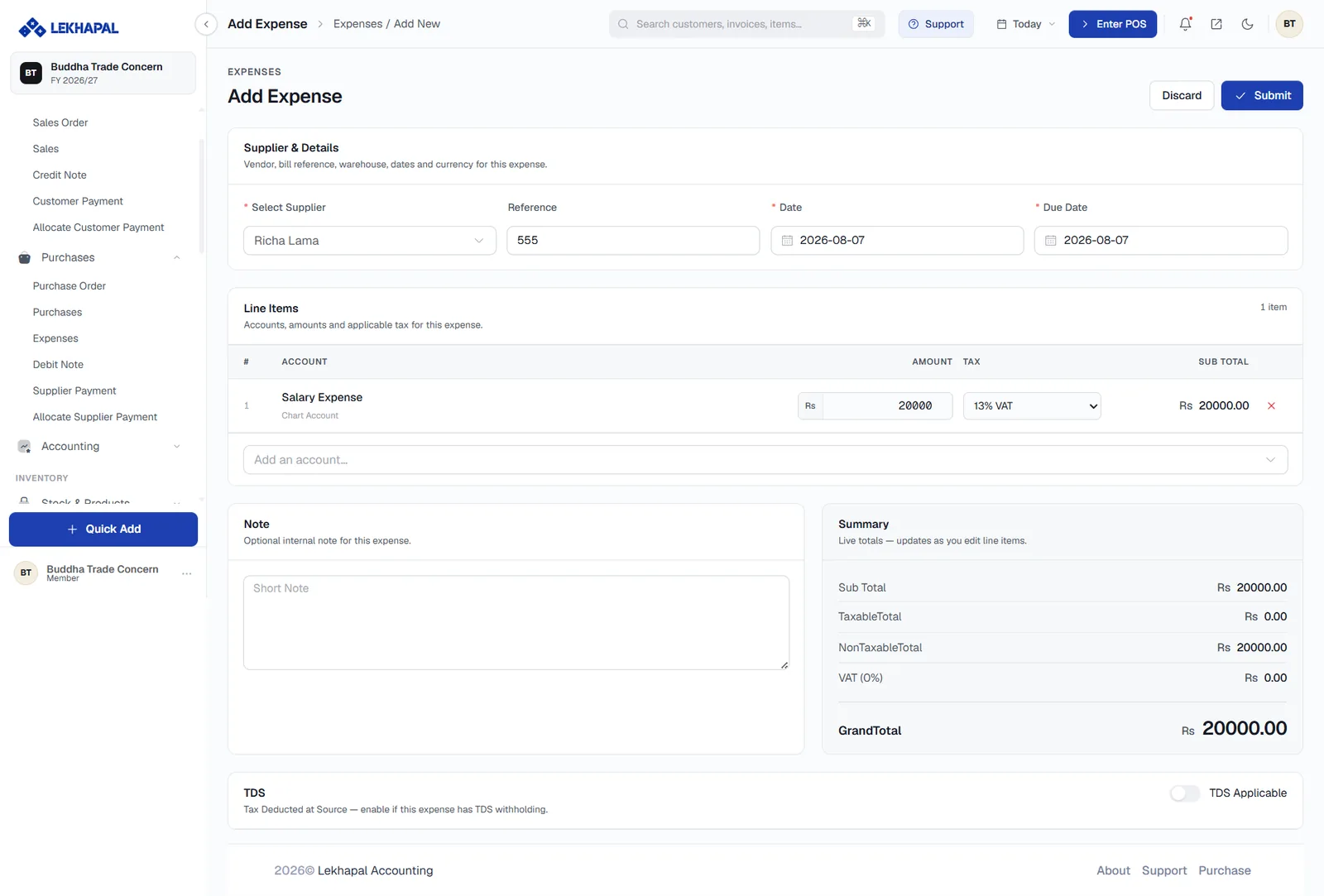
The form differs from a purchase in one important way: the line items are chart of accounts entries, not products. Nothing here touches stock.
Supplier & Details
| Field | Notes |
|---|---|
| Select Supplier | The vendor or payee |
| Reference | Their bill or receipt number |
| Date | When the cost was incurred |
| Due Date | When payment is due |
Line Items
Each line is an Account picked from your chart of accounts — Salary Expense, Rent Expense, Electricity and so on — with an Amount, the applicable Tax (for example 13% VAT or 0%) and the resulting Sub Total. Use Add an account… to add another line.
Note, Summary and TDS
- Note — an internal note; unlike the sales note, this one is for you.
- Summary — Sub Total, TaxableTotal, NonTaxableTotal, VAT and GrandTotal, live as you edit.
- TDS Applicable — turn on if the expense has TDS withholding. The amount flows through to the TDS Report.
Click Submit, then approve the expense.
Choosing the right account
The account you pick decides where the cost lands on your Income Statement. If you find yourself constantly picking Miscellaneous, add a proper account in the chart of accounts instead — the reports get dramatically more useful.
Example
A business pays:
| Cost | Amount |
|---|---|
| Shop rent | Rs. 15,000 |
| Electricity bill | Rs. 3,000 |
| Staff tea and snacks | Rs. 1,000 |
All three are recorded under Expenses, not Purchases. None of them changes stock; all of them reduce profit.