Movements
Two screens handle stock that moves without a sale or a purchase behind it: adjustments correct what you hold, transfers move it somewhere else.
Adjustment
A stock adjustment reconciles what you counted against what the system thinks you have. It is the tool for damage, loss, theft, spoilage and stocktake corrections.
Movements → Adjustment → + Add Adjustment
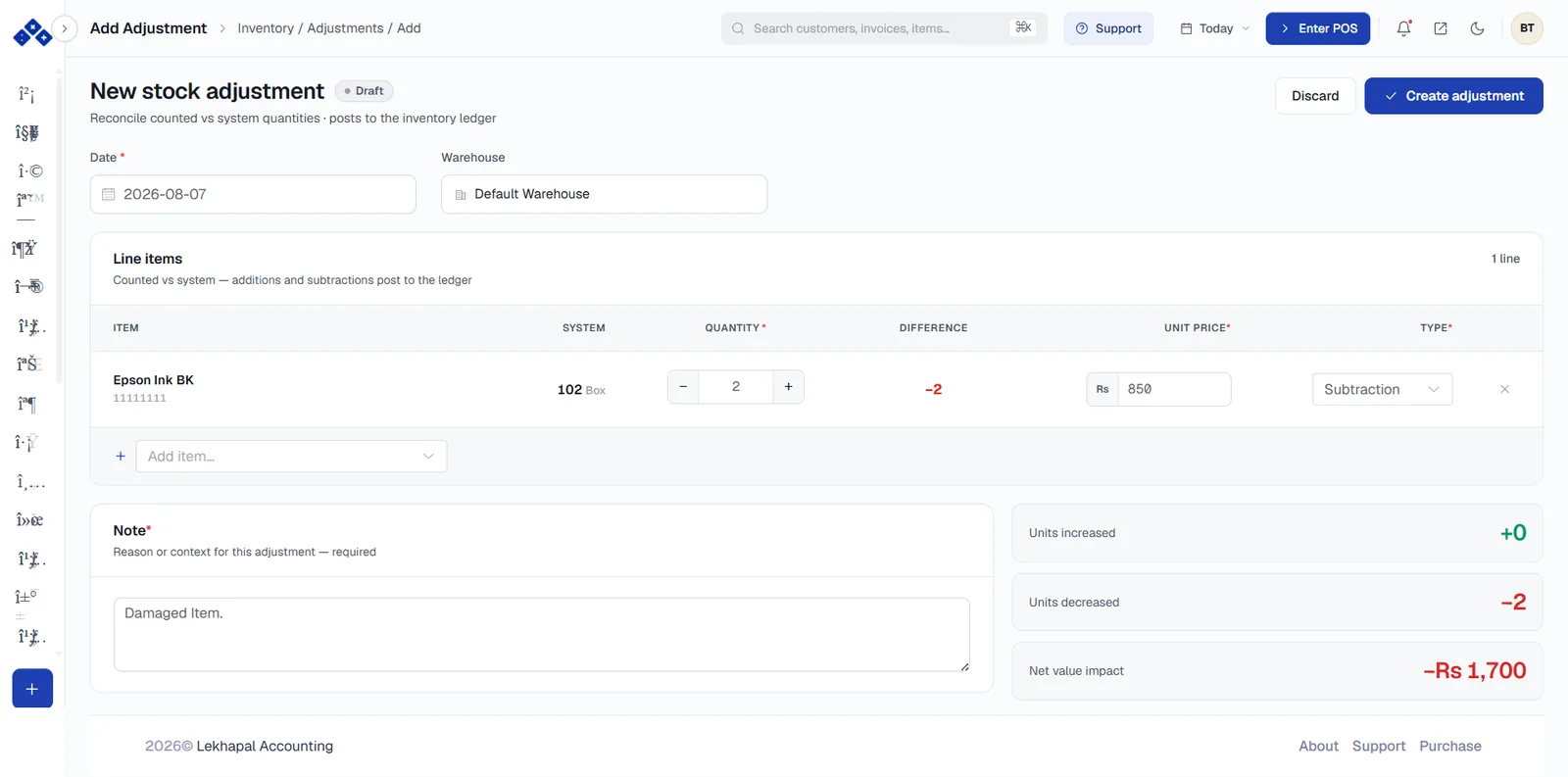
Set the Date and the Warehouse you are adjusting.
Add each item using Add item…. For each line:
Column Meaning SYSTEM What Lekhapal currently believes you hold QUANTITY The number you are adding or subtracting DIFFERENCE The resulting change, shown in red for a decrease UNIT PRICE The value per unit used to cost the adjustment TYPE Addition or Subtraction Fill in the Note — this field is required. Record why: Damaged item, Stocktake variance, Breakage.
Check the summary on the right: Units increased, Units decreased and Net value impact.
Click Create adjustment.
An adjustment changes your accounts too
Writing off stock is a cost. The Net value impact shown on the right is the amount that hits your books. Never use an adjustment to hide a sale that was not rung up — record the sale.
Transfer
A transfer moves stock between locations. Your total stock is unchanged; only where it sits changes.
Movements → Transfer → + Add Transfer
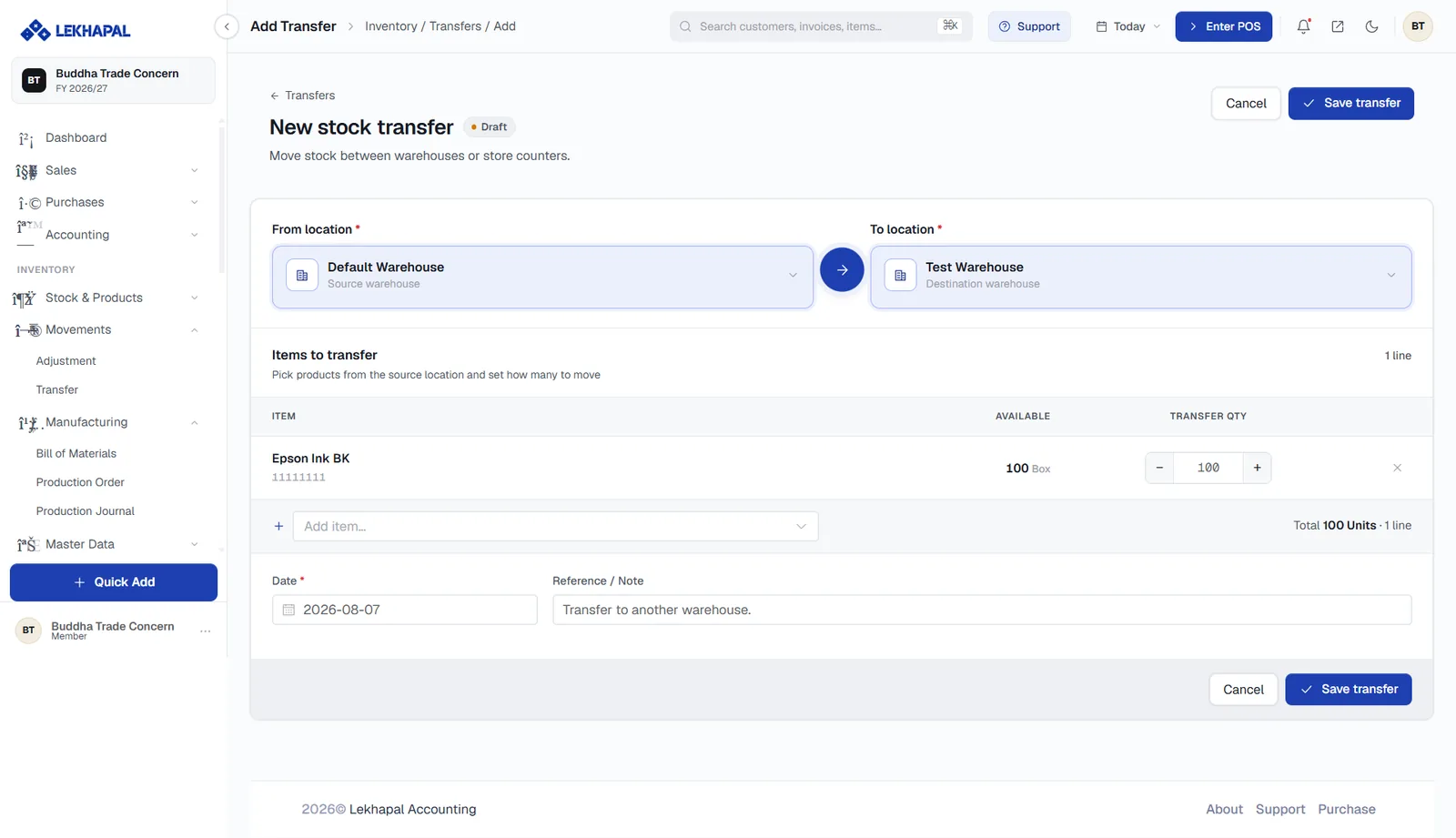
- Choose the From location (source warehouse) and the To location (destination warehouse).
- Add each item under Items to transfer. The AVAILABLE column shows what the source location actually holds, and TRANSFER QTY is how much to move. The running Total appears on the right.
- Set the Date and add a Reference / Note.
- Click Save transfer.
The screen supports both warehouses and store counters, so the same mechanism handles moving goods from a back-store warehouse to a shop floor.
Example. Moving 100 boxes from the Default Warehouse to a Test Warehouse: the Default Warehouse falls by 100, the Test Warehouse rises by 100, and total company stock is unchanged.
Seeing the result
Both adjustments and transfers appear in the Inventory Ledger, and transfers show up per location in the Warehouse Report.