Self-Service
Three screens serve people rather than HR administrators: employees look after themselves in My Portal, managers act in Approvals, and they oversee their people in My Team.
My Portal
HR → My Portal
Every employee's personal dashboard: their profile, pay, leave and requests for the current fiscal year.
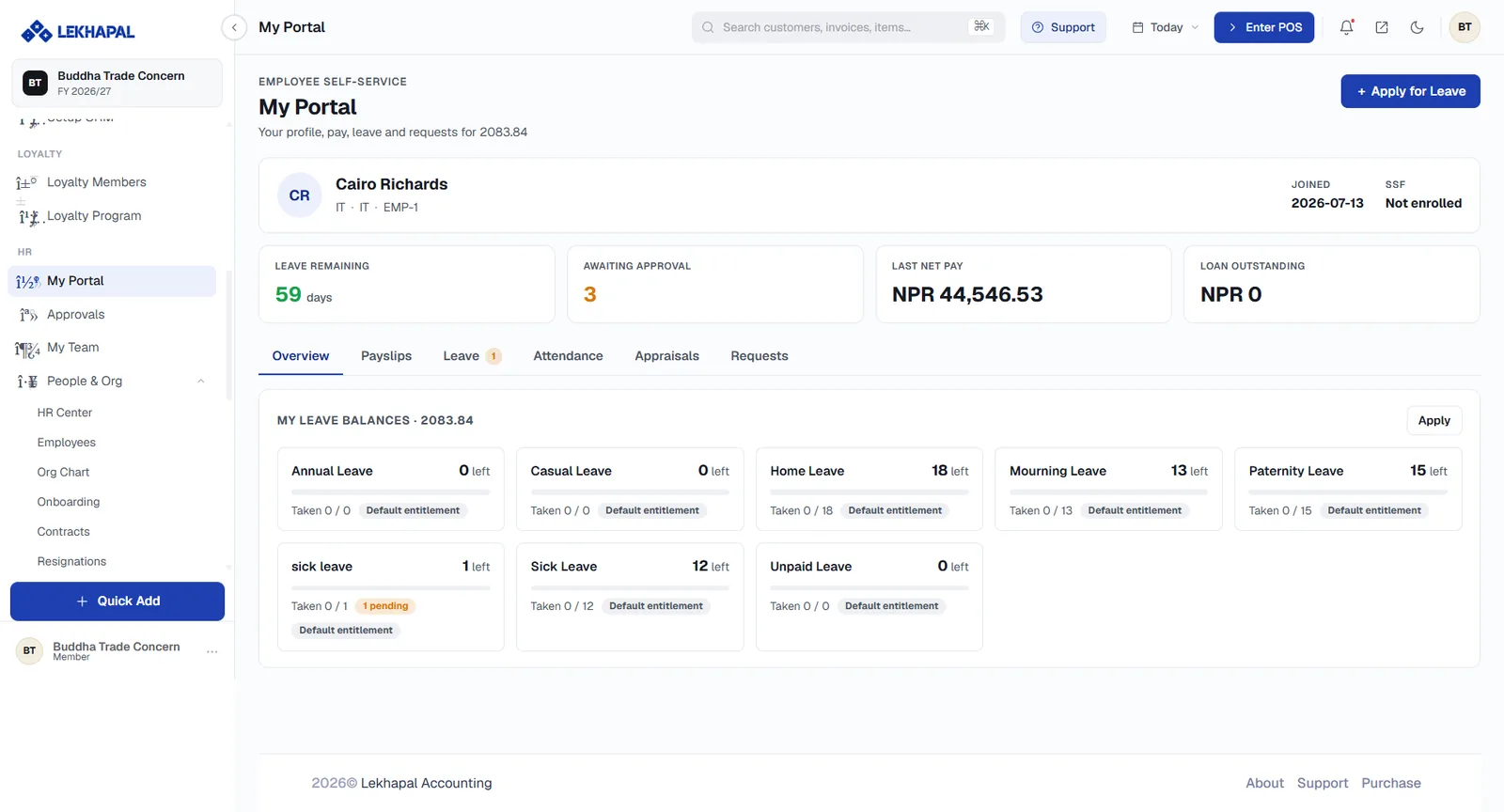
The profile header
Name, department, designation and employee code, with the Joined date and SSF enrolment status on the right.
Key figures
| Tile | Shows |
|---|---|
| Leave Remaining | Days left across all entitlements |
| Awaiting Approval | How many of your requests are pending |
| Last Net Pay | The most recent net salary paid |
| Loan Outstanding | What you still owe on staff loans |
Tabs
| Tab | Contents |
|---|---|
| Overview | Leave balances, broken down by type |
| Payslips | Your payslips, period by period |
| Leave | Your leave requests and their status |
| Attendance | Your attendance record |
| Appraisals | Your performance reviews |
| Requests | Everything else you have submitted |
The My Leave Balances cards show each leave type — Annual, Casual, Home, Mourning, Paternity, Sick, Unpaid — with how many days are left, how many Taken out of the entitlement, and a pending badge where a request is awaiting approval.
+ Apply for Leave in the top-right, or Apply on the balances card, starts a request.
Approvals
HR → Approvals
Where managers act on what their team has submitted:
- leave requests,
- expense and reimbursement claims,
- attendance corrections,
- overtime,
- loan requests.
Each item shows who submitted it, what for, and Approve / Reject buttons. Where a two-stage route applies, the buttons are labelled by stage — for example TL Approve then HR Approve on overtime.
My Team
HR → My Team
A manager's view of their people:
- who reports to them, from the org chart,
- team attendance and leave,
- team performance,
- pending requests waiting on them.
What you see depends on your role
Every employee has My Portal. Approvals and My Team appear only for users whose role grants them, and who have people reporting to them.