POS Reports
Four reports covering point-of-sale activity specifically.
| Report | In one line |
|---|---|
| Order Report | Itemised POS orders for a period |
| Session Report | Cash closing and session summary |
| Day Report | End-of-day sales, tax and payments |
| Transaction List | All POS transactions |
Order Report
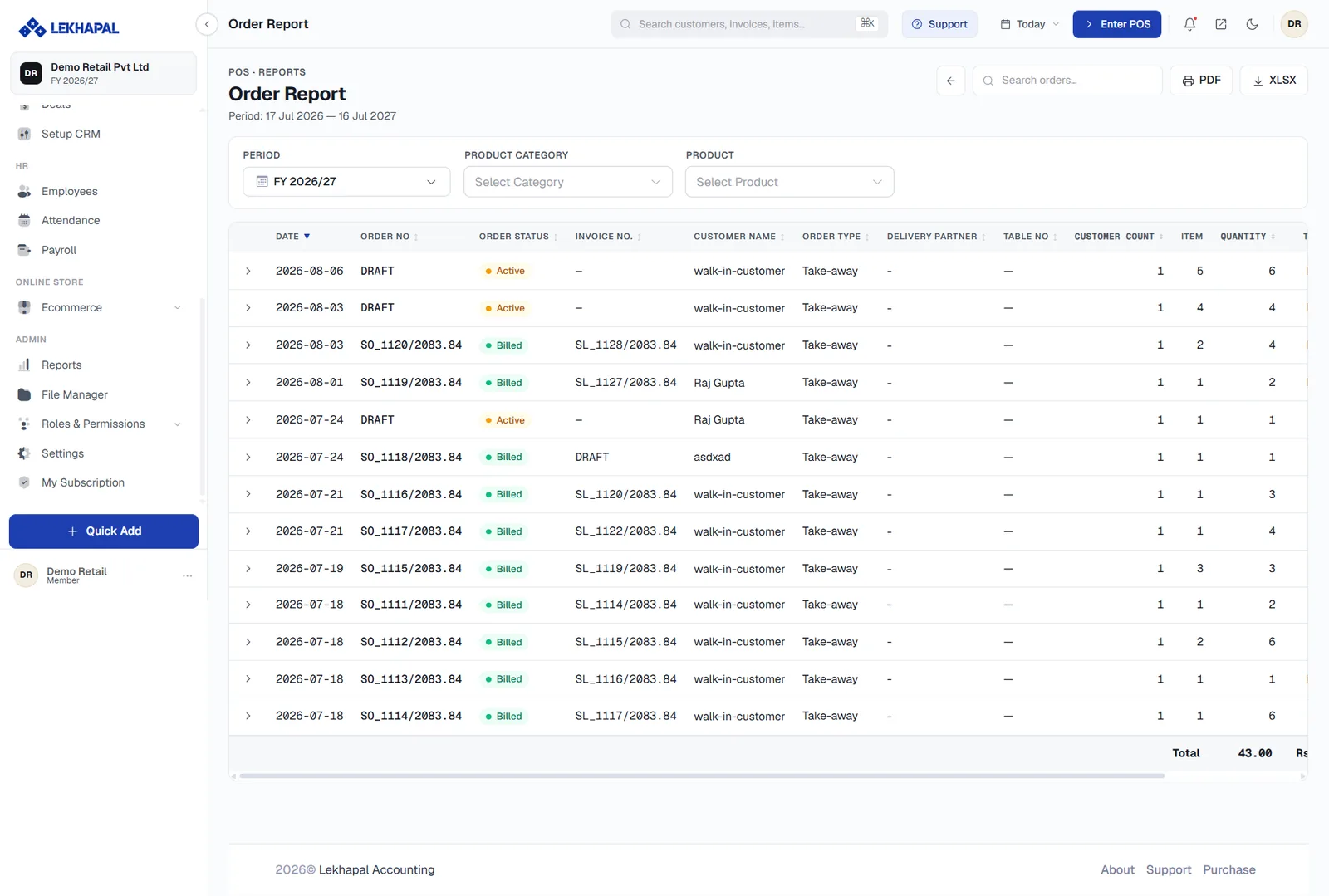
Shows the POS orders placed during a selected period.
What it helps you see
- Orders placed through the POS.
- The detail of each order.
- Sales activity for a particular period.
Example. A shop owner wants to know how many POS orders came through this week. The Order Report answers it.
Session Report
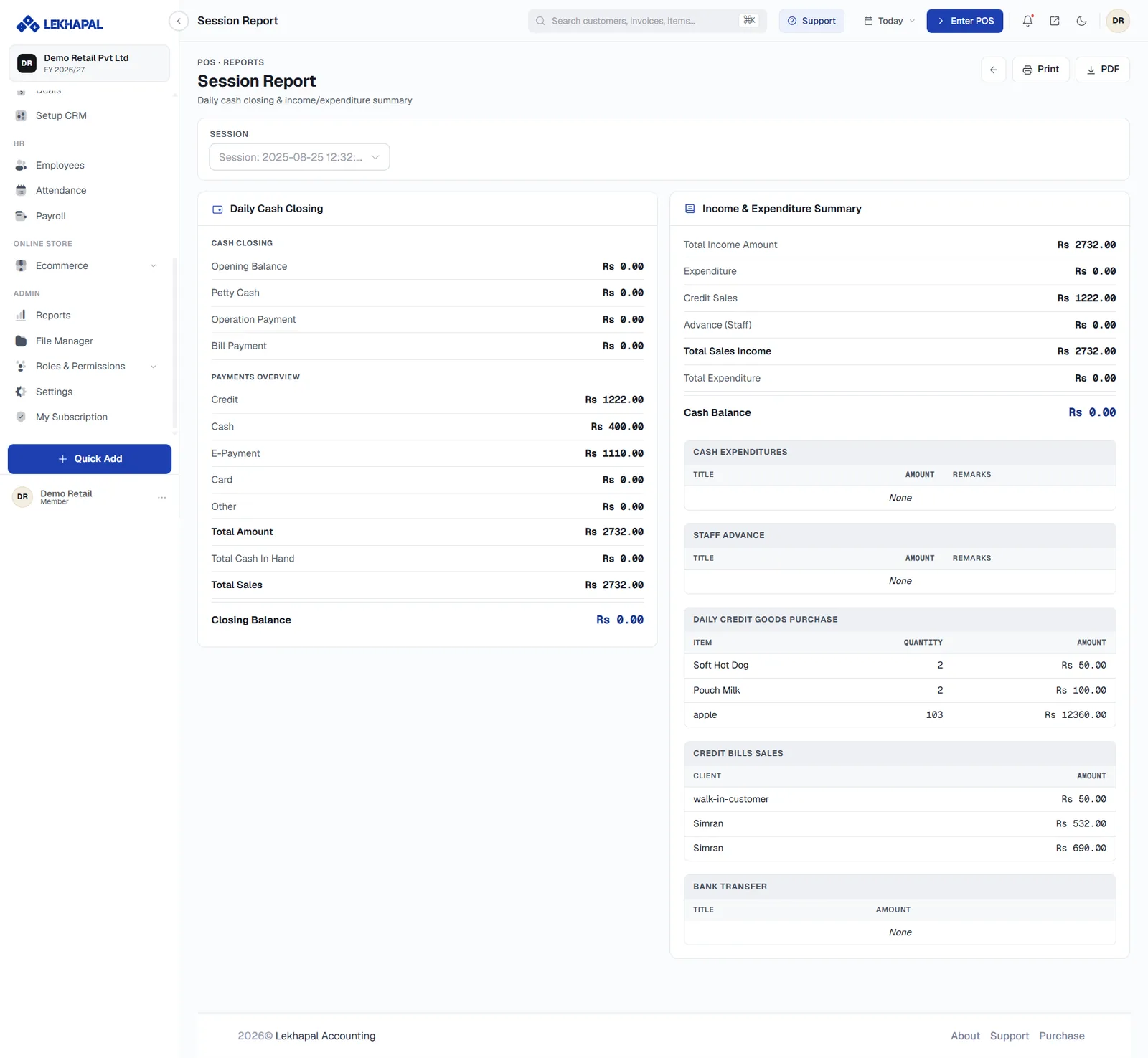
Information about POS sessions and cash closing. A session is the period a cashier operates the till before closing it out.
It lets you compare
- opening cash,
- POS activity during the session,
- closing cash,
- a session summary.
This is the report you use to find a till discrepancy: opening cash plus takings should equal closing cash.
Example. A cashier starts the day with Rs. 5,000 and closes the session at the end of the day. The Session Report is how the business reviews it.
Day Report
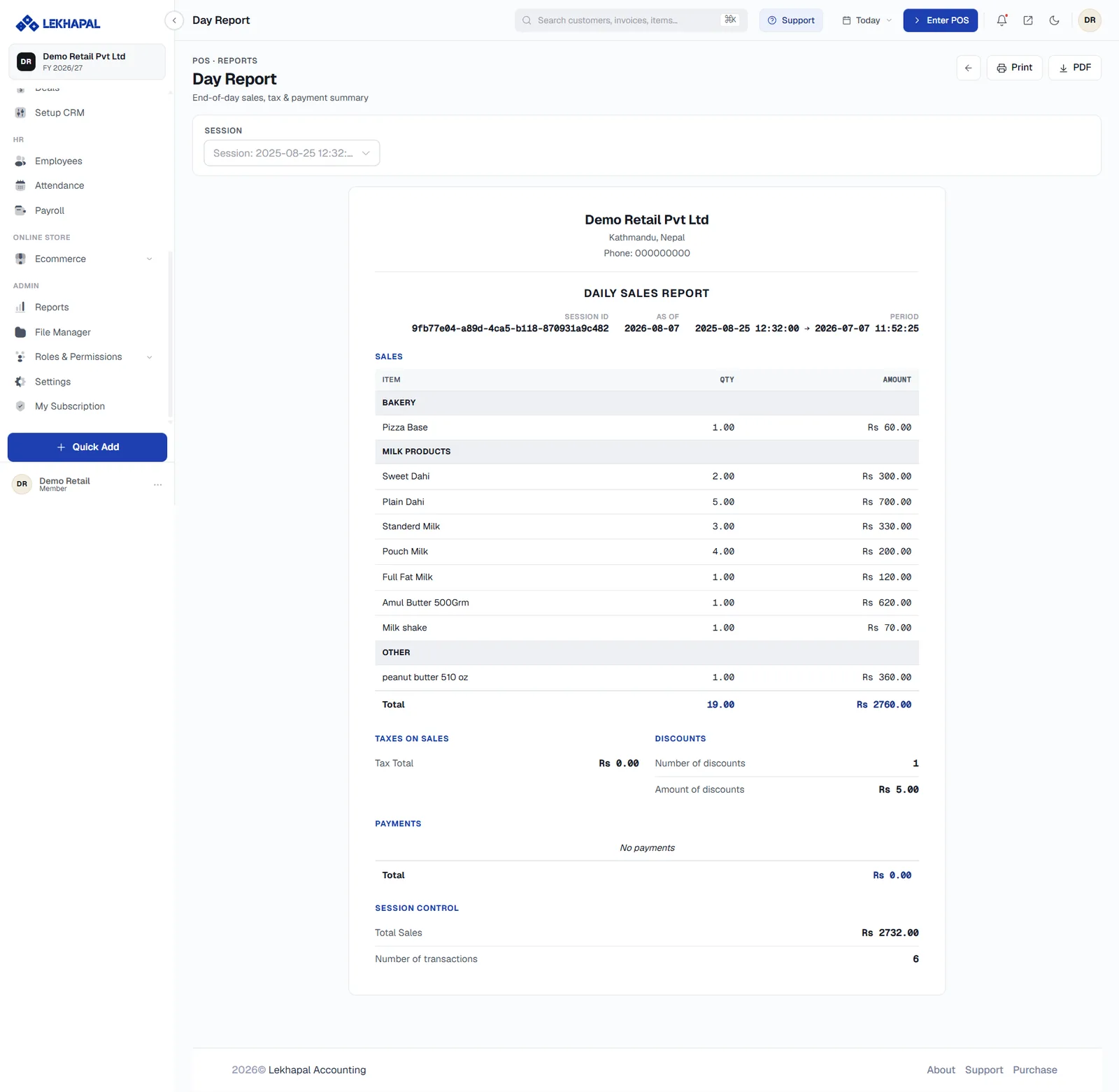
Summarises the day's POS activity.
The report covers:
- sales,
- tax,
- payments, broken down by method.
Example. At close of business the owner wants to know how much was sold today, how much tax was involved, and how customers paid. The Day Report gives all three in one view.
Transaction List
Shows individual POS transactions recorded in the system.
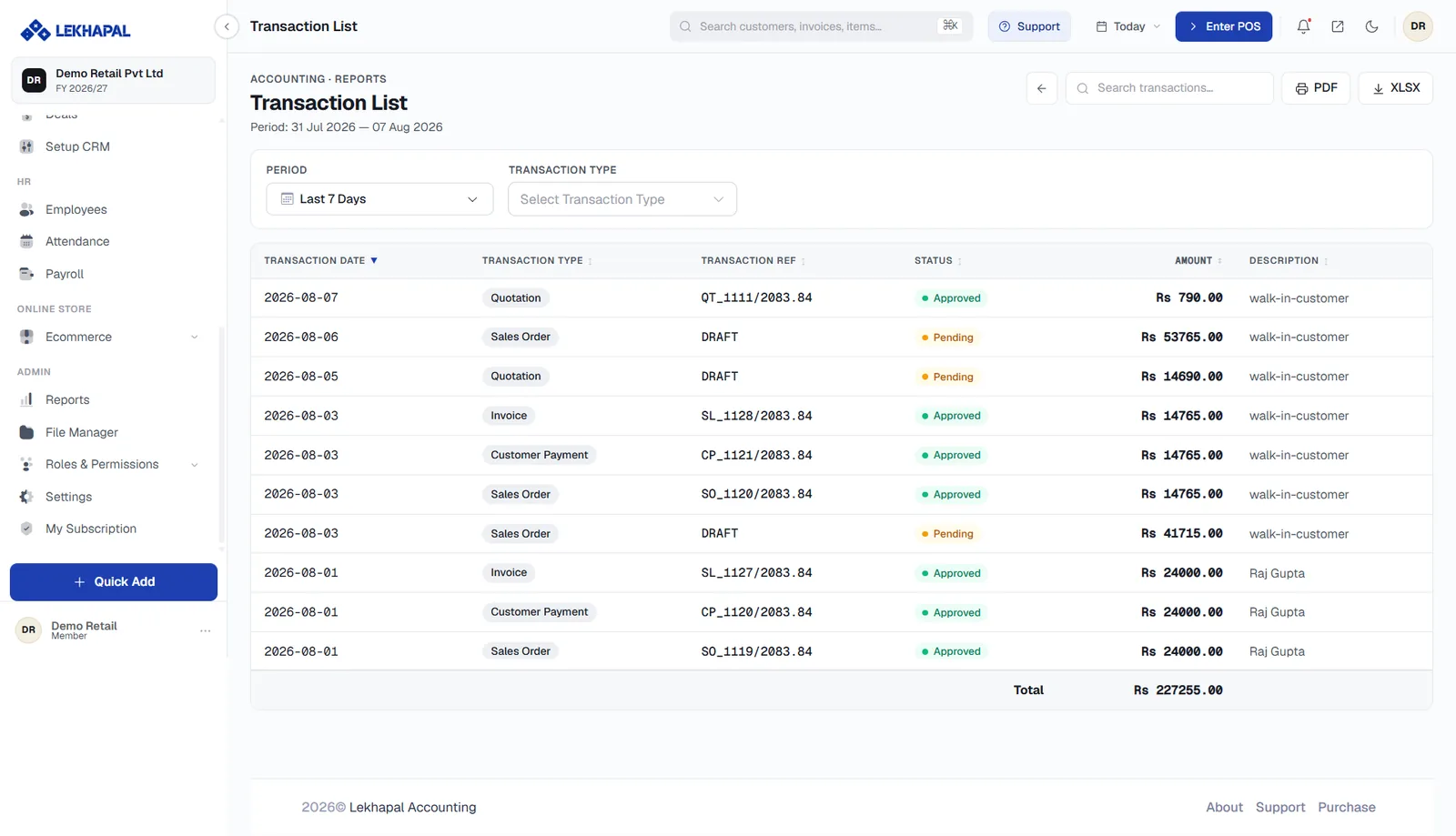
Use it when you want the individual transactions rather than a summary — for example when tracing a specific bill a customer is querying.
Day Report or Transaction List?
The Day Report tells you the shape of the day. The Transaction List tells you which transaction is wrong. Start with the first, drill into the second.