Cheque Register
The cheque register records every cheque that passes through the business — cheques received from customers and cheques issued to suppliers — and tracks each one through to clearing.
A cheque is not money until it clears. This register is what keeps that distinction visible.
What it helps you do
- Track issued and received cheques.
- Monitor cheque status — pending, cleared, bounced.
- Keep proper cheque records.
- Avoid missed or untracked payments.
Record a cheque
Accounting → Cheque Register → + Add
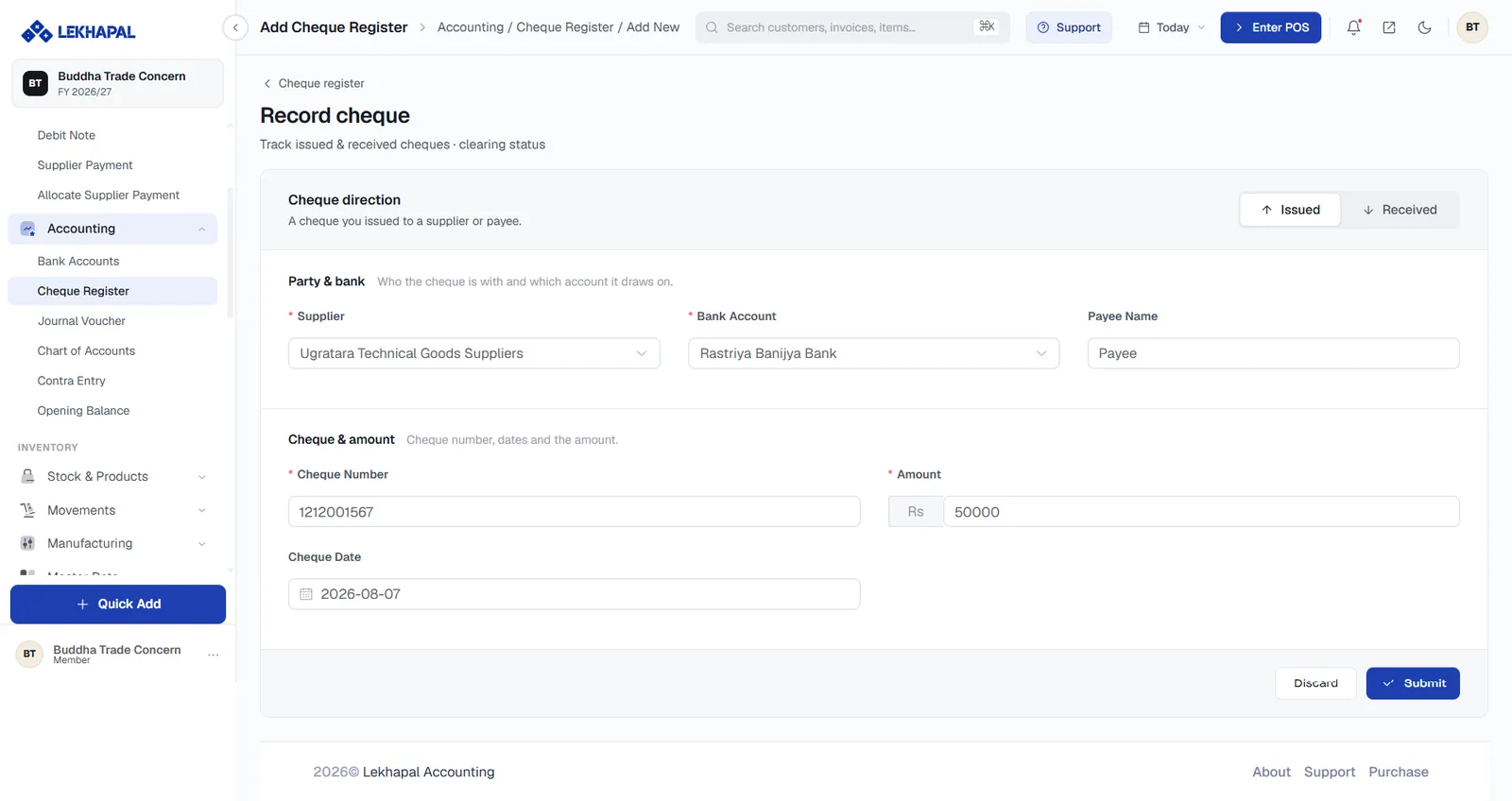
Cheque direction
The toggle in the top-right sets which way the cheque is going:
| Direction | Meaning |
|---|---|
| Issued | A cheque you issued to a supplier or payee |
| Received | A cheque a customer gave you |
Party & bank
| Field | Notes |
|---|---|
| Supplier / Customer | Who the cheque is with. The label follows the direction |
| Bank Account | Which account it draws on |
| Payee Name | Who the cheque is made out to |
Cheque & amount
| Field | Notes |
|---|---|
| Cheque Number | The number printed on the cheque |
| Amount | The face value |
| Cheque Date | The date on the cheque — which may be later than today |
Click Submit.
Cheque status
| Status | Meaning |
|---|---|
| Pending | Recorded but not yet cleared |
| Cleared | The bank has honoured it; the money has moved |
| Bounced | The cheque failed |
Update the status from the register as the bank confirms each cheque.
Post-dated cheques
Record a post-dated cheque as soon as you receive it, with its own Cheque Date. It stays Pending until that date passes and the bank clears it, so your cash position is not overstated in the meantime.
Example
A business receives a cheque for Rs. 25,000 from a customer.
- It is recorded in the register with status Pending.
- Once deposited and honoured, the status becomes Cleared.
- If the cheque fails, the status becomes Bounced and the customer's balance goes back to outstanding.