Accounting Reports
Nine reports — the most important section for understanding the financial position and performance of the business.
| Report | In one line |
|---|---|
| Transaction List | All accounting transactions |
| Journal Report | Journal entries by type |
| General Ledger Summary | Account-level GL summary |
| Detail General Ledger | Transaction-level GL detail |
| GL Master Report | Master ledger overview |
| Trial Balance | Opening, movement and closing |
| Income Statement | Profit and loss statement |
| Balance Sheet | Assets, liabilities and equity |
| Cash Flow | Cash in and out by activity |
Transaction List
Every accounting transaction recorded in the system.
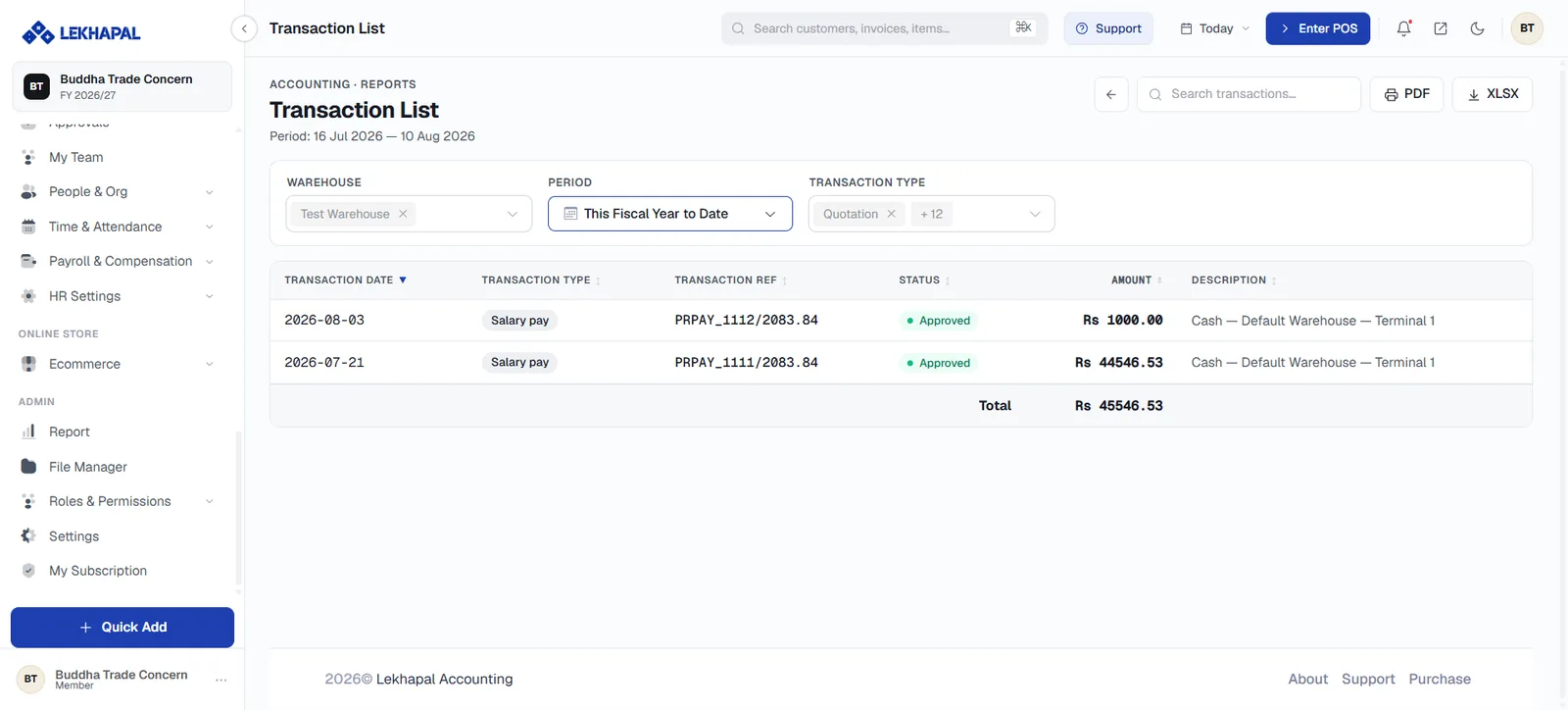
The rawest view of your books — useful when you need to find one entry among everything posted in a period.
Journal Report
Journal entries grouped by type.
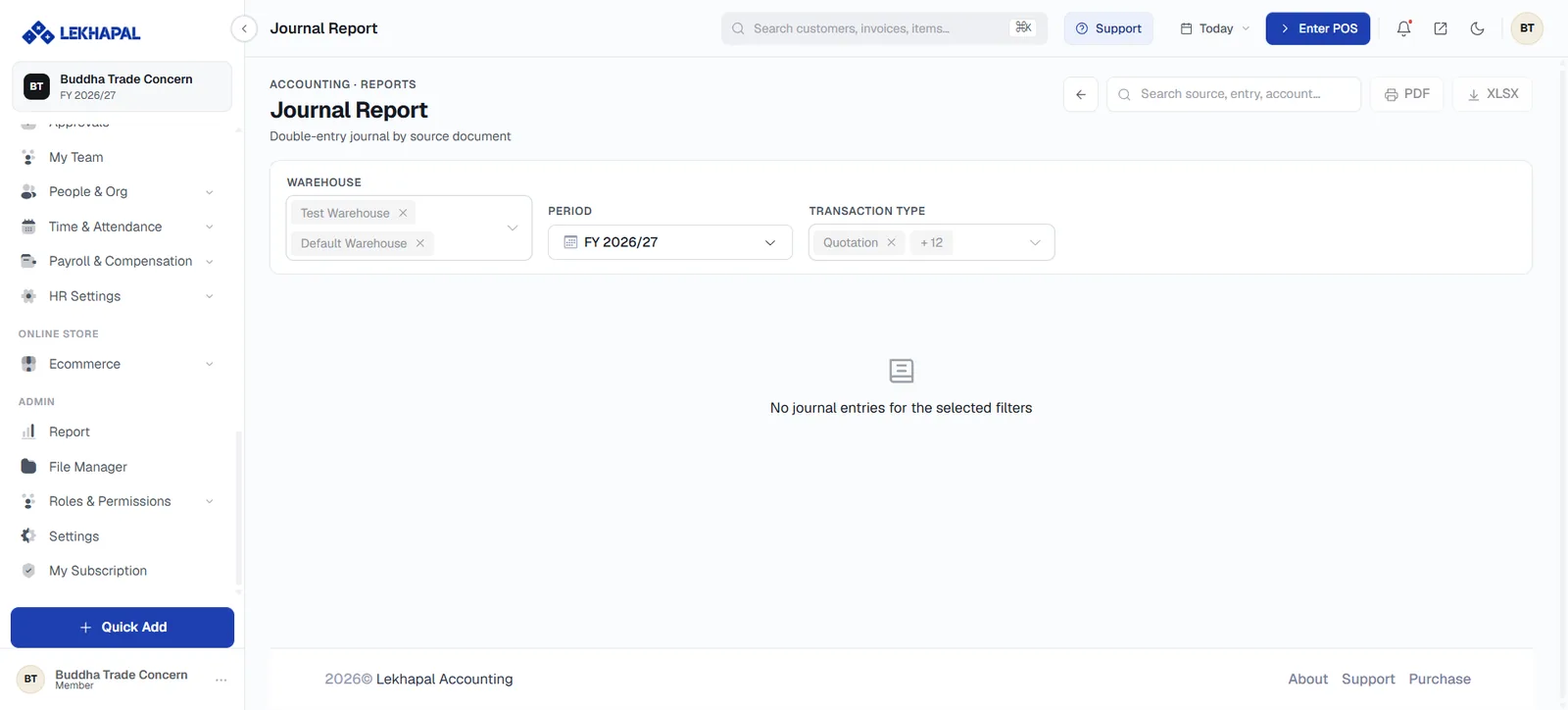
Use it to review entries recorded through journals, categorised by voucher type.
General Ledger Summary
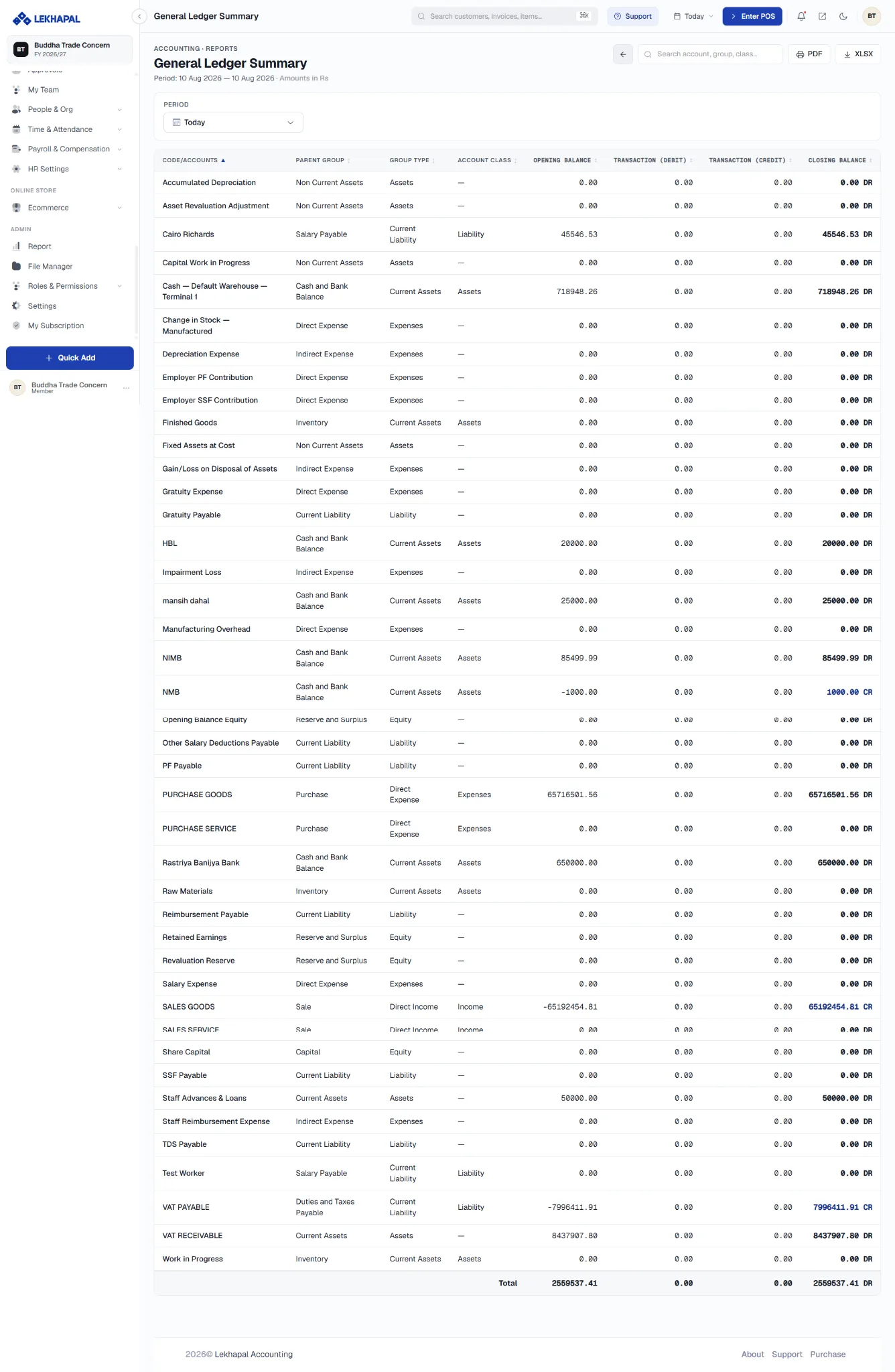
A summary of transactions at account level, showing how each account has been affected over the period.
Detail General Ledger
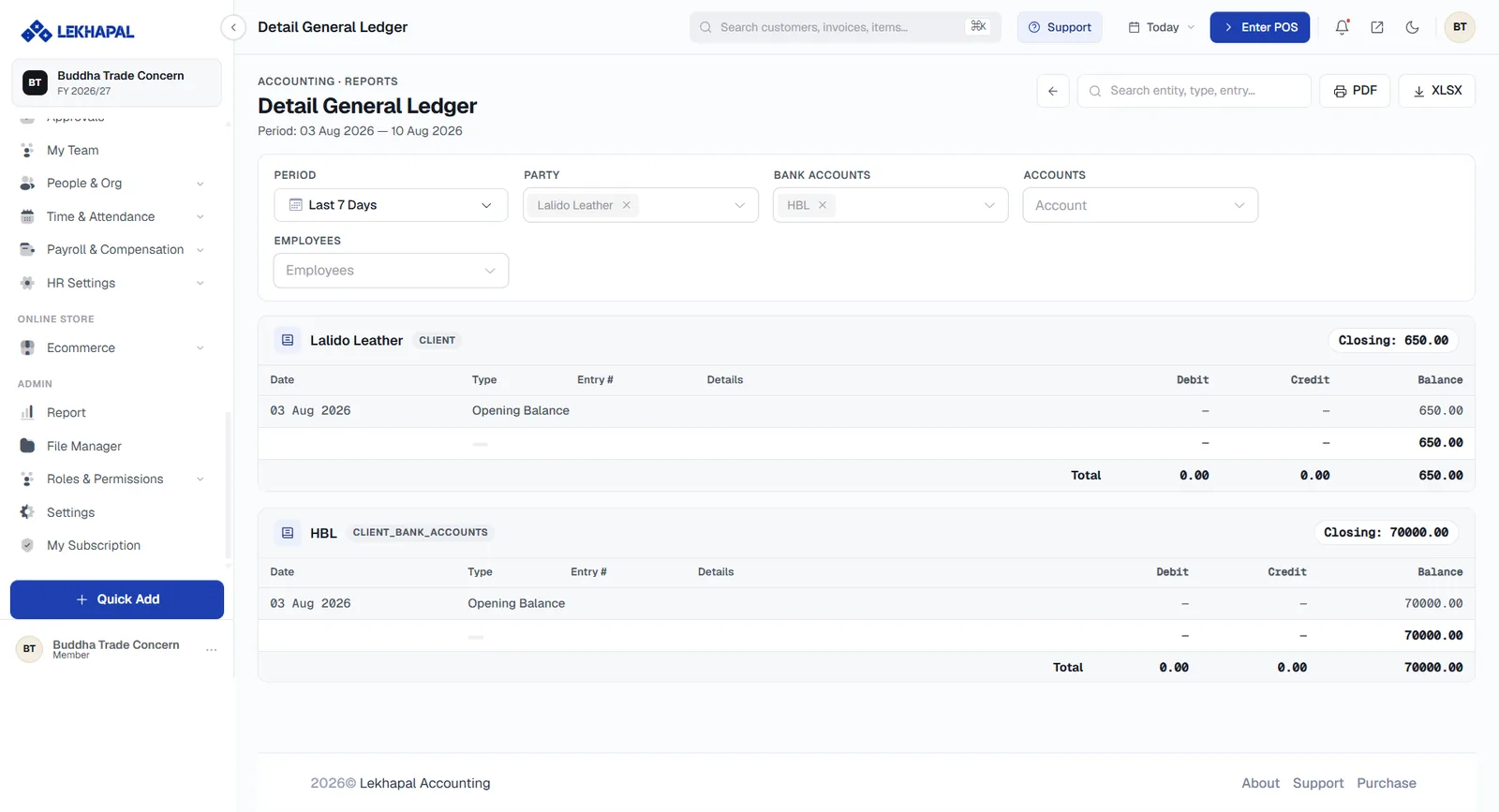
The same information at transaction level.
| Report | Level |
|---|---|
| General Ledger Summary | Summarised per account |
| Detail General Ledger | Every transaction against each account |
Start with the summary; open the detail when a figure needs explaining.
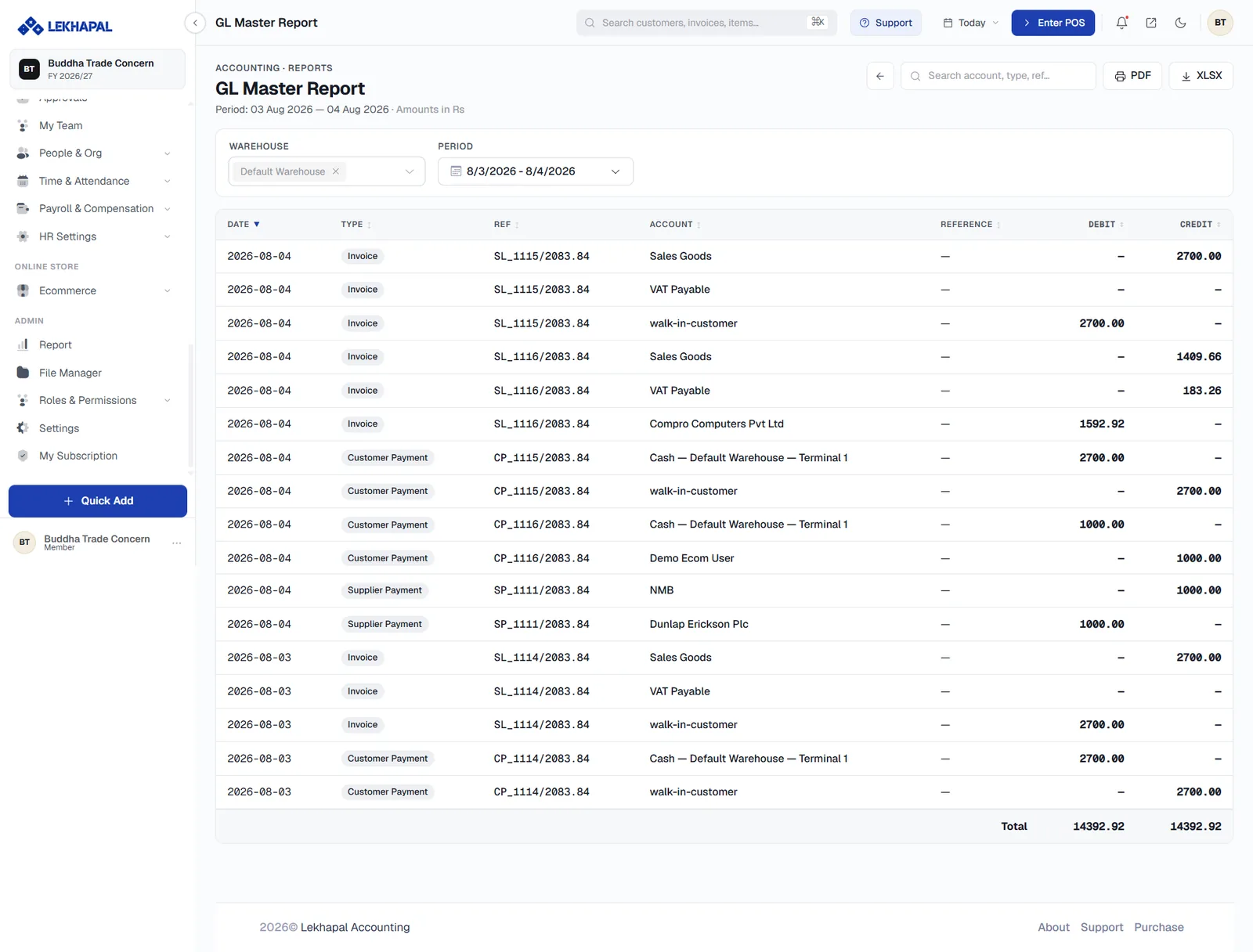
GL Master Report
A master overview of the general ledger — the whole account structure and its balances in one view.
Trial Balance
The debit and credit balances of every account.
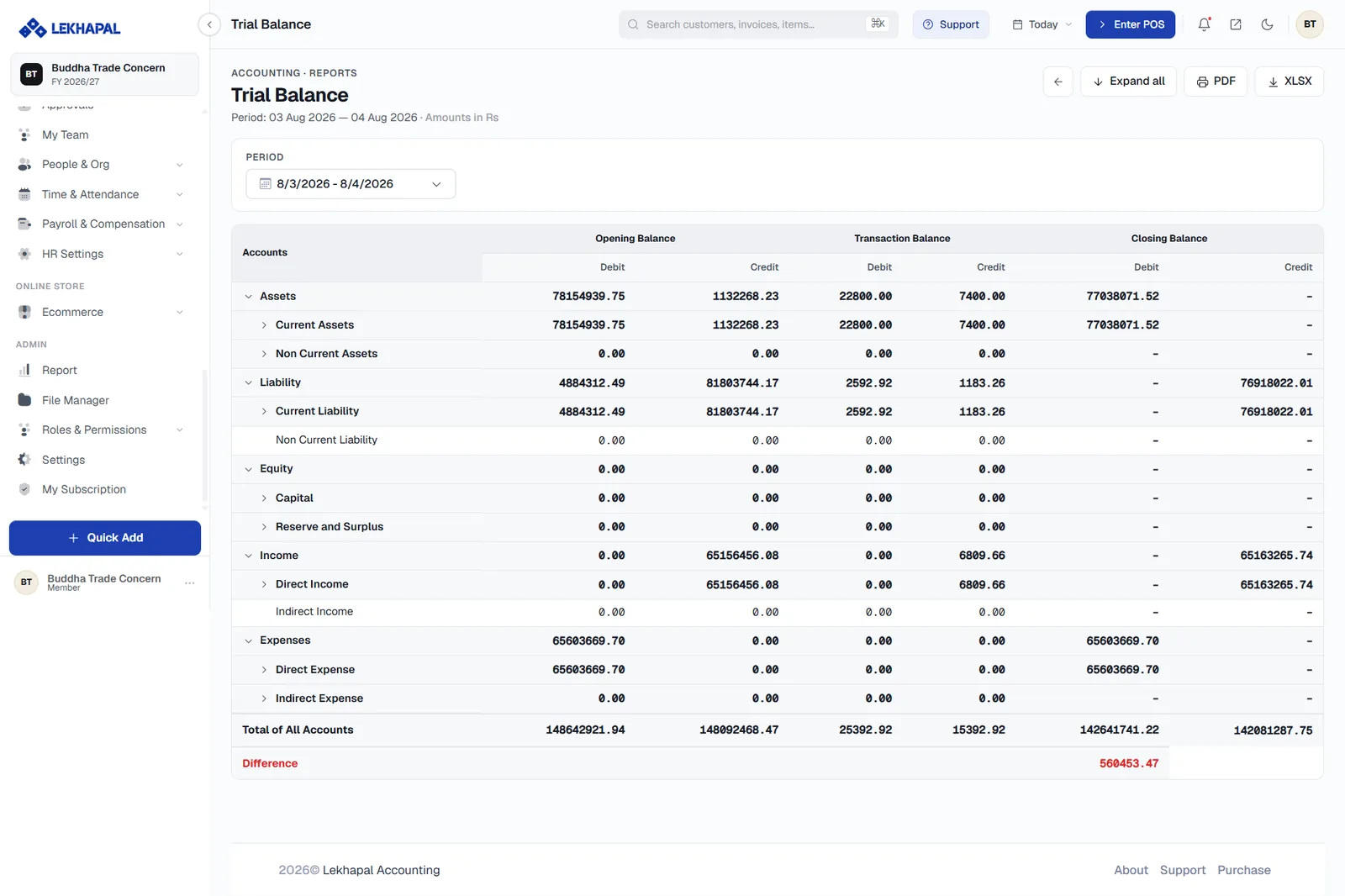
The report is laid out in three column pairs, each with a debit and a credit side:
| Column group | Shows |
|---|---|
| Opening Balance | Where each account started the period |
| Transaction Balance | Movement during the period |
| Closing Balance | Where each account ended |
Rows are grouped by account type — Assets, Liability, Equity, Income, Expenses — with subgroups you can expand, and a Total of All Accounts row at the foot.
A Difference row appears in red when debits and credits do not agree.
A difference means something is wrong
The Trial Balance is the standard check before preparing financial statements. If the difference is not zero, resolve it — starting with your opening balances — before relying on the Income Statement or Balance Sheet.
Income Statement
The business's financial performance over a period: whether it made a profit or a loss.
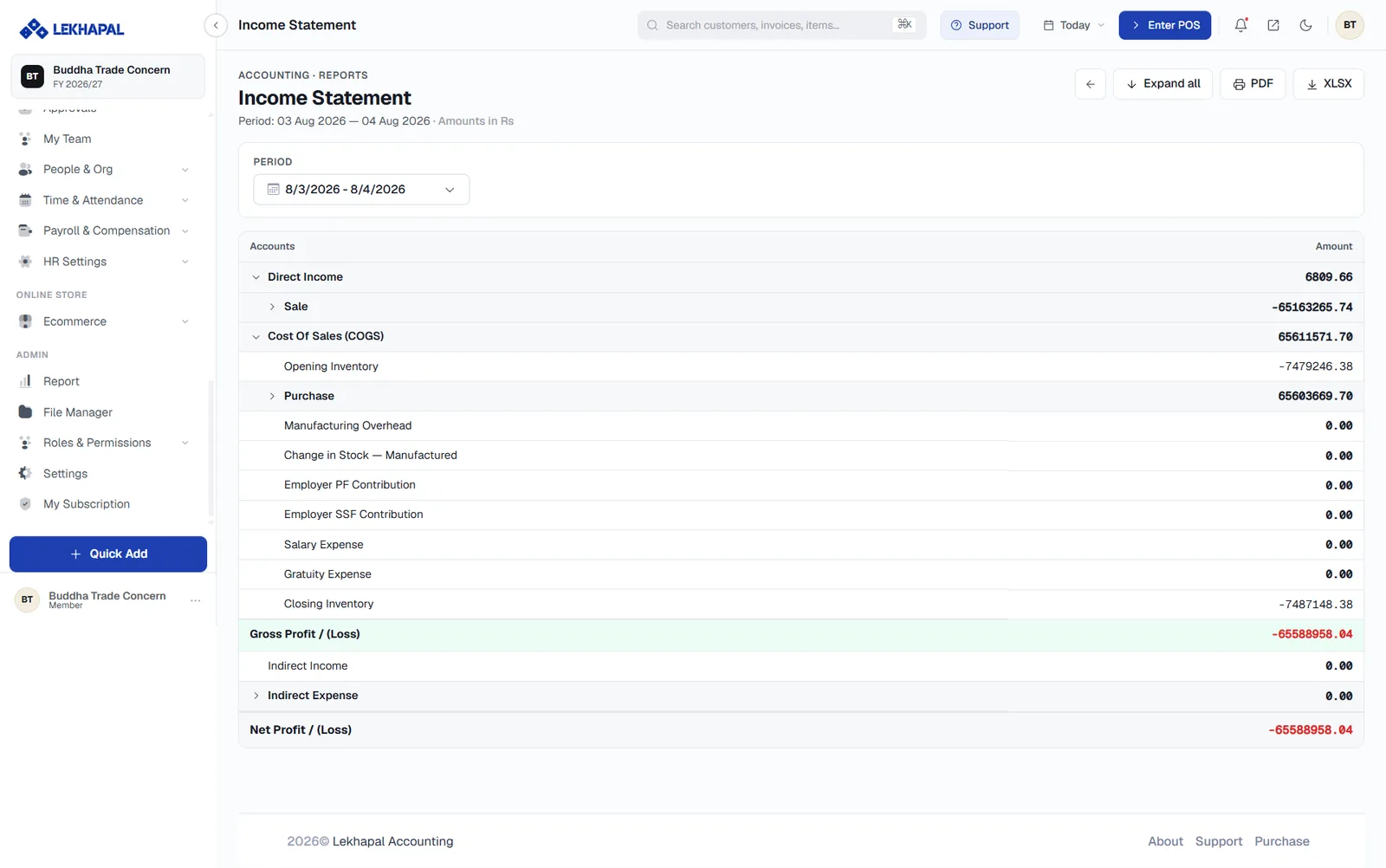
Example. Revenue of Rs. 1,000,000 against total expenses of Rs. 800,000 gives a profit of Rs. 200,000.
The report shows income, expenses and the resulting profit or loss.
Balance Sheet
The financial position of the business at a point in time.
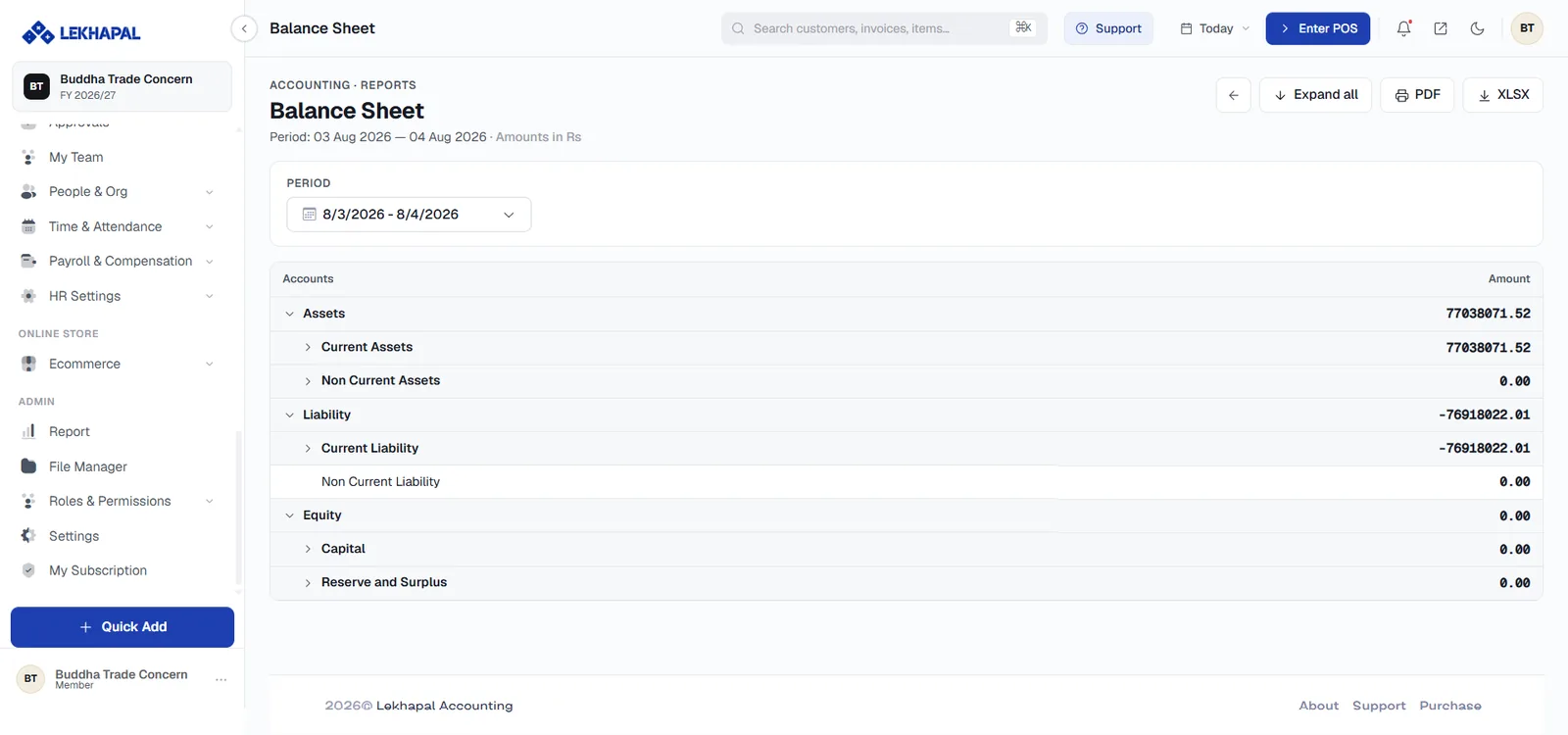
It covers:
- Assets — what the business owns,
- Liabilities — what the business owes,
- Equity — the owner's residual interest.
Assets = Liabilities + Equity
Where the Income Statement covers a period, the Balance Sheet is a snapshot: this is what the business looks like on this date.
Cash Flow
Cash coming into and going out of the business, grouped by activity.
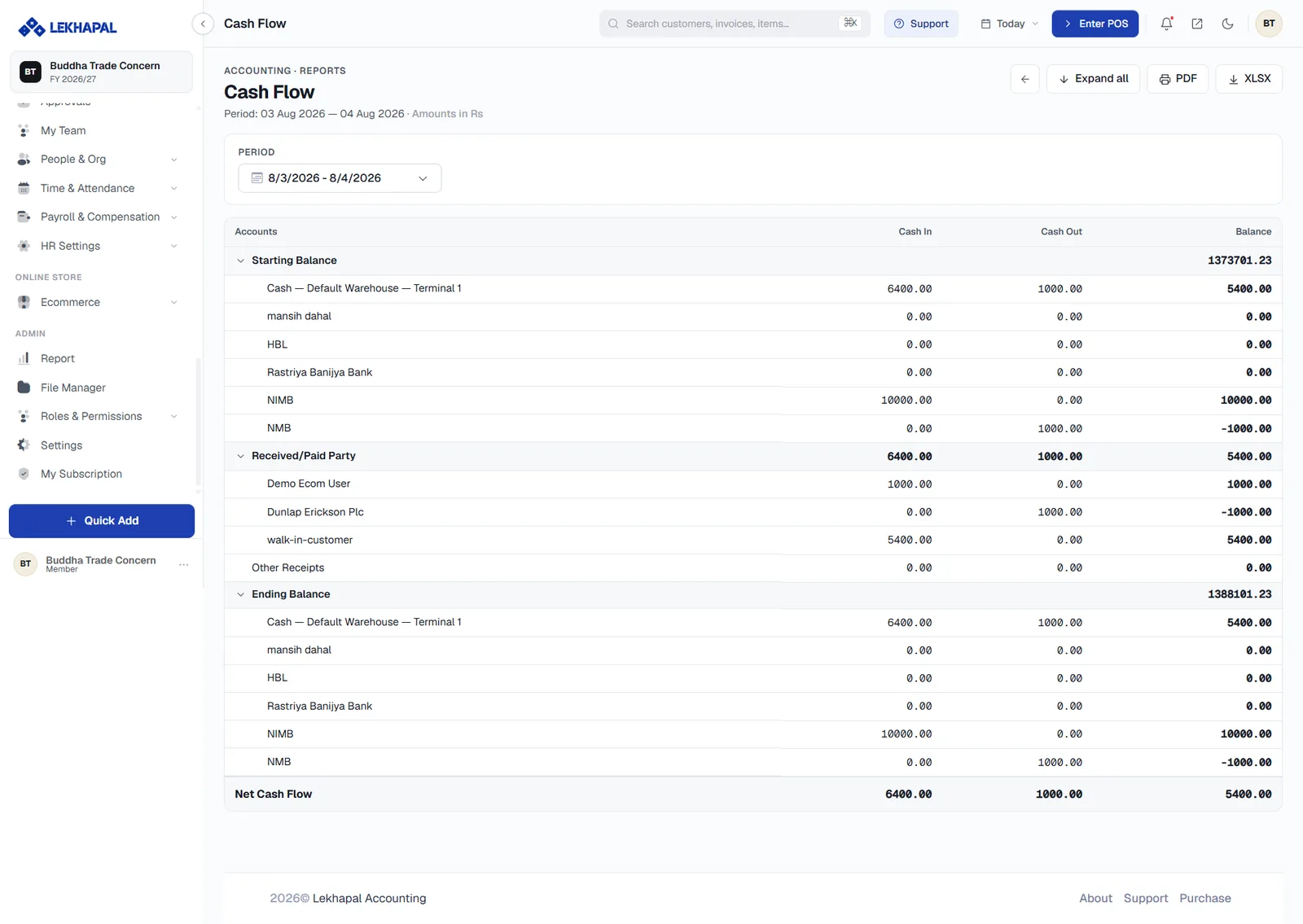
| Direction | Typical sources |
|---|---|
| Cash in | Customer payments |
| Cash out | Supplier payments, expenses |
Profit is not cash
A profitable business can still run out of money if customers pay late. The Income Statement tells you whether you are profitable; the Cash Flow tells you whether you can pay the bills.