Purchases
A purchase records goods or services bought from a supplier and produces the final purchase bill. It is the step where the business officially records the cost and updates stock.
What it helps you do
- Record supplier bills.
- Update inventory once goods are received.
- Track business costs.
- Manage amounts payable to suppliers.
- Keep a full purchase history.
Create a purchase
Purchases → Purchases → + Add Purchase
The form matches the purchase order form. If the goods came against a PO, convert the PO instead of starting fresh — the lines and prices carry across and the link is kept.
As with sales, a new purchase is pending until you approve it. Approval is what posts it to the books.
The purchase detail
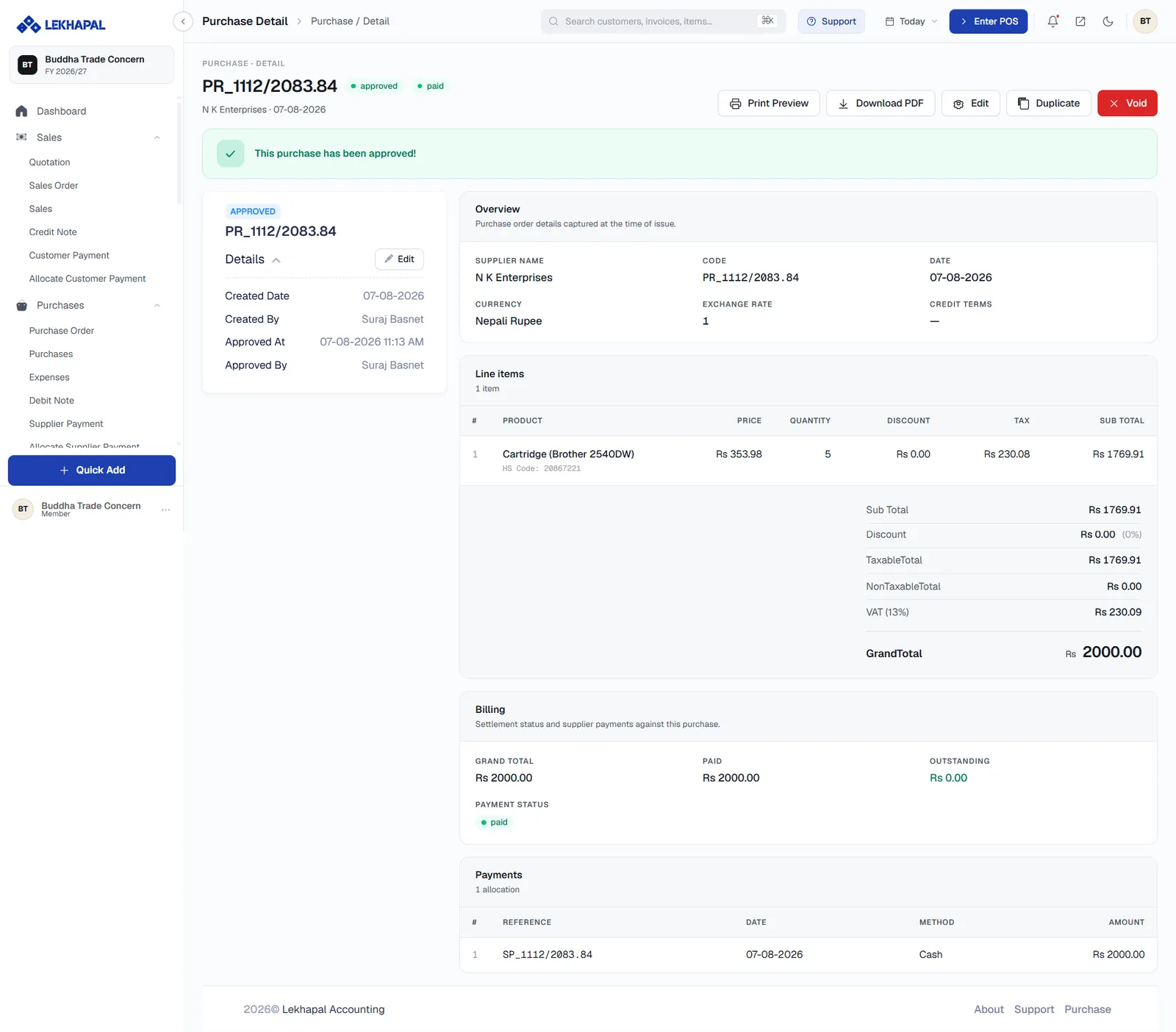
Once approved, the detail page shows:
| Section | Contents |
|---|---|
| Overview | Supplier name, code, date, currency, exchange rate and credit terms |
| Line items | Product, HS code, price, quantity, discount, tax and sub total |
| Totals | Sub Total, Discount, TaxableTotal, NonTaxableTotal, VAT and GrandTotal |
| Billing | Grand Total, Paid, Outstanding and the Payment Status badge |
| Payments | Each supplier payment allocated to this bill, with reference, date, method and amount |
The header badges tell you the state at a glance — approved plus paid, part-paid or unpaid. The Details panel on the left records who created and approved the bill, and when.
Available actions: Print Preview, Download PDF, Edit, Duplicate and Void.
What approving a purchase does
- Increases stock for the items received.
- Creates a payable against the supplier.
- Records the cost in your books.
- Records VAT paid, which appears in the Purchase Register.
Purchases, not expenses
Use this screen only for goods and services that become stock or a direct cost of sale. Rent, utilities and other running costs belong in Expenses, which do not touch inventory.
Next
→ Expenses